How Do QR Codes Work? The Complete Guide for 2026

A Quick Response Code (QR Code) is a two-dimensional barcode that stores data as a grid of light and dark squares. Any smartphone camera can read one in seconds. You’ve likely seen them on product packaging, restaurant menus, event tickets, and billboards, where marketers use them to bridge the physical and digital worlds with a single scan.
The technology is growing fast, with the global QR Code market reaching $13.04 billion in 2025 and projected to hit $33.14 billion by 2030. In the US alone, 102.6 million smartphone users will scan a QR Code in 2026. Whether you want to drive traffic, share contact details, or connect customers to a digital experience, understanding how QR Codes work gives you a real advantage.
This guide breaks down the anatomy of a QR Code, explains the scanning and decoding process step by step, covers the difference between Static and Dynamic QR Codes, and shows you how to use them safely and creatively.
Key takeaways:
- QR Codes store data in a two-dimensional grid of black and white modules that smartphones read as binary code (1s and 0s).
- A standard QR Code can hold up to 7,089 numeric digits or 4,296 alphanumeric characters across four encoding modes: numeric, alphanumeric, byte, and kanji.
- Reed-Solomon error correction allows QR Codes to remain scannable even when up to 30% of the code is damaged, dirty, or covered by a logo.
- Most modern smartphones scan QR Codes through the built-in camera app with no additional software required, thanks to native OS integration introduced in 2017.
- Static QR Codes store data directly in the pattern and cannot be changed after creation. Dynamic QR Codes use a redirect URL, which allows you to update the destination and track scan analytics.
- Quishing (QR Code phishing) rose 587% in 2024. Always verify the source before scanning a QR Code in public, and use a trusted QR Code generator to create your own.
What is a QR Code?
A QR Code is a style of two-dimensional barcode that stores information in a square grid of dark and light pixels. When you scan one with your smartphone camera, the device reads the pattern and converts it into usable data, like a website URL, a phone number, or a Wi-Fi password.
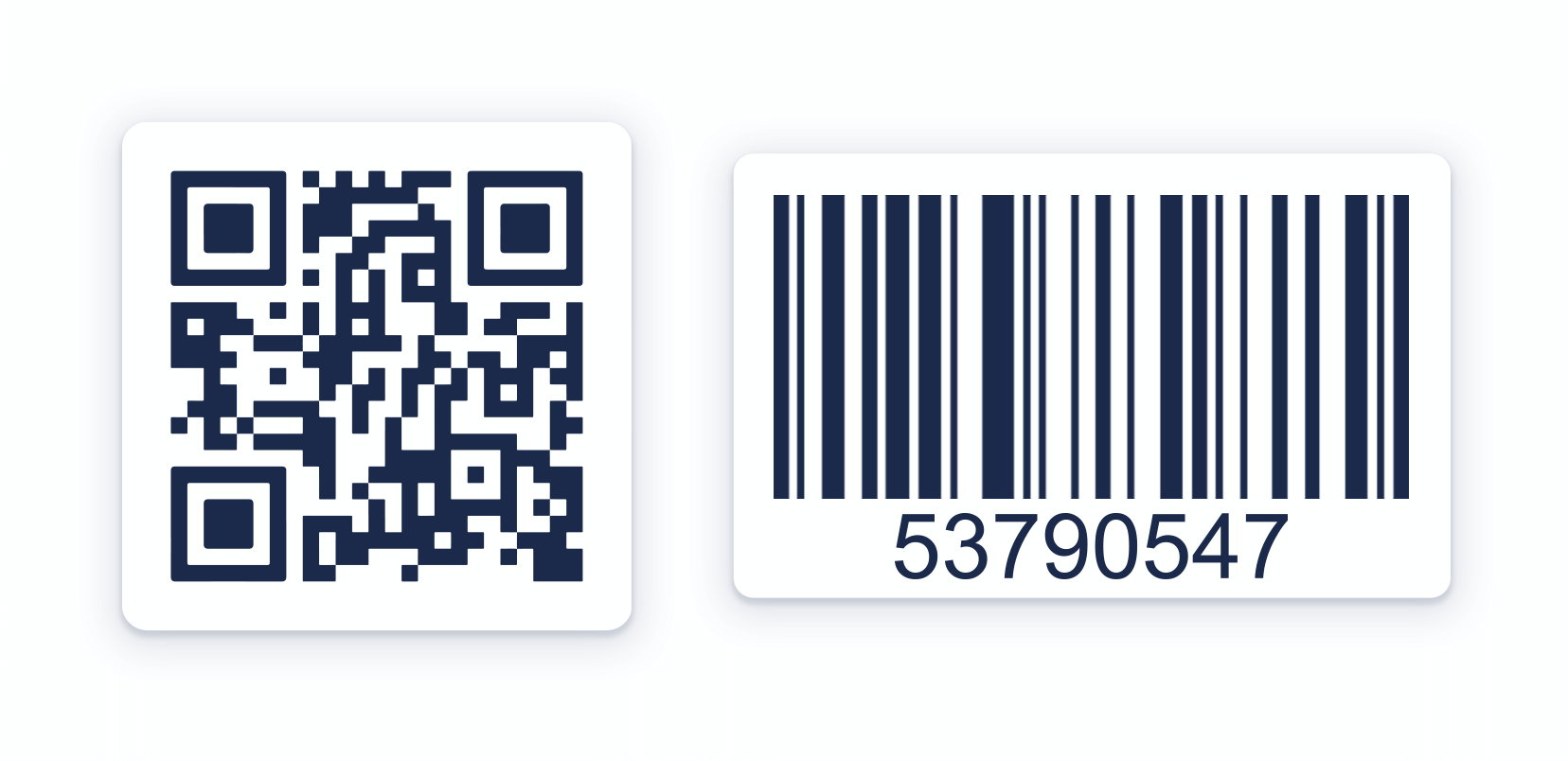
Traditional barcodes store data in one direction (horizontally) and hold roughly 20 characters. QR Codes store data both horizontally and vertically, which lets them pack thousands of characters into a compact square. Here is how they compare:
| Feature | Barcode | QR Code |
|---|---|---|
| Dimensions | One-dimensional (horizontal lines) | Two-dimensional (grid of squares) |
| Data capacity | About 20 characters | Up to 7,089 numeric digits |
| Data types | Numbers only | URLs, text, contacts, Wi-Fi, and more |
| Readability | Requires a dedicated scanner | Any smartphone camera |
| Error correction | Error detection but no correction | Up to 30% damage recovery |
That extra capacity and flexibility are why QR Codes have replaced traditional barcodes for most consumer-facing applications. You will find them linking physical products to digital experiences, connecting print ads to landing pages, and replacing paper forms with instant mobile access to online resources.
The structure of a QR Code
Every QR Code, regardless of size or content, contains seven key structural elements that work together to make scanning fast and reliable. Understanding these components helps you create better codes and troubleshoot scanning issues:
- Position markers: Three large squares in the top-left, top-right, and bottom-left corners allow scanners to detect the code’s orientation from any angle. No matter how you hold your phone, these markers tell the software where the code begins and how it has rotated.
- Alignment markers: Smaller square patterns distributed across larger QR Codes help the scanner correct for distortion, such as when you scan a code printed on a curved surface.
- Timing patterns: Alternating black and white modules, running between the position markers, establish the grid’s row and column counts, so the scanner knows exactly how many modules to read.
- Version information: QR Codes range from Version 1 (21×21 modules) to Version 40 (177×177 modules). The version number, encoded near the position markers, tells the scanner the grid size and total data capacity.
- Format information: This section stores the error correction level and the mask pattern used to optimize readability. The scanner reads it first to know how to interpret the rest of the code.
- Data and error-correction keys: The actual encoded information, arranged alongside redundant error-correction data. QR Codes use Reed-Solomon error correction at four levels: L (7% recovery), M (15%), Q (25%), and H (30%). Higher levels make the code more resilient but reduce the amount of data it can hold.
- Quiet zone: A blank border surrounding the code, typically four modules wide. Without this margin, nearby text or images can interfere with scanning. Always leave adequate white space around your QR Code when placing it in a design.
Data encoding and capacity
QR Codes support four encoding modes, each optimized for different types of data. The QR Code generator automatically selects the most efficient mode based on your input:
| Mode | Characters supported | Maximum capacity |
|---|---|---|
| Numeric | Digits 0-9 only | 7,089 digits |
| Alphanumeric | Digits, uppercase letters, and limited symbols | 4,296 characters |
| Byte | Full ASCII character set (8-bit) | 2,953 characters |
| Kanji | Japanese characters | 1,817 characters |
During encoding, the generator converts your data into binary (1s and 0s) and arranges it in a zig-zag pattern across the grid. Dark modules represent 1s and light modules represent 0s. The scanner reverses this process, reading the pattern and reconstructing the original data.
For most practical applications, like website URLs or contact cards, even a small QR Code provides more than enough capacity. A typical URL contains 50 to 100 characters, which fits comfortably in a Version 3 or Version 4 code. The code only grows larger when you need to encode long strings of text or binary data.
The encoding mode also affects how much error correction the code can include. Numeric mode is the most space-efficient, so code that stores only digits can afford a higher error-correction level while remaining compact. Byte mode uses more space per character, which means the code may need to increase in size (version) to accommodate both the data and adequate error correction.
When you create a QR Code with a tool like QR Code Generator, the software handles all of this automatically. You enter your content, and the generator selects the optimal encoding mode, version, and error correction level.
Static vs. Dynamic QR Codes
Static QR Codes contain fixed, unchangeable information permanently linked to one URL. They do not track scans or provide analytics, and they work best for one-time use.
Dynamic QR Codes offer flexibility, allowing you to update the linked information after printing without reprinting the code. They also provide analytics tracking, scan volume, location data, and device information, giving you valuable insights for marketing refinement and ROI improvement.
Here is a practical example: You print 10,000 flyers with a QR Code linking to a promotion page. With a Static QR Code, if you need to change the URL after printing, every flyer becomes useless. With a Dynamic QR Code, you update the destination in your dashboard, and every printed code immediately points to the new page.
Dynamic QR Codes also let you segment performance data. You can see which locations, time periods, or campaigns generate the most scans, then allocate your budget accordingly. This capacity makes them the standard choice for any business that takes marketing measurement seriously.
Choose a Static QR Code when the destination will never change, such as a link to a permanent resource page. Choose a Dynamic QR Code when you need the ability to update links, run A/B tests, or track performance over time. Learn more in our guide to Static vs. Dynamic QR Codes: Key differences and when to use them.
QR Code types and alternatives
The standard QR Code is the most common format, but several specialized variants exist for specific use cases:
- Micro QR Codes: A compact version with only one position marker instead of three. Use them when you need to encode a small amount of data in a very tight space, such as on electronic components or small product labels.
- iQR Codes: A format that supports both square and rectangular shapes and handles larger data sets than standard QR Codes. Choose iQR when you need to fit a code into a narrow or non-square area.
- FrameQR: A QR Code with a customizable canvas area in the center for images, text, or branding. Use FrameQR when visual design and brand identity are a priority, such as on marketing materials or packaging.
Explore all the options in our guide to 12 types of QR Codes and how each one works.
The history of QR Codes
In 1994, engineer Masahiro Hara and his team at DENSO WAVE created the QR Code to solve a specific problem: Tracking vehicle parts on Japanese automotive assembly lines. Traditional barcodes could not store enough data, and workers had to scan multiple codes per component. Hara designed a two-dimensional code that could hold significantly more information and be read at high speed from any angle.
DENSO WAVE made a pivotal decision that shaped the entire trajectory of the technology: It waived patent rights for standardized QR Codes, allowing anyone to generate and use them freely. Unlike many proprietary barcode formats that required licensing fees, QR Codes became an open standard. That single choice fueled global adoption and turned QR Codes from a niche manufacturing tool into a universal consumer technology.
In 2000, QR Codes received ISO/IEC 18004 standardization, which established uniform specifications for encoding, error correction, and scanning. This made cross-platform compatibility possible and encouraged developers worldwide to build QR Code readers into their software.
The biggest consumer breakthrough came in 2017, when Apple integrated QR Code scanning directly into the iPhone camera app with iOS 11, and Google followed with native Android support. Before this, scanning required a third-party app, which created friction and limited mainstream adoption. Native camera integration removed that barrier overnight, giving billions of smartphone users instant QR Code scanning capability.
In 2024, the ISO/IEC 18004:2024 standard update optimized encoding efficiency, improving QR Codes’ handling of data compression and error correction for modern use cases. What started as an automotive inventory tool now powers billions of consumer interactions every year.
How do QR Codes work?
How to scan a QR Code
Scanning a QR Code takes just a few seconds. You do not need to download any special software on most modern devices. Follow these steps:
- Open the camera app on your smartphone
- Point the camera at the QR Code, so the entire code is visible in the frame.
- Hold your phone steady for a moment. Your device should automatically detect the code.
- Tap the notification or link that appears on your screen to open the destination.
Many modern iPhones and Android devices scan QR Codes natively through the camera app. You can also scan from the lock screen on some devices by long-pressing the camera icon. If your device does not scan automatically, check your camera settings to confirm QR Code detection is enabled, or download a free barcode scanner app.
For the best scanning experience, make sure the QR Code is well-lit and not wrinkled or heavily creased. Hold your phone 6 to 10 inches away from the code for the fastest detection.
How QR Code scanning and decoding work
When your smartphone camera scans a QR Code, the decoding process follows seven steps:
- The camera captures an image of the QR Code.
- The software locates the three position markers to determine the code’s orientation and boundaries.
- The timing patterns establish the grid dimensions.
- The format information tells the scanner which error correction level and mask pattern to apply.
- The scanner reads each module (dark = 1, light = 0) to extract the binary data stream.
- Reed-Solomon error correction recognizes and replaces any damaged or unreadable portions.
- The decoded data triggers the appropriate action, such as opening a URL, saving a contact, connecting to Wi-Fi, or displaying text.
This entire process happens in milliseconds. The combination of position markers, timing patterns, and error correction is what makes QR Codes so reliable, even when they are partially damaged, printed at an angle, or displayed on a screen.
For Dynamic QR Codes, there is one additional step. The decoded data is a short redirect URL, not the final destination. When your phone opens that URL, the QR Code management platform (like QR Code Generator PRO) redirects you to the current destination and records the scan in its analytics dashboard. This redirect adds only a fraction of a second to the experience, but it gives the code creator the power to change destinations and track every scan.
How to use QR Codes safely
QR Codes are a powerful tool, but you should scan them with the same caution you apply to clicking unknown links. Quishing (QR Code-enabled phishing) attacks spiked 587% between August and September 2023, according to Check Point research, and QR Codes appeared in roughly 12% of all phishing attacks by 2025.
Research shows that 73% of users scan QR Codes without verifying the destination. Do not be one of them. Follow these steps to stay safe:
- Verify the source before scanning. Check for signs of tampering, such as a sticker placed over an existing code. If something looks off, do not scan it.
- Preview the URL before tapping. Your phone displays the destination URL after scanning. Read it carefully. Legitimate businesses use recognizable domains, not shortened or suspicious links.
- Use a trusted QR Code generator. When you create your own QR Codes, choose a platform with enterprise-grade security. QR Code Generator PRO is SOC 2 compliant and gives you full control over your codes’ destinations.
- Keep your phone’s OS and security software up to date. Regular updates patch vulnerabilities that attackers exploit through malicious QR Codes and phishing sites.
Read our full guide on QR Code safety for more tips on protecting yourself and your customers.
Creative ways to use QR Codes
QR Codes work across virtually every industry and channel. Here are some of the most effective applications:
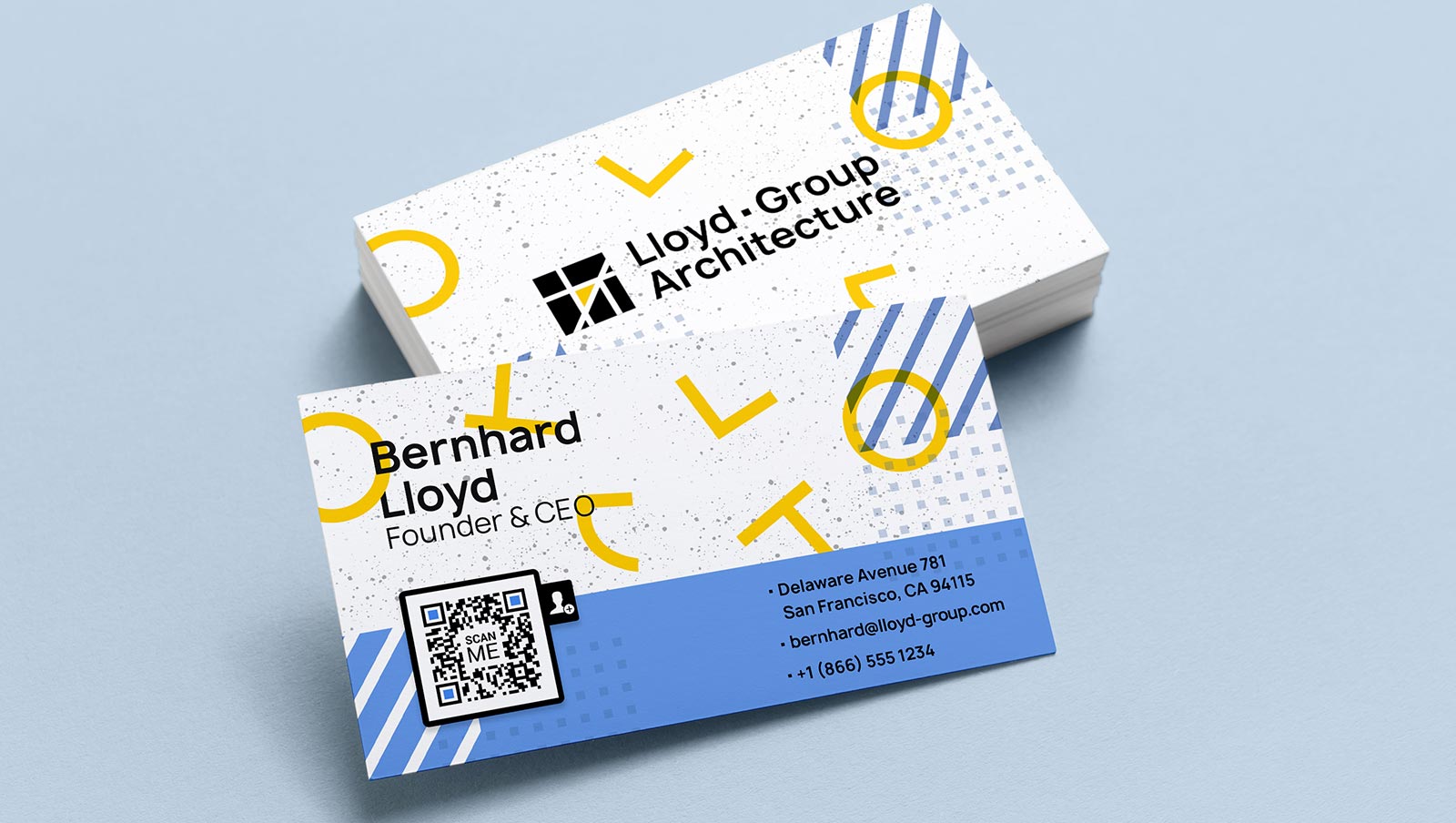
- Business cards: Add a vCard QR Code to your card so contacts can save your name, phone number, email, and LinkedIn profile with a single scan. Learn more about vCard QR Codes.
- Product packaging: Link customers from a physical product to setup guides, ingredient lists, warranty registration, or review pages.

- Healthcare: Give patients instant access to appointment scheduling, prescription information, intake forms, or telehealth portals. Hospitals also use QR Codes on wristbands to instantly pull up patient records.
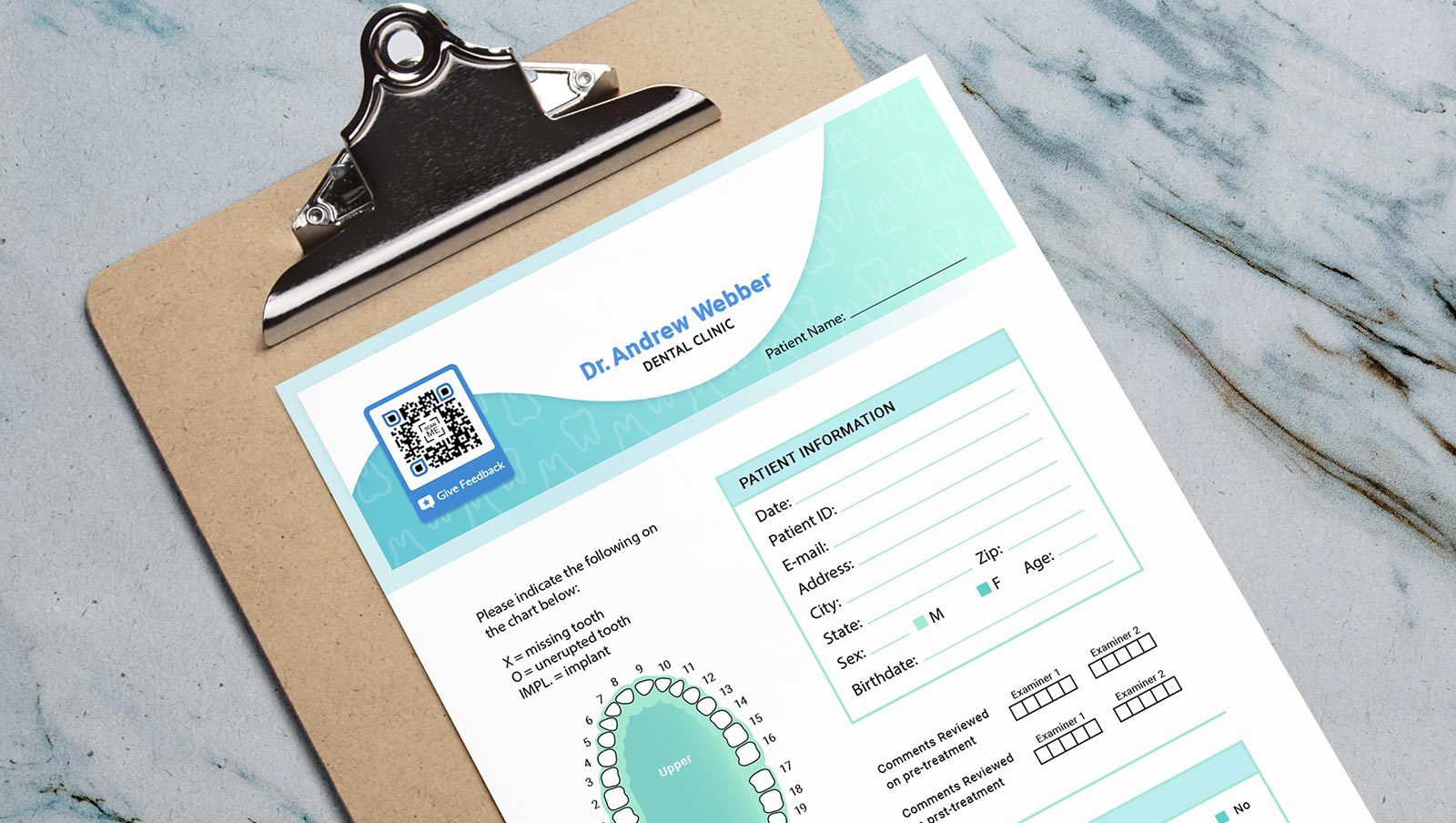
- Events and invitations: Replace printed tickets with scannable QR Codes for faster check-in. Add them to invitations so guests can RSVP or access event details.

- Restaurants and menus: Replace paper menus with Dynamic QR Codes that link to a digital menu you can update daily without reprinting.
- Payments: Enable contactless payments by linking QR Codes to payment processors, reducing checkout friction for both customers and staff.
- Marketing campaigns: Place QR Codes on print ads, billboards, flyers, and direct mail to drive traffic to landing pages, promotions, or app downloads. Dynamic QR Codes let you track which placements perform best, so you can measure offline-to-online conversion with real data.
The best results come from pairing a Dynamic QR Code with a clear call to action so people know exactly what they will get when they scan. For example, instead of printing “Scan this QR Code,” write “Scan to download the full menu” or “Scan to claim your 20% discount.” Specific prompts can drive significantly higher scan rates than generic ones.
When you use QR Code Generator PRO, you can customize your QR Codes with brand colors, logos, and frames that include a built-in call to action. Branded QR Codes build trust and make your codes instantly recognizable across every touchpoint.
Start creating QR Codes that drive results
QR Codes store data in a two-dimensional grid of black and white modules. Smartphones decode them in milliseconds using built-in camera software. Reed-Solomon error correction keeps them scannable even when they are damaged, dirty, or partially covered by a logo.
Dynamic QR Codes take this further by allowing you to change the destination after printing and to track every scan with detailed analytics. You see who scanned, when, where, and on what device, giving you the data you need to optimize campaigns and prove ROI.
Ready to create your own branded, trackable QR Codes? Sign up for QR Code Generator and start building campaigns that connect your audience to digital experiences.
Frequently asked questions
How do QR Codes store information?
QR Codes convert your data (a URL, text, contact information, or other content) into binary code and arrange it in a grid of light and dark squares called modules. Dark modules represent 1s and light modules represent 0s. The QR Code standard supports four encoding modes: numeric, alphanumeric, byte, and kanji. A scanner reads the grid pattern and converts the binary data back into its original form. Learn more about the creation process in our guide to how QR Codes are generated.
What is the maximum amount of data a QR Code can store?
The maximum storage depends on the data type and the QR Code version. At the largest size (Version 40, 177×177 modules), a QR Code can store up to 7,089 numeric digits, 4,296 alphanumeric characters, or 2,953 bytes of binary data. For most practical uses, such as website URLs, even a small QR Code provides more than enough capacity.
How do smartphones scan QR Codes without a separate app?
Apple integrated QR Code scanning into the iPhone camera app with iOS 11 in 2017, and Google followed with native support on Android. When you point your phone’s camera at a QR Code, the built-in software detects the position markers, reads the data grid, and displays a link or action prompt. No third-party app is required on modern devices. If your device does not scan automatically, you can download a free barcode scanner app.
What is a Dynamic QR Code and why does it matter?
A Dynamic QR Code stores a short redirect URL instead of your final destination. This means you can change where the code sends scanners at any time without reprinting it. Dynamic QR Codes also provide scan analytics: you can see how many people scanned your code, when they scanned it, where they were located, and what device they used. These insights help you measure campaign performance and optimize your strategy. Read the full comparison in Static vs. Dynamic QR Codes.
What is quishing, and how do you stay safe when scanning QR Codes?
Quishing is QR Code phishing, where attackers place counterfeit QR Codes over legitimate ones to redirect you to malicious websites. To protect yourself, always check for signs of tampering before scanning a code in public, preview the URL your phone displays before tapping, and use a trusted QR Code generator like QR Code Generator PRO for your own campaigns. Read our full guide on QR Code safety.
What is error correction, and why does it matter for QR Codes?
QR Codes use a mathematical technique called Reed-Solomon error correction to build redundancy into the data. This allows a scanner to reconstruct the original information even when part of the code is dirty, scratched, or partially covered. There are four error correction levels: L recovers 7% of data, M recovers 15%, Q recovers 25%, and H recovers up to 30%. Higher error correction means the code is more resilient but stores less data. This feature also allows placing a logo at the center of a QR Code without compromising scannability.



QR Code Generator
Your all-in-one QR Code marketing platform
Now you can fully customize your QR Codes with your brand colors and company logo, get scan statistics, and even edit the content after print.