12 Types of QR Codes and How Each One Works
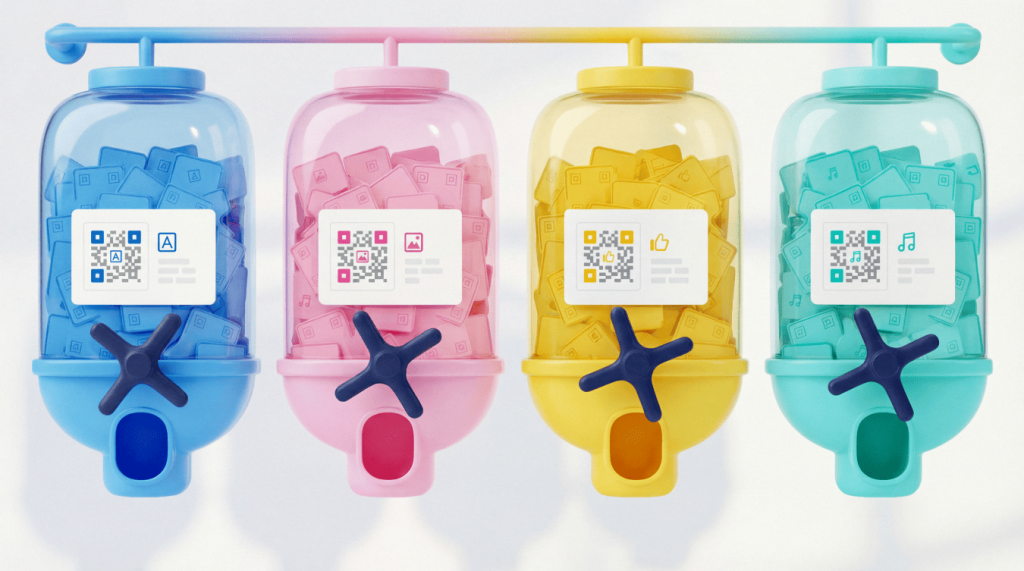
QR Codes come in multiple formats for different goals. Some, like Model 2 and Micro QR, define how the code stores data. Others, like URL and vCard QR Codes, define what happens after the scan. When you understand both considerations, you can choose a code that fits your space, supports your campaign, and keeps the digital connections to your printed assets flexible after launch.
Note:The brands and examples discussed below were found during our online research for this article.
Key takeaways
- QR Codes fall into two main categories: Technical formats (Model 2, Micro QR, iQR) that define structure, and functional types (URL, vCard, Wi-Fi) that determine what data the code stores.
- Model 2 is the modern standard, storing up to 7,089 numeric characters with error correction, keeping codes scannable even when partially damaged.
- Static QR Codes contain fixed data; Dynamic QR Codes let you update the destination URL at any time without reprinting.
- Micro QR and rMQR solve space constraints on small labels; SQRC adds encryption for sensitive data.
- Choosing the right type depends on your use case, available space, and whether you need post-deployment tracking or editing.
What is a QR Code?
A QR Code, short for “Quick Response code,” works like a 2D barcode or data matrix that smartphone cameras and scanners can read quickly. Denso Wave developed the technology in 1994 for automotive parts tracking. Today, brands use QR Codes for marketing campaigns, payments, product packaging, menus, event access, and everyday customer experiences.
Each QR Code encodes and stores data in a grid of black and white modules. Three large corner squares help scanners detect orientation, so users do not need perfect alignment. Error correction also helps a code scan when scratches or design elements affect part of the image. When you use the highest level of error correction, QR Codes remain functional even when damage affects up to 30% of the code.
Static vs. Dynamic QR Codes
The terms “static” and “dynamic” describe how a QR Code behaves after you create it, not separate visual formats.
A Static QR Code stores data directly inside the code. After you print it, you cannot change the destination URL or update the encoded information. Static codes work best for permanent information, like a fixed Wi-Fi login.
A Dynamic QR Code points to a short URL that redirects scanners to your chosen destination. You can update that destination at any time without reprinting the code. Dynamic codes also unlock scan tracking, including location, device, and time data, as well as any other analytics your chosen platform supports.
For most business and marketing use cases, dynamic codes give teams more flexibility and stronger campaign visibility. Use our guide to Static vs Dynamic QR Codes to compare both options before you print.
| Feature | Static QR Code | Dynamic QR Code |
| Destination edits | You cannot change it after creation | You can update it anytime |
| Tracking | No scan analytics | Scan analytics available |
| Best fit | Permanent information | Campaigns and print assets |
| Reprint risk | Higher when details change | Lower because links stay editable |
| Platform needs | No ongoing platform required | Requires a Dynamic QR Code platform |
Twelve QR Code types and how each one works
The first six types cover technical formats, meaning variations in the code’s physical structure. The final six cover functional types, meaning the data or action the code carries or enables.
1. Model 2 QR Code
Model 2 represents the regular QR Code most people picture. It serves as the modern international standard, ISO/IEC 18004, and supports most consumer and business uses. This format uses versions 1 through 40, from 21 by 21 modules to 177 by 177 modules, and supports up to 7,089 numeric characters or 4,296 alphanumeric characters.
Alignment patterns help scanners read codes on curved surfaces, like bottles or flexible packaging. Creators can choose error correction levels L, M, Q, or H to balance data capacity against damage tolerance. The Model 1 QR Code was the original QR Code and came first, but it now belongs in the legacy bucket.
2. Micro QR Code
Micro QR gives you a compact option for data storage when every millimeter matters. It works well on small electronics, jewelry tags, lab materials, and pharmaceutical labels. This format uses one finder pattern instead of three, supporting versions M1 through M4, ranging from 11-by-11 to 17-by-17 modules.
Micro QR can hold up to 35 numeric characters, so it works best for short IDs. It stores less data than Model 2, and not every smartphone camera scans it natively.
3. iQR Code
iQR gives designers and manufacturers more shape flexibility. Denso Wave developed it for high-volume printing, and the format supports square plus rectangular layouts. Compared with Model 2, iQR can fit the same data in less space.
It also supports 50% error correction, 61 square versions, and 15 rectangular versions. iQR works well for product labels and packaging where a rectangle fits better than a square, but confirm scanner compatibility with your chosen version before using it in a public campaign.
4. rMQR Code
rMQR stands for rectangular Micro QR. It helps teams add QR Code functionality to narrow spaces, such as packaging labels, shelf tags, tickets, and wristbands. This format builds on Micro QR efficiency but stretches the code into an elongated layout.
That shape gives you more placement options when horizontal room exceeds vertical space. Retail teams, logistics teams, and product manufacturers can use rMQR for inventory tracking, authentication, or quick access to item details. Test it with real devices before launch.
5. SQRC secure QR Code
SQRC adds encryption to QR Code technology for sensitive data. It helps organizations manage secure transactions, ID verification, anti-counterfeiting, and controlled access to information. An SQRC can store public data that any scanner can read, as well as private data that only proprietary decoder software can access.
That split helps a code serve general users and authorized systems. Banking, government ID programs, pharmaceutical authentication, and enterprise security workflows can benefit from SQRC. For everyday marketing, SQRC usually adds more complexity than you need.
6. Frame QR Code
Frame QR provides brands with a dedicated center area for images, logos, or other visual elements. The code stores data around that central frame, while scanners focus on the surrounding modules. Marketers like this format because it makes the code feel less generic and more on-brand.
A Frame QR Code can fit on posters, packaging, event signage, or promotional materials. Many teams can achieve a similar branded look with a standard Model 2 code and strong customization tools. QR Code Generator helps you add logos, adjust colors, and create a polished code that still scans reliably.
7. URL QR Code
URL QR Codes rank as the most common functional type. They send scanners to a web address, which could lead to a website, landing page, menu, product page, form, video, or campaign hub.
Marketers love URL QR Codes because they connect physical touchpoints to digital experiences. A shopper can scan packaging to view product details, while an attendee can use an event QR Code on signage to register or download resources. With QR Code Generator, you can create URL QR Codes that include customization and tracking. For more inspiration, our guide to different types of QR Codes covers additional campaign-ready options.
8. vCard QR Code
vCard QR Codes work like digital business cards. They store contact information such as a name, phone number, email address, company, job title, website, and physical address. When someone scans a vCard QR Code, they can save the contact details without typing anything.
That shortcut can make networking smoother at conferences and sales meetings. Place vCard QR Codes on business cards, booth signage, email signatures, or presentation slides. Add social media links and a website URL to complete your digital profile.
9. App store QR Code
App store QR Codes help users download your mobile app without searching. After a scan, the code can detect the user’s device and route iOS users to the App Store while sending Android users to Google Play.
That device-aware routing makes one code work for nearly everyone. App marketers can place it on packaging, flyers, ads, receipts, event booths, and in-store displays. This QR Code type removes friction by giving people an instant download path.
10. Wi-Fi QR Code
Wi-Fi QR Codes help guests join a network without typing a password. The code stores the network name, password, and encryption type, then prompts the device to connect after the scan.
Hotels, restaurants, offices, coworking spaces, and event venues can use Wi-Fi QR Codes to create a smoother guest experience. Instead of printing passwords on signs or repeating them at the front desk, teams can place a scannable code near check-in. This type of code works best when network credentials stay stable.
11. Email QR Code
Email QR Codes open the scanner’s email app with a prefilled recipient address, subject line, and optionally a message body. That setup makes outreach faster because the user starts with a ready-to-send draft.
Brands can use email QR Codes for customer service, product questions, warranty support, event feedback, or internal requests. For example, packaging can say, “Questions? Scan to email us,” while event signage can invite feedback in seconds. Use this type of code when you want a direct message rather than a form submission.
12. SMS QR Code
SMS QR Codes open the user’s messaging app with a prefilled phone number and can include a draft message. They work well for audiences who prefer texting over email, app downloads, or web forms.
Marketers can use SMS QR Codes for opt-in campaigns, appointment reminders, quick customer support, event check-ins, and loyalty signups. A restaurant could invite guests to text a keyword for offers. A clinic could help patients confirm appointments. Use this type of code when you want quick, personal action.
How to choose the right QR Code type for your project
The number of QR Code types can feel overwhelming, but most projects only need a few smart decisions. Start with your environment, audience, and post-scan goal.
Use this framework before you create your code:
- Space constraints: Choose Micro QR or rMQR for tiny labels. Choose Model 2 for standard print, packaging, and marketing materials.
- Data needs: Use URL codes for most marketing campaigns. Choose vCard for contact sharing. Choose Wi-Fi when guests need network access.
- Editability: Choose Dynamic QR Codes when you may need to update a destination after launch.
- Tracking: Choose Dynamic QR Codes when you want scan analytics and campaign insights.
- Security: Choose SQRC when private data requires encryption. Use standard codes for public information.
Consumer-facing campaigns usually benefit from using Model 2 codes because smartphone cameras widely support them. Business campaigns usually benefit from Dynamic QR Codes because teams can update links, measure engagement, and avoid costly reprints.
QR Code Generator supports common functional types with dynamic capabilities, so you can create, customize, manage, and measure codes from one place. Explore our available solutions to match your code type to your business goal.
Bring your QR Code strategy to life
QR Code types do not need to feel technical or intimidating. Once you separate structure from function, the choice becomes much easier. Pick the format that fits your space, choose the action that fits your goal, and use dynamic capabilities when your campaign needs flexibility.
QR Code Generator helps teams create branded, trackable QR Codes for print, packaging, events, and everyday customer experiences. Start your next project with a quick signup and choose the right QR Code type from the start.
FAQs
Can every smartphone scan all QR Code formats?
Most smartphones can natively scan Model 2 QR Codes, but specialized formats like Micro QR, iQR, and SQRC may require dedicated scanner apps. Stick with Model 2 for consumer-facing projects to ensure universal compatibility.
Do Dynamic QR Codes work if the internet is down?
Dynamic QR Codes require an internet connection to redirect to the destination URL. If connectivity is unavailable, the scan will fail to load the linked content.
Can I convert a Static QR Code to dynamic later?
No. Once a Static QR Code is created, the data is permanently encoded and cannot be changed. Plan ahead and create dynamic codes if you anticipate needing to update the destination.


QR Code Generator
Your all-in-one QR Code marketing platform
Now you can fully customize your QR Codes with your brand colors and company logo, get scan statistics, and even edit the content after print.