AI QR Code Design: Techniques, Tools, and Best Practices for Scannable Codes
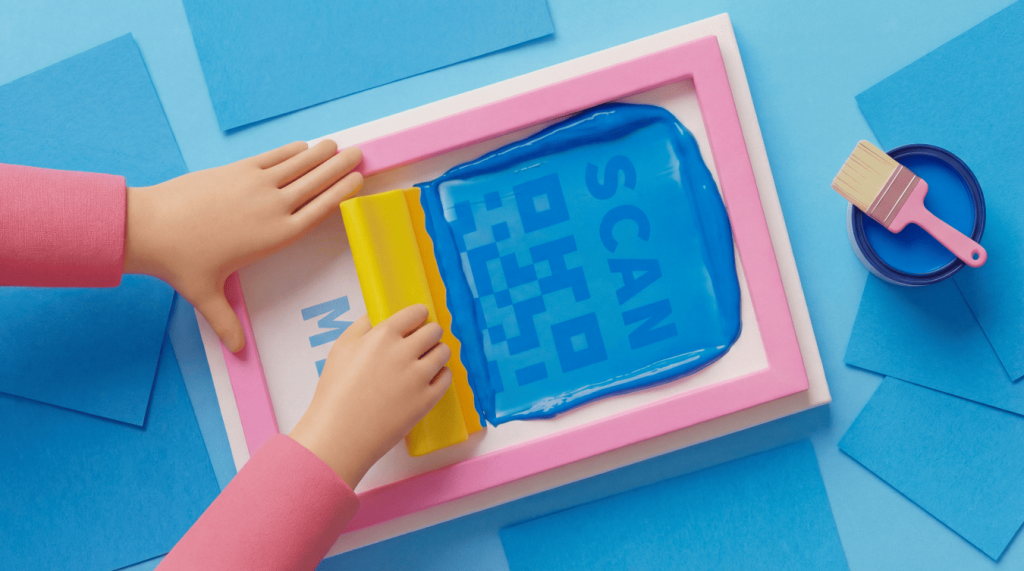
AI QR Code design embeds scannable data patterns into generative artwork. You can create codes that look like illustrations, landscapes, or branded scenes while maintaining scan reliability.
QR Codes started as black-and-white data squares for tracking auto parts. They evolved into branded visual assets with custom colors, logos, and frames.
Generative AI now pushes this evolution further. It embeds QR data directly into artwork. That turns a functional code into an illustration, landscape, or branded scene people want to look at.
The core challenge: AI-generated QR Codes look striking but risk breaking scannability. Artistic modifications can obscure the data patterns that scanners need to read. That leaves you with beautiful images that fail at their primary job.
This guide covers how AI QR Code design works and which techniques preserve scan reliability. It also shows how to evaluate tools and apply AI-generated designs in real campaigns. QRCG serves 10 million+ users who create and deploy QR Codes across every industry. We understand the balance between design creativity and scan performance.
Key takeaways
- Generative AI creates QR Codes by embedding data patterns directly into artwork with diffusion models and ControlNet conditioning. The codes look like illustrations, landscapes, or branded imagery while remaining scannable.
- AI-generated QR Codes require higher error-correction levels (Level H with 30% redundancy) because artistic modifications obscure portions of the data matrix.
- Scannability drops significantly when AI-generated designs reduce the contrast between QR modules and the background below 4:1. Contrast testing is the single most important quality gate.
- The three corner finder patterns (position detection markers) must remain visually distinct in every AI-generated QR Code. Scanners use them to locate and orient the code.
- Dynamic QR Codes pair naturally with AI designs because the short redirect URL keeps the data payload small. That gives the error correction system more room to absorb artistic modifications.
What is AI QR Code design?
AI QR Code design is the use of generative AI models—primarily Stable Diffusion with ControlNet—to create QR Codes. The data pattern is woven into a visual scene rather than overlaid on top of it.
Traditional QR Code customization applies colors, logos, and frames to an existing grid structure. The underlying black-and-white matrix stays intact, and design modifications work within that constraint.
AI QR Code design takes a different approach. The entire image is generated around the QR data grid. The result is artwork where the code’s modules become part of the visual composition.
The underlying technology combines two AI components. A diffusion model (like Stable Diffusion) generates images from text descriptions.
ControlNet is a neural network that adds structural constraints to image generation. It forces the generated image to conform to a guide pattern: In this case, the binary data matrix of a QR Code. The result is an image that satisfies both the creative prompt and the functional requirements of QR Code encoding.
| Feature | Traditional QR Code customization | AI QR Code design |
|---|---|---|
| Visual approach | Colors, logos, frames applied to existing grid | Entire image generated around QR data grid |
| Design complexity | Moderate: Bounded by grid structure | High: Artwork, illustrations, branded scenes |
| Scannability risk | Low when following best practices | Higher: Needs careful error correction and contrast |
| Tools needed | QR Code generator with design options | AI image generation platform with ControlNet |
| Production speed | Seconds | Minutes to hours (iteration needed) |
| Brand control | Full control over colors, logo, CTA frames | Less predictable: Needs iteration and testing |
How diffusion models encode QR data into images
The generation process works with two inputs. One is a text description of the desired visual. The other is the QR Code’s binary pattern as a structural guide image.
The text prompt tells the model what the image should look like (“a Japanese garden with cherry blossoms”). The ControlNet guide tells the model where dark and light regions must appear to maintain scannable data.
The model generates pixels that satisfy both constraints simultaneously. Dark QR modules are represented by darker visual elements such as shadows, foliage, and building facades. Light modules become sky, water, or bright surfaces. The result is QR modules represented by visual elements rather than literal squares.
This process needs multiple iterations. The first output rarely scans perfectly. You adjust the ControlNet conditioning strength, refine the text prompt, and regenerate until the design passes scan testing across devices.
AI QR Code design techniques that maintain scannability
Four technical parameters determine whether an AI-generated QR Code will scan. They are error correction level, contrast ratio, finder pattern preservation, and quiet zone. Every design choice in AI QR Code creation must first be evaluated for scan reliability. A visually striking code that fails to scan has no marketing value.
- Error correction level: Use Level H, which provides 30% data recovery capacity. The ISO/IEC 18004 QR Code standard defines this setting. It lets scanners read the code even when artistic elements obscure nearly a third of the modules.
- Contrast ratio: Maintain at least a 4:1 ratio between dark QR modules and the background. Scanners differentiate modules by detecting light-to-dark transitions. When AI-generated artwork reduces this contrast, scan rates plummet.
- Finder pattern preservation: The three large squares in the corners of every QR Code (position detection patterns) must remain visually distinct. Scanners use these to locate and orient the code before they read data.
- Quiet zone: Keep at least 4 modules of clear space around the entire perimeter. AI-generated backgrounds that bleed into this zone confuse scanners about where the code begins and ends.
Use this checklist before finalizing any AI-generated QR Code:
- Set error correction to Level H before generating the base QR Code
- Use a text prompt that emphasizes contrast between dark and light areas
- Check that all three finder patterns are clearly visible in the output
- Test the generated code on at least three platforms (iOS and Android camera apps, plus a dedicated scanner app)
- Verify the quiet zone has not been consumed by artistic elements
- Print a test copy and scan in both bright and low-light conditions
When AI QR Code designs fail to scan
Three common failure modes cause AI-generated QR Codes to break:
- Insufficient contrast: The AI model blends dark and light areas into midtones, erasing the binary distinction scanners need. This happens most often with prompts that request soft, pastel, or watercolor aesthetics.
- Finder pattern distortion: Artistic elements overwhelm the corner squares, making them indistinguishable from the surrounding design. Scanners cannot locate the code without these reference points.
- Module bleeding: Adjacent dark and light modules merge together at their edges. That creates ambiguous zones where scanners cannot determine module boundaries.
Follow this testing workflow to catch failures early. Generate the design, then scan-test on screen immediately. Adjust your prompt or ControlNet parameters based on the failure mode that occurred. Regenerate and retest.
Once you have a screen-scannable version, print a test copy at the intended size. Scan it in both bright and low-light conditions before you deploy.
How to create an AI QR Code step by step
You can create an AI QR Code in seven steps. Generate a Level H base code, condition a diffusion model with ControlNet, then test and deploy with a Dynamic QR Code.
- Create a Dynamic QR Code using QRCG so you can update the destination without a new design generation. Select Level H error correction during generation.
- Select an AI image generation tool that supports ControlNet QR conditioning. Stable Diffusion with the ControlNet extension is the most common option.
- Upload the base QR Code pattern as the ControlNet guide image. Set the conditioning strength between 1.0 and 1.5. Higher values preserve scannability but limit artistic freedom.
- Write a text prompt describing the desired visual style. Emphasize contrast in the prompt: specify distinct dark and light regions, avoid words like “soft,” “hazy,” or “blended.”
- Generate multiple variations (at least 4 or 5) and scan-test each one on your phone immediately. Discard any version that fails on the first scan attempt.
- Select the best-performing design and export at high resolution (minimum 1000×1000 pixels for print applications).
If you need scannability without the iteration cycle, use QRCG’s built-in design tools. Custom colors, logos, CTA frames, and shape customization can produce branded codes in seconds with predictable scan performance.
AI QR Code design use cases by industry
AI-generated QR Codes work across industries when the code is part of the visual design. They are not just a functional add-on.
Retail and packaging
AI-generated QR Codes turn product packaging into a design feature rather than a functional afterthought. A skincare brand can generate codes that look like botanical illustrations. A beverage company can create codes that blend into label artwork.
Use a Dynamic QR Code from QRCG to link the design to seasonal promotions. Then update the destination for holiday campaigns without reprinting the packaging.
Events and entertainment
Event posters and tickets benefit from AI QR Codes that match the event’s visual identity. A music festival code that looks like a concert illustration creates visual cohesion. So does a film premiere code styled as cinematic artwork.
Dynamic QR Codes let you switch the scan destination from buying a ticket to event-day information to a post-event survey. You can do all of that with the same printed design.
Restaurants and hospitality
Menu QR Codes that look like food illustrations or restaurant-themed artwork feel intentional rather than slapped onto a table tent. Hotels can generate codes styled to match their interior design aesthetic. Dynamic QR Codes let you update digital menus, specials, or loyalty program pages without having to reprint the physical materials.
Fashion and apparel
QR Codes on clothing and hang tags become wearable design elements when you generate them as AI artwork that matches the garment’s aesthetic. A streetwear brand might generate codes that look like graffiti art. A luxury label can create codes resembling fine line drawings.
Dynamic QR Codes connect each piece to authentication pages, styling guides, or exclusive content. You can update those destinations by season.
Real estate and print advertising
Property brochures and yard signs gain visual appeal when QR Codes look like architectural sketches or neighborhood illustrations rather than generic data squares. Agents can use Dynamic QR Codes to keep the same printed materials active across multiple listings. Keep updating the scan destination as properties sell and new ones are added.
AI QR Code design vs. traditional QR Code customization
Choose AI QR Code design when visual impact matters more than speed. Choose traditional customization when you need predictable scans at scale.
Choose AI QR Code design when:
- You need a high-impact visual statement (premium packaging, gallery installations, event activations)
- The QR Code is a central design element rather than a supplementary feature
- You have time for iteration and testing (days, not hours)
- The code will appear in a controlled environment where you can verify scannability
Choose traditional QR Code customization when:
- You need reliable, predictable scan performance without iteration
- Turnaround time is short (same-day or next-day deployment)
- You are deploying at high volume across multiple materials
- Brand consistency matters more than visual experimentation
- Your team needs to produce codes without AI tooling expertise
For most business use cases, QRCG’s customization suite delivers branded codes that scan reliably every time. That suite includes custom colors, logo uploads, CTA frames, and shape options.
The two approaches complement each other. Use AI-generated designs for hero placements. Use traditional customization for day-to-day operational codes.
Start designing QR Codes that stand out
AI QR Code design gives marketers a creative way to turn functional codes into visual assets. Those assets still need to scan. But scannability remains non-negotiable: A code that cannot be scanned has zero marketing value, regardless of how good it looks.
Start with a reliable QR Code platform that handles the technical foundation: error correction, Dynamic QR Code redirect URLs, scan tracking, and destination management. Then experiment with AI-enhanced designs for your highest-impact placements. The underlying infrastructure already supports testing and iteration.
Sign up for QRCG to create branded, trackable QR Codes and explore how AI-enhanced designs fit into your next campaign.
Frequently asked questions
What is an AI QR Code?
An AI QR Code is a scannable code where generative AI embeds the data pattern into an artistic image. It does not display traditional black-and-white squares. The AI model uses the QR Code’s data grid as a structural constraint while generating visuals such as illustrations, landscapes, or branded artwork around it.
Are AI-generated QR Codes scannable?
AI-generated QR Codes can be scannable when you maintain adequate contrast (at least a 4:1 ratio) and preserve the three corner finder patterns. Keep the quiet zone intact and use Level H error correction. Test every AI-generated code on multiple devices before you deploy it.
How do you make an AI QR Code?
Generate a base QR Code with your target URL. Upload it as a ControlNet guide image in a diffusion model tool like Stable Diffusion. Write a text prompt describing your desired visual style. Iterate until you get a design that scans across devices.
What is the difference between AI QR Code design and regular QR Code customization?
Traditional QR Code customization involves changing colors, adding logos, and adjusting shapes within the existing grid structure. AI QR Code design generates an entirely new image composition in which the QR data pattern is woven into the artwork. AI design offers more creative freedom but carries a higher risk of scannability issues and requires more iteration.
Can you use AI QR Codes for business marketing?
You can use AI QR Codes for high-impact marketing placements like premium packaging, event posters, and print advertisements. In those placements, the QR Code doubles as a visual design element. Pair the AI-generated design with a Dynamic QR Code from QRCG to track scans and update destinations without a reprint.

QR Code Generator
Your all-in-one QR Code marketing platform
Now you can fully customize your QR Codes with your brand colors and company logo, get scan statistics, and even edit the content after print.