How to Create QR Codes that Drive Scans: A 2026 Original Data Report from QRCG by Bitly
Almost every marketing trend and channel follows a cycle: The “new thing” arrives on the scene. A few people use it at first, then a lot of people use it, then everyone uses it. As the channel reaches peak popularity, standing out becomes incredibly difficult. Marketers must then truly innovate to actuallycapture audiences and convince them to take action.
Take QR Codes, for example. After several decades, these touchpoints are now more common than ever before, showing up everywhere from product packages to storefronts to TV ads. Yet in many places, these codes are visually interchangeable and easy for consumers to ignore. Now that everyone seems to be using these tools, how do you stand out, drive interest, and get audiences to grab their smartphones and scan?
To find out, we looked at the past year of platform data from QRCG by Bitly. We compared and calculated which QR Code features correlate with higher scan rates to help you make every code more effective and engaging for your audience. Keep reading to check out the top takeaways, learn more about why they work, and build a QR Code strategy that drives awareness, scans, and revenue this year.
Methodology and overview
For this report, we analyzed around 2 billion real-time QR Code scans from the QRCG platform spanning January 2025–December 2025. We investigated multiple QR Code types and designs to capture an overview of how each aspect of branding, design, and destination impacts scans.
The data revealed three key takeaways:
1. On average, QR Codes with logos see 53% more scans than those without.
2. Codes with customized patterns and designs garner 2–3 times as many scans as “plain” ones.
3. Specialized QR Code destinations drive as much as 26 times the engagement of QR Codes that use standard URLs.
This report will explore why this data matters and how you can put it into action to drive more QR Code scans and more of the outcomes you want to see for your business.
Finding 1: Your logo boosts scans and your brand
Should you place your logo front and center in your QR Codes? The data says yes: On average, QR Codes that feature logos drive 53% more scans per code than those without logos:
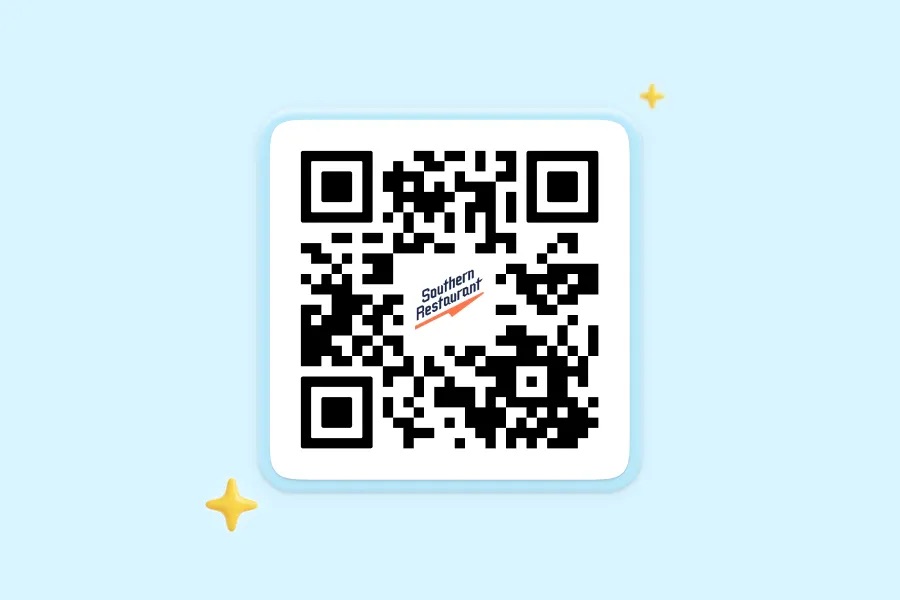
✅ Logo-uploaded codes averaged 232 scans per code
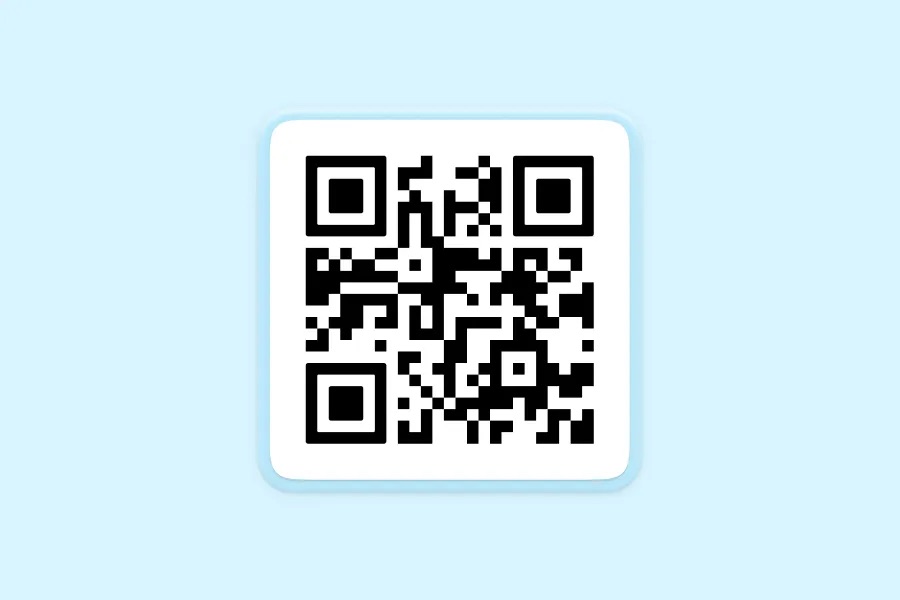
❌ Logo-less codes averaged 152 scans per code
Brand recognition is one of your best assets when trying to convince someone to pull out their smartphone, open the camera, and scan a QR Code.
If someone is already a loyal customer and they’ve bought your products or services in the past, your logo reminds them of past top-notch experiences, which hints at the valuable content you’re sharing with each code.
When someone is vaguely familiar with your brand—they might know the name or have seen your logo before—including your logo on a QR Code can pique their curiosity. Maybe they’ve thought about buying in the past, so now, they’re interested enough to scan and see what special offers or unique content you have to share.
What about complete strangers to your brand? Including your logo in a QR Code helps them, too. A professional, memorable logo (especially in the context of the rest of a well-designed asset) makes your code look more reputable. It quickly communicates that your brand is established and encourages potential scanners that nothing nefarious is at play.
“Your logo reinforces trust and makes your QR Code seem safe, legitimate, and valuable. A user feels like they’re not just scanning a random QR Code. They’re engaging with a known, established brand.”
Why consumers may see logo-less codes as a risk
Bad actors have always found ways to misuse and abuse technology for malicious ends. Scammers trick unsuspecting homeowners over the phone, send convincing emails asking for money, or text people with fraudulent links or images. Unfortunately, threat actors can also subvert QR Codes to steal information or spread malware. For instance, quishing (a term for QR Code phishing) uses fraudulent codes to send victims to malicious sites and steal their personal information.
Most consumers know these risks, so they’re often cautious about scanning, especially if they’re not certain of a code’s source. But familiar company branding on a QR Code can help reinforce trust and build recognition.
The generic black-and-white QR Code is a classic, but anyone can generate those squares. And without a logo, design, or clear call-to-action, nothing differentiates them from a potentially threatening code. Including your logo in the center of your QR Code is a great way to stand out from QR Codes that direct scanners to dubious destinations. While a fraudulent code could technically include a logo, that’s much less likely. Placing your brand front and center does the heavy lifting to reassure someone that your code is trustworthy. Paired with a strong call to action, visuals, and messaging, that brand recognition turns into scans.
QR Code safety for everyone
Keeping audiences safe with QR Codes is a two-way street. Brands are responsible for creating trustworthy, engaging codes that encourage scans and for providing security education when possible. Consumers need to protect themselves by knowing the warning signs that should give them pause versus the green lights that signal they can engage.
As part of the Bitly family, QRCG by Bitly is part of a sophisticated ecosystem of safety features that helps companies and consumers alike stay safe:
- For consumers: Bitly’s Threat Detection Service and Abuse API work together to spot malicious URLs and codes as soon as possible, put them in a database of harmful destinations, and inform users of the risk. Bitly’s Link Checker also lets consumers confirm a destination’s domain before they visit the page to prevent unsafe visits.
- For businesses: Bitly is built with enterprise-grade safety features and with brand safety in mind. QRCG is secure and SOC 2 compliant, with real-time threat detection and proactive monitoring.
With custom branding and design from QRCG, you can create tamper-resistant visual identities, and dynamic controls let you update destinations, monitor for unusual activity, and redirect or expire outdated campaigns. QRCG by Bitly helps you protect your data and your customers, ensuring that audiences can scan with confidence.
How to keep your brand central in (and around) QR Codes
Now, it’s time to design a QR Code with your branding at the forefront for instant, at-a-glance awareness.
If you have a bold, simple logo that shows up well even in small spaces, your best bet is to use the logo as-is. But what if your logo is more complex or text-heavy? If you drop the logo into a QR Code design and it’s hard to read, you have a few other options to keep recognition high.
If your logo combines an icon and text, consider using an icon-only version in your QR Code for visual simplicity and clarity.
Don’t have an icon in your logo? Create a custom icon that symbolizes or summarizes what you offer. You won’t get logo recognition, but you can still enhance your QR Code’s visual profile and trustworthiness.
If your logo doesn’t work well in the center square of a QR Code, make sure the logo is prominent elsewhere near the QR Code, especially if it’s on standalone marketing materials like signage. This can still associate the code with your brand.
Depending on your destination, you could use the logo real estate to feature a social media icon, custom text, or an image that boosts recognition. Use that central space to call to mind your brand, highlight familiarity, and boost scans.
Finding 2: A visual makeover wins more scans for your QR Codes
Black-and-white squares got us here, but they’re not the QR Code design of the future. QRCG data found that, in 2025, QR Codes with customized patterns generated double or triple the scans of “plain” designs or the classic square.
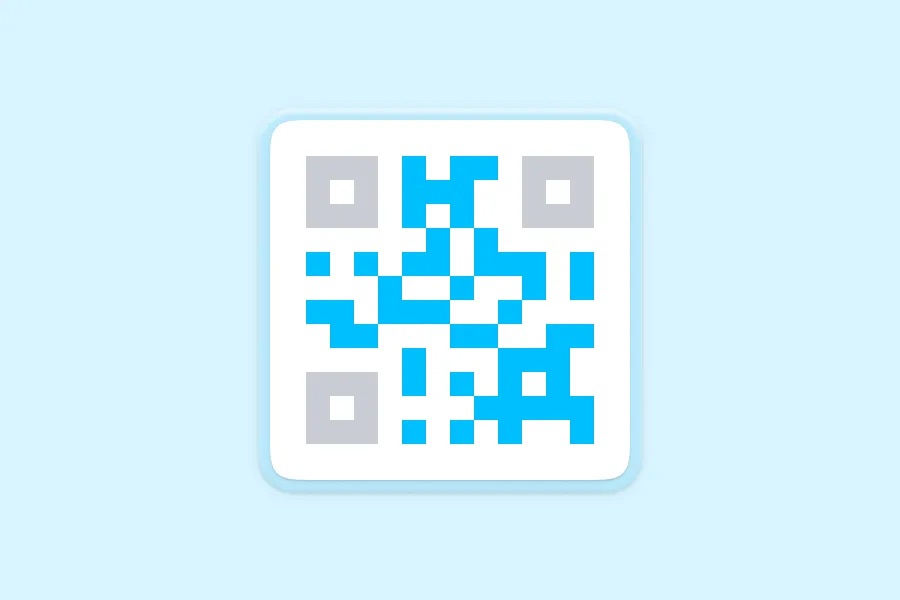
❌ No design:
65 scans on average
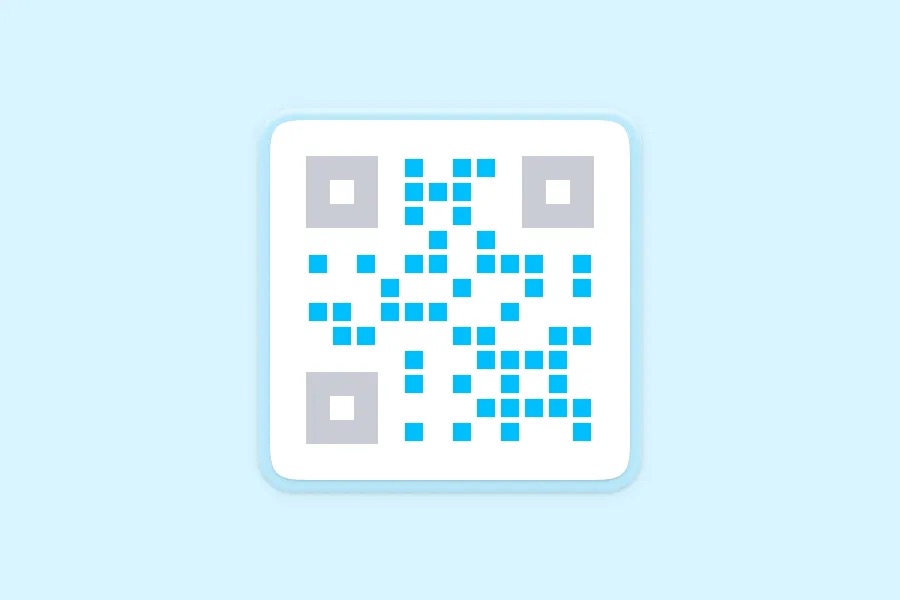
⬛ Square design:
143 scans on average
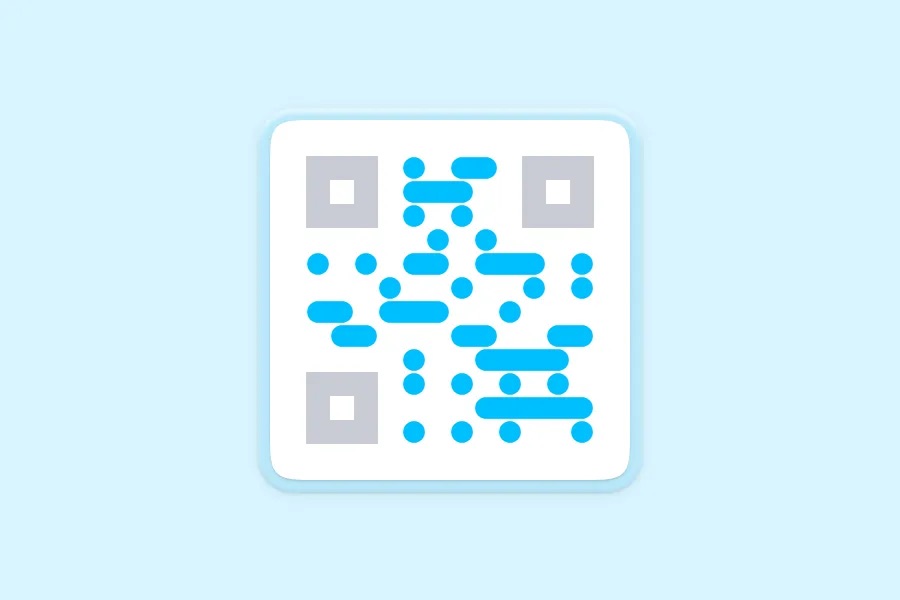
↔️ Horizontal connections:
187 scans on average
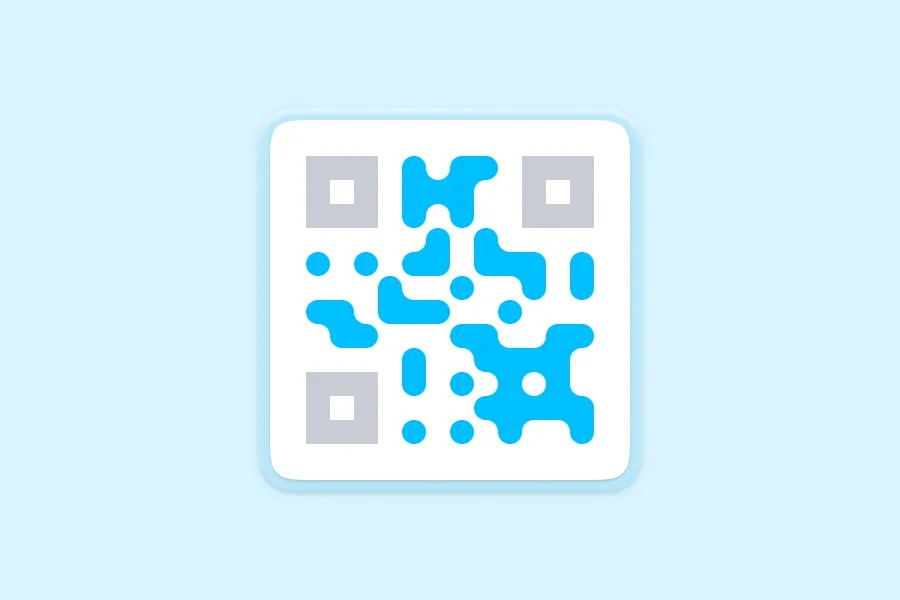
🟣 Rounded designs:
224 scans on average
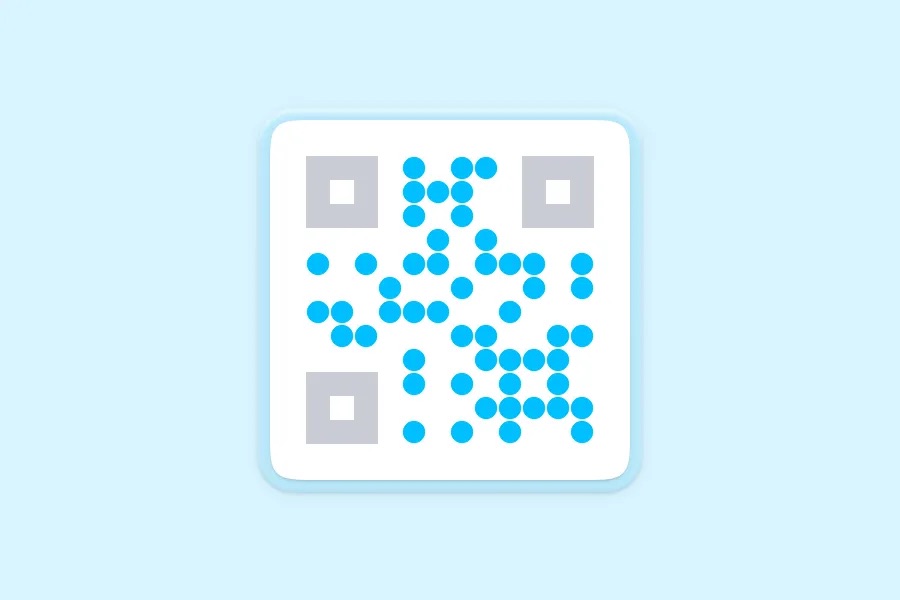
🟠 Dotted design:
239 scans on average
Why look and feel matters
You don’t have to look far to realize why design is important—just open your pantry door and look at the packages of the snacks and ingredients you choose at your local grocery store.
Maybe the colors make you feel energized or comforted.
The shape and material of the packaging can suggest the quality of the product inside.
The fonts can even tell a story about the brand you’re trusting to make your family member’s lunches.
Design drives the buying choices we make, and it definitely informs how and when we choose to engage with marketing materials like QR Codes.
“Design influences every consumer purchase, even if shoppers don’t consciously think about it. And the same is true for how audiences interact with your marketing. Whether it’s a social media post, landing page, or QR Code, every element of design can lead them to take action—or make your message fade into the background.”
A timely “plain” QR Code can still drive scans, especially for transactional use cases like restaurant menu access, checkout process, or online instructions. But in 2026, this format often struggles to stand out on marketing materials, let alone drive scans. This is partly because of the brand trust and security limitations we pointed out and partly because consumers have been seeing QR Codes for many years. The familiar format and design that audiences have seen countless times are more likely to escape their notice.
QR Codes that break the mold—using a unique code design that interrupts the typical pattern or features brand colors—tend to make consumers stop and take notice. Similar to those snacks in your cupboard, the code’s design can make them feel something. Unique visual elements pique their interest or reassure them that something exciting or valuable is waiting behind the scan. Like including your logo, your look and feel reinforces brand recognition and calls back to other positive experiences with your product or marketing.
That’s why creative QR Code designs get twice or three times as many scans as standard ones.
DIY QR Code design with QRCG
Want more engagement with your QR Codes? Use every design element at your disposal.
When you create codes with QRCG by Bitly, you can configure each element to build touchpoints that are perfect for your brand and unmissable for your audience.
Select your styles
The pixels that make up the scannable pattern in your code don’t have to be the classic connected squares—remember, non-traditional QR Code styles tend to see a lot more scans.
Choose from dots, disconnected squares, rounded and horizontally connected designs. These shapes can give your code some extra flair, or keep things more buttoned up.
Next, pick your preferred corner style; those don’t have to be squares either. They can be rounded squares, circles, or diamonds. And as you can see, each one contributes to the tone of your code and can further reinforce your look and feel.
Choose your colors
Time to circle up your brand color hex codes:
- First, choose a color for your code.
- Next, pick a background color. (Pro tip: For maximum scannability, we recommend a lighter background color and a darker code color. This balances the contrast so smartphone cameras can pick up the pixels!)
- Bonus: Customize your corner colors. You can either use the same colors as your QR Code, or toggle off “Use QR Code color” to change your corners.
Remember: Every element of your QR Code should serve to boost your brand and grab consumers’ attention. Optimize with those goals in mind!
Finesse the finishing touches
With your core elements in place, it’s time to polish your marketing masterpiece:
- If you’re going to add a logo (which we definitely recommend!), now’s the time to do it. Upload your custom logo to be placed in the center of your QR Code design. Ideally, this should be a transparent PNG. Alternatively, you can include center text like “Scan me.”
- Add a frame around your code. QRCG offers several options, many of which include a “Scan me” call-to-action that reminds users how they can interact.
If your destination is correct and your design is done, you’re ready to generate your code and print it anywhere!
Pro tip: Once you’re finished, you can save your QR Code design as a template in QRCG to simplify creation in the future.
How design + placement can help each other
A bold, brand-friendly design can be the final touch that convinces someone to pull out their phone and scan a QR Code. But first, they need to see the code, so the design of the surrounding asset matters, too.
Optimize for visual harmony and hierarchy.
Audiences’ eyes naturally move toward certain elements in a certain order, depending on color, size, and contrast.
You definitely want them to see your QR Code, butfirst, you want them to gain enough context that they’ll want to scan when they do.
Organize your materials to logically convince them the code will give them something helpful or relevant. Present information using font sizes and typography that make a compelling case for them to scan and take action.
Give the square enough space to shine.
A unique QR Code look and feel usually can’t make up for an overcrowded design.
Aim for clarity over clutter. Place the code naturally within the design with plenty of empty space around it so it doesn’t get lost in the shuffle.
Try to limit text within or next to the code to a succinct call to action like “Scan me” or “Follow us on Instagram.” If you tell your story well, you’ll pique interest to drive scans without overwhelming them with words first.
Right-size your QR Code for visibility and scanning.
The best QR Code dimensions depend on where someone will typically be when they scan. Codes should be at least 2 cm x 2 cm (or 0.8 in x 0.8 in), with no upper limit, so print as large as needed if folks will be farther away.
Aim for a 10:1 distance-to-size ratio: Scanners should be 10 feet away for every foot wide your QR Code is.
Plus, be sure to place your codes where they’re most likely to be scanned. Areas with heavy foot traffic are ideal spots for quick scans, and eye-level QR Codes on ads are a strong placement strategy.
Finding 3: Go beyond basic URLs to see way more QR Code engagement
Beyond branding and design, what does it take to convince someone to scan your QR Code? Context and destination are everything: You need to convince your audience that they’ll get something that’s worth their time after they scan.
On average, app-linked QR Codes (that either encourage users to download the brand’s app or visit a page withinthe app) generate 26 times as many scans as those linked to a standard, basic URL.
Why the massive difference here? Vicente Casellas, Creative Director at Bitly, suggests this explanation:
“App downloads often come with the promise of a specific offer—a discount or free item, exclusive access, or tangible functionality like a rewards program or ordering system. When you get granular about value, you get scans.”
App-linked codes might also see more scans because those who have the app or are willing to download tend to have strong rapport with the brand already, so a scan doesn’t take as much convincing.
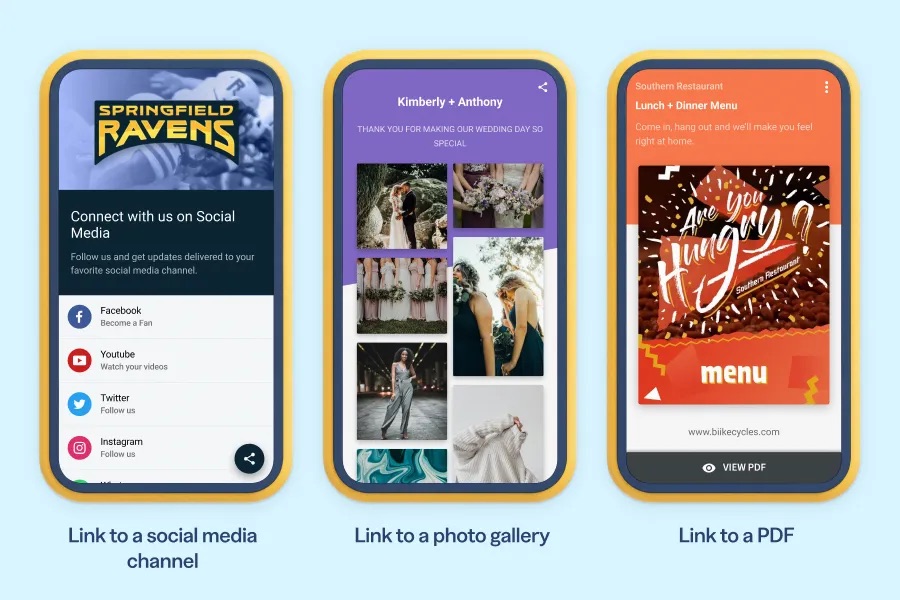
Apps aren’t the only call-to-action with an edge. QR Codes that link to a social media channel also drove double the scans of those linked to a basic URL.
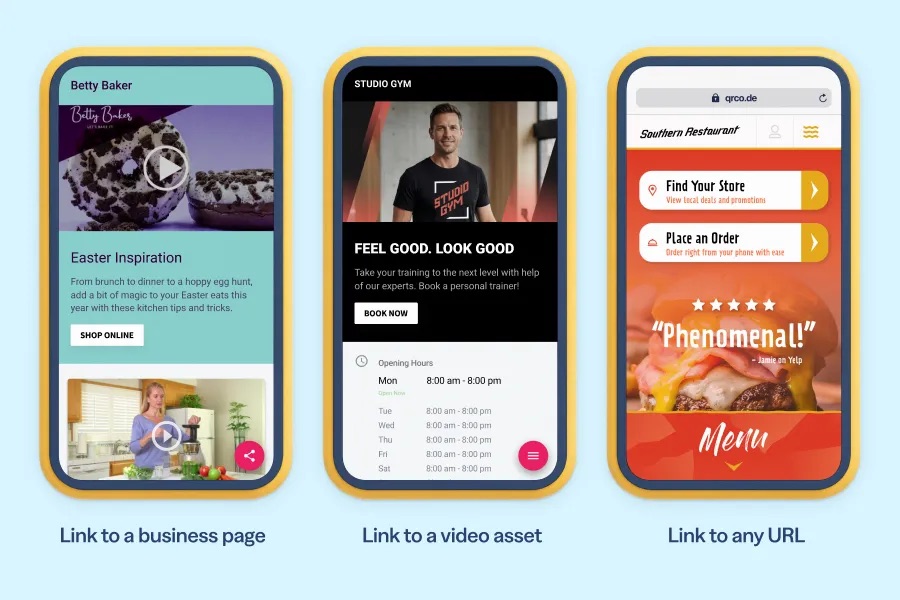
All other categories, including links to a gallery, PDF, business page, or video asset also outperformed codes linked to a standard URL.
A rousing call to action: Why you need to create context for every code
When QR Codes were rare, the innovative brands using them could largely lean on novelty to drive scans. Today, marketers need to give their audience a clear, specific reason to scan, so the call to action is critical.
If you include a QR Code in your marketing materials without building excitement or specifying what’s behind it, you might get a few curious scanners here and there. You just won’t get the momentum you want from your campaign.
A call to action needs to create curiosity or offer a clear incentive. Scanning a QR Code with your smartphone is quick and easy—but the modern consumer is so busy that even those few seconds are precious, and marketers have to earn their attention and energy.
Your goal should be to provide detailed context as efficiently as possible. You need to answer these questions that your audience is subconsciously asking themselves:
- Why is scanning worth my time?
- What will I get after I scan?
- What will be possible that wouldn’t be within reach if I didn’t scan?
Provide a CTA that tells a story with a takeaway, then give them a takeaway: Scan this QR Code to get a free item in the app, get a sneak preview, register for the event, or follow us on social media.
The call to action can make all the difference between lackluster engagement and tons of scans.
What’s my destination? Choosing and refining the URL for your campaign
As you do with every campaign—video ads, blog posts, and billboards alike—begin with the end in mind. A QR Code is a portal that can turn an in-person interaction into a digital connection, so choose your destination wisely.
Since specialized destinations like in-app URLs and social media links drive more scans than your typical URL, we recommend prioritizing those destinations if possible, using strong messaging across your design that creates interest and incentives to scan. Don’t have a mobile app or a strong social media presence? That’s okay! You can still try other destination types like PDFs, photo galleries, or video assets, all of which also see more scans than a typical URL.
💡QRCG tip: When creating in QRCG, you can select your destination type and see a quick preview of what your audience would see when they scan.
If you do opt to link to a basic URL, that’s okay, too. But in that case, it’s even more important to explain what scanners will get at the destination (and to include branding and design distinctions, of course).
Once you’ve launched your QR Code campaign, you don’t have to resign yourself to the destination you chose. With QRCG by Bitly, your codes are dynamic, so you can change the destination even after creating, printing, and sharing. That means you can also use QRCG for A/B testing: Try different destinations or calls-to-action in different locations, then compare how many scans each code gets. If one is performing significantly better (or converting on-page more often), you can redirect the destination without having to redo the entire code.
💡Destination design tip
We’ve already noted how powerful your logo can be within your QR Code design. But you can also use that real estate to reinforce your destination. Upload icons like the PDF icon or social media channel symbols to suggest the value behind the code.
After the scan: Keep audiences on the journey
The QR Code scan should be the start of a relationship and conversation, not the end. When picking your destination (or designing a landing page or post-scan experience), consider what you want someone to do after and how you’re going to keep them around. For instance, if your code guides them to download or access your app, incorporate additional incentives for retention in the app once they’re in.
Pay close attention to your QRCG analytics over time to ensure the code is working correctly and note any adjustments you need to make to your CTA or sizing and placement. Ensure your experiences are optimized for mobile access, too, and keep your destination updated, active, and engaging.
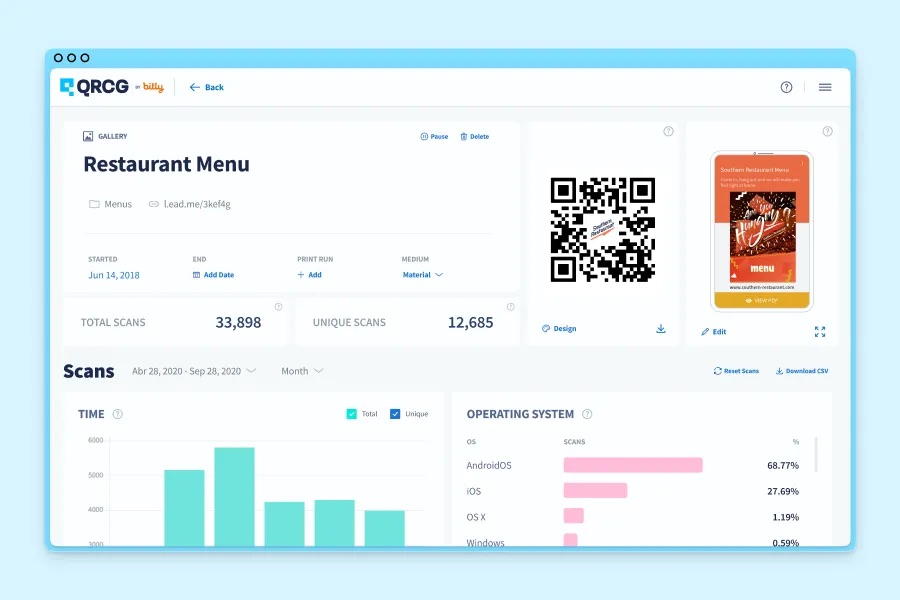
QRCG Analytics: Real-time scan insights
Once you start implementing the data-driven takeaways we’ve explored in this report, you can track your performance over time and watch your scans climb. Log into QRCG to review campaign data including:
- Total scans
- Unique scans
- Scans over time
- Scans by country
- Scans by city
- Scans by operating system
Transform your QR Codes and your offline marketing with QRCG by Bitly
QR Codes are powerful tools for making your in-person experiences and marketing materials more measurable, engaging, and interactive. But their value lies in the scans they drive—and the actions your audience takes after the scan.
Today, we’ve explored three undeniable ways to improve your codes and boost scans:
- Include your logo for brand recognition and safety reassurance.
- Customize each design element to stand out and tell a story.
- Choose the right destination, then promise (and deliver) instant value.
QRCG by Bitly makes all three of these to-dos accessible and easy. With a user-friendly creation interface and flexible features to manage each code, you can gain scans from any campaign and make enticing touchpoints your audience will be excited to engage with.
QRCG is now QRCG by Bitly! Sign up for free today to get started.

QR Code Generator
Your all-in-one QR Code marketing platform
Now you can fully customize your QR Codes with your brand colors and company logo, get scan statistics, and even edit the content after print.



