Zelle QR Codes: A Guide to Mobile Payments for Business
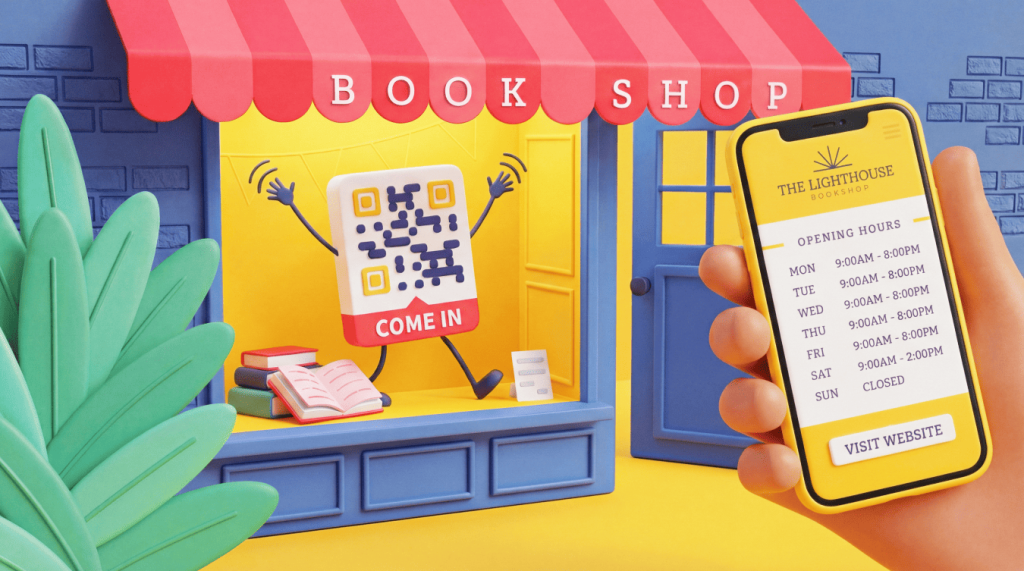
A Zelle QR Code is a scannable code that lets someone send money straight to your linked bank account through Zelle, with no fees and no need to type an email address or phone number.
For small businesses, that means faster checkout and instant, fee-free deposits into your account. This guide explains what a Zelle QR Code is, how to find yours, whether it is safe to use, and how to pair it with other payment options.
Note: The brands and examples discussed below were found during our online research for this article.
Key takeaways
- A Zelle QR Code sends money directly to your linked U.S. bank account in minutes, with no fees on the Zelle network.
- Find your Zelle QR Code inside your bank’s app under the Zelle section, then tap the QR Code icon and open the “My Code” tab to view, print, or share it.
- Zelle retired its standalone app on April 1, 2025, so you now access Zelle and your QR Code only through a participating bank or credit union app.
- Small businesses can accept Zelle payments by displaying their QR Code at checkout, on invoices, or on business cards for instant, fee-free deposits.
- Use a Dynamic QR Code from QR Code Generator to combine Zelle with other payment options on one editable, trackable code.
What is a Zelle QR Code?
A Zelle QR Code is a personal, scannable code that links directly to your enrolled Zelle account, allowing someone to pay you in seconds. When a customer scans it, the code opens your account in their banking app, the sender confirms the amount, and the funds are moved to your linked bank account, typically within minutes. This approach removes the need to type an email address or phone number, speeding up every transaction and reducing errors from manual entry.
The process is simple on both sides. The person paying you opens the camera or scanner in their banking app, points it at your code, and sees your name appear as the recipient. They enter the amount, tap send, and Zelle routes the money between the two banks with no card network in the middle. Because the transfer runs bank-to-bank, you skip the processing delays and swipe fees associated with card readers.
To use the feature, both people need a bank account at a participating U.S. institution and an active Zelle enrollment inside that bank’s app. Once enrolled, you do not need a card reader, a merchant account, or any extra terminal to get paid. That low setup cost is one reason Zelle appeals to owners who want to accept payments without signing up for a payment processor.
Small businesses already rely on Zelle at scale. They received 217 million payments totaling more than $100 billion through Zelle in 2023, up 44% year over year. That volume shows how many owners now treat fast bank-to-bank transfers as a core way to get paid, especially for high-frequency, lower-ticket sales where card fees eat into margins.
Zelle also moves money faster than some alternatives without adding costs. A standard Venmo transfer can take one to three business days to reach your bank, or charge a 1.75% instant-transfer fee to move funds sooner. Zelle stays fee-free on its own network, so the amount a customer sends is the amount you receive. For a business collecting dozens of payments a week, that difference in speed and cost adds up quickly. To see how QR-based payments work across other tools, read our guide to digital payment QR Codes.
One point matters before you look for yours: A Zelle QR Code is personal to your enrolled account. It is not a generic code you build in a third-party tool, because your bank generates it and ties it to your verified account. That link is what makes the code trustworthy, since the money always lands in the account your bank has confirmed as yours.
How to get your Zelle QR Code
You find your Zelle QR Code in your bank or credit union app, not in a separate Zelle app. Zelle shut down its standalone app on April 1, 2025. Only about 2% of transactions ran through that app, so almost everyone had already switched to a banking app instead. If you previously relied on the standalone app, switch to your bank’s app to maintain access to your code.
For the general steps, Zelle’s official FAQ explains that you open Zelle in your banking app, tap the QR Code icon on the “Select Recipient” screen, then open the “My Code” tab to view, print, or share your code. From that tab, you can save the image, add it to an invoice, or print it for your counter. Keep in mind that Zelle QR Codes are not yet available at every financial institution, so your app may not show the option.
The exact path varies by bank. Follow the steps for your institution below:
Bank of America
1. Open Pay & Transfer.
2. Select Zelle.
3. Tap Request.
4. Tap the QR Code icon next to the search bar.
U.S. Bank
1. Open Transfer & Pay.
2. Select Send & Request Money with Zelle.
3. Tap the icon next to Manage Recipients.
Wells Fargo
1. Open Pay & Transfer.
2. Select Zelle.
3. Tap the QR Code icon.
Chase
1. Open the Chase Mobile app and go to the Zelle section.
2. Locate the QR Code option there.
3. Note that exact steps vary by bank, so check Zelle’s official FAQ if your layout differs.
Is it safe to use Zelle QR Codes?
Zelle QR Codes are generally safe because the code links directly to the recipient’s verified Zelle account. Payments are processed through your bank’s systems with bank-level encryption, so your account details remain protected during each transfer. The code itself carries no sensitive data, since it simply points a sender to your enrolled account rather than storing your bank credentials. You can review broader QR safety practices in our guide on whether QR Codes are safe.
The main risk comes from counterfeit codes, not from Zelle itself. Bad actors sometimes place fake code stickers over real codes or send fraudulent codes in “quishing” scams, a form of phishing that uses QR Codes. A tampered code can route a payment to the wrong account, so always confirm the recipient name your app shows before you send. Scan codes only from trusted sources, such as a verified business display or an invoice you requested.
The fraud numbers support Zelle’s track record. Zelle reported that fewer than 0.1% of Zelle transactions were flagged as fraud or scams in 2023. That figure reflects how direct, account-to-account transfers limit exposure compared with methods that route through extra middle steps. One trade-off to know: Zelle transfers move quickly and are hard to reverse, so treat every payment like cash and verify the recipient before you send.
A Dynamic QR Code adds another layer of protection because you can edit its destination after you print it. If a link is ever compromised, you update the code instead of reprinting everything and swapping out signage. Our guide to how QR Codes work explains the difference: A Static QR Code stores fixed data you cannot change, while a Dynamic QR Code points to an editable destination. For a business that prints codes on menus, receipts, or storefront displays, that editability turns a one-time print job into an ongoing asset you can correct in seconds.
Follow this short checklist to stay safe:
- Confirm the code comes from a verified business or a person you know.
- Check for tampering, such as a sticker placed over an original code.
- Review the recipient name and amount before you confirm any payment.
- Use a Dynamic QR Code so you can update the destination if a link is compromised.
How Zelle QR Codes simplify customer payments
One scan replaces the manual entry of bank details, so customers pay you without typing account numbers, emails, or phone numbers. Fewer steps at the register mean shorter lines, fewer typos, and a smoother experience for the person paying. That speed matters as QR-based payments grow worldwide. Global QR Code payment spend is projected to exceed $8 trillion by 2029, up from $5.4 trillion in 2025, signaling that many buyers now expect scan-to-pay options.
QR Codes also fit alongside other contactless methods you may already use. Our guide to NFC vs QR Code compares the two so you can choose the right approach for your setup. A QR Code needs no special hardware, which makes it a low-cost way to add contactless payment to a counter, a table, or a printed invoice.
Different businesses put Zelle QR Codes to work in different ways:
- Retail and restaurants: Display the code at checkout counters or on tables. See our guide to contactless solutions for restaurants for setup ideas.
- Mobile or service-based businesses: Add the code to printed or digital invoices so clients pay as soon as they receive the bill.
- Freelancers and independent professionals: Add the code to business cards or invoices to collect payment on the spot.
A few practical limits apply. Each bank sets its own sending and receiving limits, so check with your financial institution or Zelle’s FAQ for your specific limits before planning larger transactions. Zelle also does not issue 1099-K forms or report network transactions to the IRS. You remain responsible for reporting any taxable income, so keep clear records of what you receive and treat Zelle payments the same way you treat any other business revenue.
What if you want to accept other forms of payment?
Relying only on Zelle can limit customers who prefer to pay another way. Some shoppers reach for a credit card, Apple Pay, Cash App, or PayPal instead of a bank transfer, and losing those sales adds up over time. Not every buyer uses Zelle or banks with an institution that supports it, so a single option can quietly turn people away at checkout. Our guide to Apple Pay QR Codes shows how one more scannable option can widen the scope of customers who can pay you.
You can consolidate all your options into a single Dynamic QR Code with QR Code Generator. Instead of printing a separate code for each method, you point a single code to a payment landing page that lists all your accepted options. Customers scan once and choose how they want to pay, whether that is Zelle, a card, or a mobile wallet.
A Dynamic QR Code also gives you room to adapt. You can edit the destination in real time, so you can add or remove payment methods without reprinting anything, and you can track scans to see which options customers use most. Those scan insights help you drop methods no one uses and lean into the ones that drive the most sales. You can also brand the code with your colors and logo so it looks like a professional part of your storefront rather than a generic square.
Put your Zelle QR Code to work
A Zelle QR Code gives businesses a fast, fee-free way to get paid, and you access it directly through your bank’s app. Pair it with a Dynamic QR Code from QR Code Generator to offer multiple payment options on one editable, trackable code. That combination keeps checkout simple for customers and flexible for you.
Sign up for QR Code Generator and give your customers a faster, easier way to pay.
Frequently asked questions
Does Zelle have a QR Code?
Yes. Zelle offers a personal QR Code that lets someone send money straight to your linked U.S. bank account. You find it inside your bank or credit union app under the Zelle section, as long as your financial institution supports the feature. Not every bank offers Zelle QR Codes yet, so check your app or Zelle’s official FAQ if you do not see the option.
How do I get my own Zelle QR Code?
Open Zelle inside your banking app, tap the QR Code icon on the “Select Recipient” screen, then open the “My Code” tab. From there, you can view your code and use the print and share icons to text, email, or print it. Zelle retired its standalone app on April 1, 2025, so you now access your QR Code only through a participating bank or credit union app.
Can I make a Zelle QR Code in a QR Code generator?
No. Your Zelle QR Code is tied to your enrolled Zelle account and is generated by your bank, not by a third-party tool. If you want one scannable code that offers Zelle alongside other payment methods, you can build a Dynamic QR Code with QR Code Generator that links to a single payment page.
Why is my Zelle QR Code not working?
Start by confirming that both you and the sender have enrolled with Zelle and that your bank supports Zelle QR Codes. Check the payment status in your banking app, since a pending status usually means the recipient has not finished enrolling. If your bank shows a “coming soon” message for Zelle QR Codes, you can still send money using the recipient’s U.S. mobile number or email address.
Is it safe to use a Zelle QR Code for business payments?
Yes, when you use trusted sources. A Zelle QR Code links directly to the recipient’s verified account, and Zelle reported that fewer than 0.1% of transactions were flagged as fraud or scams in 2023. Only scan codes from people and businesses you trust, and use a Dynamic QR Code so you can update the destination if a link is ever compromised.
Does Zelle charge fees or report business payments to the IRS?
Zelle does not charge fees on its network, nor does it issue 1099-K forms or report transactions to the IRS, even for small business payments over $600. You are still responsible for reporting any taxable income, so keep your own records and consult a tax professional with questions. Sending and receiving limits are set by each bank, so check with your financial institution.


QR Code Generator
Your all-in-one QR Code marketing platform
Now you can fully customize your QR Codes with your brand colors and company logo, get scan statistics, and even edit the content after print.