Best Digital Business Card Alternatives for 2026 and Beyond
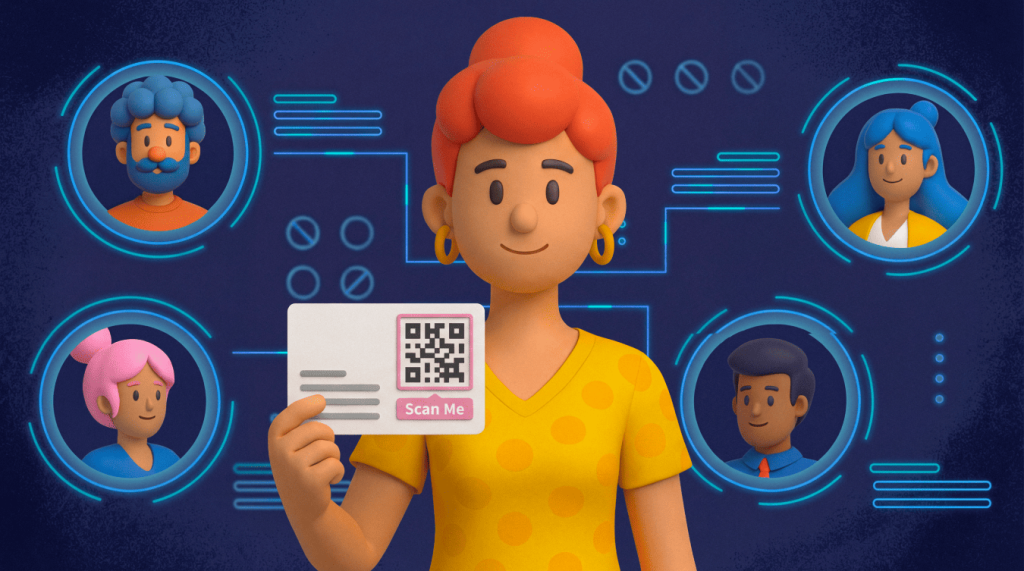
The traditional paper business card can still look sharp, but it loses momentum quickly. A new title, phone number, or logo can turn a fresh stack into yesterday’s marketing. Worse, the card may disappear into a card holder, a tote bag, a desk drawer, or a recycling bin before any follow-up happens.
Networking in 2026 spans conferences, video calls, LinkedIn threads, event apps, and inboxes. Your contact handoff needs to move across those moments without friction. Digital business card alternatives help people save your details, view your profile, book a meeting, or add you to a lead flow in seconds.
This guide compares the most practical alternative business card options: Dynamic QR Codes, NFC-enabled cards and badges, wallet passes, LinkedIn QR Codes, and profile links. By the end, you’ll know which format fits your budget and goals.
Note: The brands and examples discussed below were found during our online research for this article.
Key takeaways
- Dynamic QR Codes let you update your contact information at any time without reprinting, making them the most flexible and cost-effective option for many professionals.
- NFC-enabled cards and badges offer a premium tap-to-share experience ideal for sales teams and events, though they require upfront hardware investment.
- Wallet passes for iOS and Android keep your details stored where contacts already manage tickets and payments, increasing the chance they’ll actually save your info.
- Choosing the right alternative depends on your role, budget, and whether you need analytics to track who engages with your contact details.
- Combining multiple alternatives, such as a QR Code on a minimal printed card and a LinkedIn QR for virtual meetings, covers both in-person and remote networking scenarios.
Why printed business cards are losing impact
Traditional cards do one job: They put your contact information and details on a piece of paper in someone’s hand. That still helps in formal moments. But modern networking asks for more.
Contact details change. People switch roles, refresh websites, and add booking links. Every update forces a choice: Share stale details or pay for another print run?
Paper also creates a measurement gap. You can hand out cards, but you cannot see who saved your details, visited your site, scanned a profile, or followed through. That blind spot hurts teams and solo pros who want stronger follow-up.
Waste adds another concern. When recipients toss cards after a quick chat, your brand creates clutter instead of connection. Digital alternatives reduce reprints and allow a single touchpoint to evolve.
Paper struggles in remote channels too. You cannot hand a card through a webinar, screen share, slide deck, or LinkedIn message. Digital tools meet contacts where conversations already happen.
Digital alternatives that replace a paper card
The best creative alternatives solve real business problems by offering better functionality: Updateability, trackability, convenience, and easier follow-up. Each option below explains how it works, where it shines, and which tradeoffs matter.
Dynamic QR Codes
Dynamic QR Codes link a scannable code to a URL you control. That URL can open a vCard, a branded profile, a lead form, a booking page, a LinkedIn profile, or an event landing page. When your destination changes, you update the URL behind the code instead of creating a new code image.
That flexibility makes Dynamic QR Codes accessible for many professionals. You can print one on a minimal card, add it to a badge, show it on your phone, place it on a booth sign, add it to slides, or include it in an email signature.
The recipient flow stays simple. Someone opens a phone camera, scans, and lands on your chosen next step. No special app needed. A strong destination can prompt a single tap to save your contact, schedule time, view work samples, or express interest.
These codes also collect data. With the right platform, scan counts, timing, locations, and devices can show which touchpoints drive engagement. For a fast start, create a Dynamic URL QR Code and connect it to the page you want contacts to visit first.
NFC-enabled cards and badges
Near Field Communication (NFC), is the technology that powers the “tap-to-pay” behavior people already know. An NFC business card, badge, or sticker contains a tiny chip. When someone taps a compatible phone near it, their phone opens your profile or another URL, depending on how the chip is set up.
The experience feels premium because the handoff becomes a small moment. You do not ask someone to type a name or keep track of paper; you invite a tap, and your profile appears.
NFC works especially well for sales reps, founders, recruiters, field marketers, and exhibitors who meet people face-to-face. Branded cards and badges can also start conversations in crowded rooms.
The tradeoff comes in the form of hardware limitations. Each team member needs a card, badge, or wearable, and premium materials can raise costs. Some older devices can also complicate tapping, so it’s a good idea to add a printed QR Code as a universal fallback. Teams comparing the two solutions can use our guide to NFC vs QR Codes to choose the right mix.
Wallet passes for iOS and Android
Wallet passes place your contact details inside Apple Wallet or Google Wallet. Contacts already use those apps for tickets, boarding passes, and payments, so your information sits in a familiar space.
Sharing usually starts with a link or QR Code. A contact taps or scans, adds the pass, and can pull up your card later without having to hunt through email, bookmarks, or old messages. That persistence gives wallet passes an advantage during long sales cycles, membership periods, and events.
Wallet passes can also support remote updates. Change a title, phone number, logo, or link, and people who added the pass can see fresher details. The catch: Custom pass creation often needs a third-party platform, developer support, or a pass-management tool, and iOS and Android can handle the experience a little differently.
LinkedIn QR and profile links
LinkedIn acts like a living business card for many professionals. Your profile shows your role, experience, skills, content, recommendations, and shared connections. The built-in LinkedIn QR Code removes spelling issues and search friction for people trying to find your account.
This option is ideal for conferences, career fairs, recruiting events, professional meetups, and any other networking event where LinkedIn drives professional connections. Someone scans, lands on your profile, and connects right away.
LinkedIn also keeps your public professional story up to date as you update it. That gives recipients more context than a static printed card. They can see what you do and how you connect to their network.
The limitation comes from private contact details. LinkedIn may not suit a direct phone number, full lead form, or booking-first flow. Many pros pair it with a QR Code destination link in a branded email signature so every follow-up gives contacts another way to save details.
Comparing NFC cards, QR Codes, and wallet passes
When you’re trying to pick the right solution for your setup, you can use cost, sharing flow, branding control, and analytics to quickly narrow the field.
| Alternative | Best for | Main strength | Main watchout |
| Dynamic QR Codes | Most professionals and teams | Low-cost, flexible, trackable sharing across print and screens | Advanced analytics may require a paid plan |
| NFC cards and badges | In-person sales, events, and premium meetings | Fast tap-to-share experience with a polished physical object | Hardware adds upfront cost |
| Wallet passes | Persistent mobile visibility | Contacts keep your details in a familiar wallet app | Setup can require a third-party platform |
Cost and sustainability factors
Dynamic QR Codes cost little to launch. Individuals can start with one profile link, while teams may pay for branded designs, editable destinations, analytics, bulk creation, or shared dashboards.
NFC cards require hardware. Simple cards often start around $5, while premium credit-card-styled versions can go well beyond $30 each. Wallet passes may incur platform fees, require management tools, or cost development time.
All three options reduce waste and offer an eco-friendly approach compared with reprinting paper cards after every title, phone, or brand change. Instead of tossing stacks of paper, you simply refresh a profile, URL, or pass. That helps budgets and supports cleaner brand operations.
Ease of sharing and saving contacts
NFC wins for in-person speed. A tap feels smooth in a booth, during a meeting, or after a sales conversation. But it relies on close range and compatible phones, so it works best when you can control the context.
QR Codes win for reach. They work on printed cards, badges, flyers, booth signs, slides, video call backgrounds, email signatures, and social media posts. A scan adds one small step, but most smartphone users already know the behavior.
Wallet passes win for persistence. The contact takes an add-to-wallet step, then your details remain in an app they use often. All three formats can support one-tap contact saving when your destination uses a vCard or contact-save flow. A vCardPlus QR Code gives teams a simple way to package contact details, links, and profile information.
Branding and analytics considerations
Branding shapes trust. You can customize QR Codes with brand colors, logos, frames, and calls to action to ensure your card design remains professional. NFC gives you control over the physical card or badge plus the linked profile. Wallet passes support logos, colors, and structured fields, though templates can limit design freedom.
Analytics turn a networking tool into a measurable channel. Dynamic QR Codes can track scan counts, times, locations, and devices. NFC and wallet platforms may also include reporting, but the depth varies by provider.
Individuals may need only a clean profile and a booking link. Teams often need more. Sales and marketing leaders want to connect networking activity to events, reps, follow-up, pipeline, and CRM records. Static QR Codes and basic LinkedIn sharing typically lack rich reporting, which can limit the available analytics insights. For more tactical ideas, explore business networking QR Codes and turn scans into stronger follow-up.
How Dynamic QR Codes become your flexible business card
Dynamic QR Codes often give professionals the best blend of simplicity, control, and scale. You create a code, link it to a profile or vCard, and place it wherever networking happens. Then you update the destination whenever your message changes.
Picture a founder at a conference. On Monday morning, the QR Code links to a contact page. After a keynote sparks product interest, the founder switches the destination to a demo signup page. The same badge code now supports a sharper goal, with no reprint.
Or picture a freelancer who refreshes a portfolio. The QR Code on old leave-behind cards keeps working because the code points to a managed URL. The freelancer updates the landing page, adds new work, and replaces the generic contact form with a booking link.
Teams can scale the same idea. Sales leaders can create unique codes for each rep, keep profiles on brand, and compare engagement across events. Marketers can test profile layouts, route scans to campaign pages, and adjust calls to action based on performance.
Dynamic QR Codes also travel across formats. Add them to printed cards, decks, booth signage, badges, email signatures, video call backgrounds, and packaging. QR Code Generator pulls all work into a single dashboard, where you can customize codes with logos and colors, manage multiple codes, update destinations, and review scan analytics.
Which business card alternative fits your role and goals
The best choice depends on how you network and how much measurement you need. Start with the default pick for your role, then add one supporting format when your networking spans more channels.
Solo professionals and freelancers
Start with a Dynamic QR Code that links to a landing page, portfolio, LinkedIn profile, or booking link. This keeps costs low and maintenance easy. When your services, niche, or contact details change, you update the destination instead of replacing cards.
For high-value in-person moments, add one NFC card. Use it in client meetings, at networking breakfasts, and during events where a premium handoff from a unique business card can help you stand out and leave a lasting impression. Keep a QR Code on the card or your phone as the backup.
Sales and field marketing teams
Sales and field marketing teams need consistency, speed, and reporting. NFC cards or badges work well for reps who meet prospects in person because they create a smooth experience. Link each card to a trackable profile URL so managers can understand which touchpoints drive engagement.
Pair NFC with Dynamic QR Codes on booth displays, event signage, presentations, and leave-behinds. Some visitors prefer scanning, and others may stand too far to tap. Consistent profiles, colors, and calls to action reinforce trust while analytics connect conversations to follow-up.
Event organizers and exhibitors
Event environments reward speed. NFC badges, wristbands, or cards can help attendees quickly swap details, alongside check-in and on-site flows. Exhibitors can use NFC for staff profiles, VIP meetings, and guided demos.
Large QR Code signage gives visitors another route. They can scan from an aisle, session room, registration desk, or lounge without waiting for a rep. Dynamic QR Codes also let you shift destinations mid-event, from general info to demo signups, lead forms, or post-event offers. Afterward, analytics show which locations, sessions, or messages drove action.
Preserve connections with a trackable digital card
Business cards should do more than trade contact details. They should help people remember you, save your information, and take the next step while the conversation feels fresh.
Traditional paper business cards, or even 3D business cards, still have a place, but digital alternatives solve the problems that slow down modern networking. Dynamic QR Codes keep details up to date, NFC cards create a premium tap experience, wallet passes hold attention on the phone, and LinkedIn QR Codes make professional connections easy.
For most professionals, Dynamic QR Codes offer the strongest starting point. They launch fast, work almost anywhere, reduce reprints, and measure engagement. With QR Code Generator, you can brand your codes, update destinations anytime, manage multiple codes, and track scans from one dashboard.
Ready to turn your next introduction into a saved contact, booked meeting, or qualified lead? Sign up for QR Code Generator today and build a digital card that keeps working after the conversation ends.
FAQs
Do I need a unique QR Code for every team member?
Yes. Each team member should have their own QR Code linked to their individual profile, so recipients save the correct details and analytics attribute engagement to the right person.
What happens to my QR Code if my contact info changes?
If you use a dynamic QR Code, you update the linked profile or landing page while the QR Code image stays the same, so you don’t need to reprint anything.
Are business cards still relevant in 2026?
Yes, paper cards can still work in certain in-person situations, but digital alternatives add benefits like live updates, analytics, and lower waste that paper can’t match.
What’s a good alternative to business cards for remote networking?
A Dynamic QR Code on a slide, screen share, or video call background lets people scan and save your details instantly, without typing anything.
Can I use multiple business card alternatives together?
Yes, combining options works well. For example, use a QR Code on a minimal printed card for in-person events, a LinkedIn QR for fast connections, and an email signature link for follow-ups.


QR Code Generator
Your all-in-one QR Code marketing platform
Now you can fully customize your QR Codes with your brand colors and company logo, get scan statistics, and even edit the content after print.



