Smarter Ways to Support Student Learning With QR Codes for Tutoring
Tutoring works best when it’s personal. One student may need algebra steps broken into bite-sized moves. Another needs vocabulary practice, reading support, or a confidence boost before an exam. Great tutors adjust quickly, then keep students learning after the session ends.
Maintaining that personal touch creates plenty of touchpoints to manage. Tutors juggle worksheets, video links, quizzes, meeting rooms, homework, feedback, and parent updates. When those resources scatter across emails, texts, folders, and printed packets, students lose momentum and tutors lose valuable time.
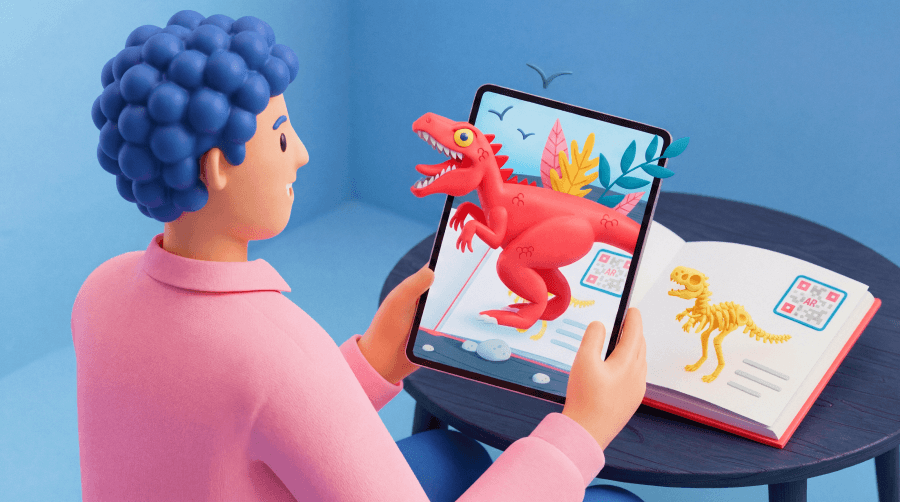
Quick Response (QR) codes create a simple bridge between physical materials and digital resources for interactive learning. A student scans a code on a worksheet, study guide, slide, or other learning material and instantly opens the correct resource. No long URLs. No extra searching. No bulky tech stack.
This article looks at how tutors can use QR Codes before, during, and after lessons to boost student engagement, streamline workflows, and simplify resource sharing.
Note: The brands and examples discussed below were found during our online research for this article.
Key takeaways
- QR Codes help tutors connect printed materials, worksheets, and classroom activities to digital resources, making lessons more interactive and easier for students to access on their own devices.
- Strategic QR placement allows tutors to deliver videos, quizzes, study guides, and feedback instantly without requiring students to manually type long URLs.
- Tutors can use QR Codes across the entire learning cycle, including pre-lesson preparation, live lesson engagement, and post-lesson review materials.
- Dynamic QR Codes offer flexibility by allowing tutors to update learning resources, correct links, and track engagement without reprinting worksheets or teaching materials.
- For independent tutors and small tutoring businesses, QR Codes provide a simple, affordable way to enhance digital learning experiences while maintaining personalized instruction.
Why QR Codes work well in tutoring environments
Tutoring often blends printed worksheets, verbal coaching, shared screens, videos, homework, and parent communication. That mix helps students learn in different ways, but it also creates friction, with resources scattered across different places.
QR Codes reduce that friction. Tutors can generate QR Codes and place them exactly where a student needs support, then link them to a video, document, quiz, form, or lesson dashboard. The worksheet becomes a launchpad for the next step.
This approach fits how many students already learn. Students use smartphones and tablets daily, so scanning QR Codes feels familiar and quick. Younger learners may need a quick demo, and then they can repeat the process with confidence.
QR Codes do not replace strong instruction. They amplify it. They help tutors support visual, auditory, and hands-on learners with resources students can revisit independently. For broader ideas, tutors can adapt strategies like scavenger hunts and classroom management techniques already popularized by teachers who use QR Codes in the classroom, tailoring them to one-on-one or small-group learning.
How tutors can use QR Codes before lessons
Great sessions often start before the meeting begins. When students review key ideas ahead of time, tutors can spend more live time on practice and problem-solving.
Tutors can add QR Codes to lesson reminders, printed schedules, parent emails, or prep packets to share lesson resources and session details. Each code can guide students to the right prep task.
Share pre-lesson study resources
Pre-lesson QR Codes can link to short explainer videos, vocabulary lists, reading assignments, warm-up questions, or introductory exercises. A math tutor might add a code to a weekly study plan that opens a two-minute factoring video.
This setup supports flipped learning. Students review foundational material first, then use tutoring time for deeper questions and guided practice. Tutors gain context, and students arrive ready.
Help students join online tutoring sessions
Online and hybrid tutoring becomes easier when students can scan and join. A QR Code can link directly to a video meeting room, lesson dashboard, or learning management system. Tutors can place that code on printed calendars, reminder cards, or shared PDFs.
This setup helps younger learners and busy families. Instead of digging through inboxes for complex meeting URLs, students scan and enter the right space with zero friction.
Using QR Codes during tutoring sessions
QR Codes shine during live lessons because they make resources available at the exact moment students need them. Tutors can keep sessions focused while students access extra support in seconds.
Link worksheets to multimedia explanations
Worksheets work harder when they connect to multimedia support. Tutors can place QR Codes beside tricky problems, reading passages, grammar rules, or science diagrams. Each code can open a video walkthrough, a step-by-step explanation, a visual model, or a simulation.
A student who gets stuck can scan the code and watch the concept unfold in a video. A student who learns best through sound can hear the explanation again after the session. The same idea that powers QR Codes in books can help tutors turn printed pages into richer learning tools.
Tutors can also save time: Record one short explanation, connect it to a worksheet, and reuse it with future students who need the same support.
Launch interactive quizzes and quick checks
Tutors need fast ways to see what students understand. QR Codes can launch short quizzes, polls, comprehension checks, or formative assessments and interactive classroom activities during a lesson. A student scans, answers a few questions, and gives the tutor instant insight.
A QR Code survey can also support reflection. Tutors can ask students how confident they feel, which step confused them, or what topic they want to revisit next. This approach turns phones into learning devices rather than distractions. Students get a clear purpose for the scan, and tutors get feedback they can use right away.
Share live presentation materials
Tutors who teach with slides can use QR Codes to make presentation materials more useful. A code on the final slide can open notes, diagrams, practice files, or a downloadable summary.
When tutors deploy QR Codes in presentations, they can turn slide decks into resource hubs. Students scan once and have access to all the materials they need.
Supporting learning between sessions with QR Codes
Tutoring succeeds when learning continues after the session ends. Students need reminders, practice, and feedback while the material feels fresh. QR Codes make that follow-through easier.
Clarify homework instructions and submissions
Homework loses value when students do not understand what to do or where to submit it. A homework sheet can include a QR Code that opens instructions, examples, submission forms, or supporting resources.
Families can scan the same code and see what the tutor expects. Everyone stays aligned, and students spend less time searching for directions.
Create personalized learning paths
Tutoring thrives on personalization, and QR Codes make it easier to deliver tailored resources. Tutors can create different codes for students, groups, or skill levels. One student might scan for extra practice with fractions. Another might open enrichment problems or a review video on a shaky topic.
This approach supports differentiated instruction without overcomplicating the workflow. Tutors can keep printed materials simple while QR Codes guide each student toward the right digital path.
Track progress and gather feedback
QR Codes can connect students to progress dashboards, reflection forms, feedback surveys, or goal check-ins. Tutors can ask: What clicked? What still feels hard? How much time did the practice take?
Those insights help tutors refine future lessons. They also help students build ownership and see growth clearly.
Operational uses for tutoring businesses
QR Codes can support the business side of tutoring, too. Independent tutors and tutoring centers can place codes on flyers, welcome packets, classroom posters, bulletin boards, event handouts, or reception materials.
Those codes can send families to registration forms, social media profiles, scheduling pages, parent feedback surveys, resource libraries, or payment instructions. For example, a parent sees a flyer, scans it, and books a consultation. A new student scans a welcome packet and opens the resource hub.
Small tutoring businesses often need tools that feel simple, affordable, and scalable, making the ability to generate a free QR Code an ideal solution. QR Codes fit that need across print, events, and digital materials.
Best practices for using QR Codes in tutoring
A strong QR Code strategy starts with clear instructions. Every code should include a direct call to action, such as “Scan to watch the example solution,” “Scan for homework instructions,” or “Scan to join today’s lesson.” Students should know exactly what the scan will do.
Placement matters too. Place QR Codes where students naturally interact with materials, such as worksheets, study guides, classroom posters, lesson slides, and homework pages. A code beside a problem, rubric, or diagram feels useful because it appears at the moment of need.
Design affects scanning, as these codes require high visibility to function correctly. Use strong contrast, choose an adequate size, and leave a clear quiet zone around the code. Avoid visual clutter and glare.
Always test each QR Code before sharing it. Scan it on multiple devices, open the destination, and confirm that students can access the resource. Also show younger students how to scan and offer a short URL as an alternative path.
Why Dynamic QR Codes work well for tutoring programs
Tutoring materials evolve. A tutor may revise a worksheet, update a video, adjust homework, or swap a resource. Dynamic QR Codes make that kind of improvement much easier.
Static QR Codes hold fixed information. After printing, the destination URL stays the same. Forever. Dynamic QR Codes route scans through an editable link, so tutors can update the destination later.
That flexibility matters when lessons change. Tutors can correct broken links, replace outdated resources, update a study guide, or adjust materials across a recurring course without reprinting everything. A tutor can keep the same worksheet and simply refresh the digital support behind it.
Dynamic QR Codes can also collect scan activity. Tutors can see how often students access a resource and use that signal to improve instruction. If students often scan a review video, you can make an active choice to spend more time on that topic. If nobody scans a homework guide, you can sharpen the call to action for that resource.
For tutors who reuse materials, teach recurring programs, or manage multiple students, Dynamic QR Codes offer practical control. They help tutors keep resources up to date while saving time, paper, and effort.
Build more engaging tutoring experiences
Tutoring works best when students know what to do, where to go, and how to keep learning. QR Codes provide that clarity with a single scan. They connect worksheets, presentations, study guides, homework pages, and marketing materials to digital content and resources.
Start with one worksheet, one homework page, or one welcome packet, then build from there.
Ready to make lessons more interactive and easier to manage? Create a Dynamic QR Code with QR Code Generator and sign up to turn your next tutoring resource into a scan-ready learning experience.
FAQs
How can tutors use QR Codes in lessons?
Tutors can place QR Codes on worksheets, lesson slides, and study guides to link students directly to videos, quizzes, or additional learning resources. A quick scan allows students to access explanations, examples, or assignments without typing long URLs, making lessons more interactive and easier to follow.
Do students need special apps to scan QR Codes?
Most modern smartphones can scan QR Codes directly through the camera app. Students simply open the camera, point it at the code, and tap the link that appears. This makes QR Codes an accessible way to connect physical learning materials with digital resources.
Can QR Codes support personalized tutoring?
Yes. Tutors can generate different QR Codes that link to tailored resources for individual students. For example, one student might scan a code to access extra practice exercises, while another accesses enrichment materials, helping tutors support students with different learning speeds and styles.
Are QR Codes helpful for online tutoring?
QR Codes work well in online tutoring by simplifying access to meeting rooms, study resources, and assignments. Tutors can include QR Codes in emails, lesson slides, or shared documents so students can quickly join sessions or open materials with a quick scan.
Should tutors use Static or Dynamic QR Codes?
Dynamic QR Codes are often the best option for tutoring because they allow tutors to update links and learning materials without reprinting worksheets. This flexibility helps tutors refine lessons over time while ensuring that students always have access to the most current resources.


QR Code Generator
Your all-in-one QR Code marketing platform
Now you can fully customize your QR Codes with your brand colors and company logo, get scan statistics, and even edit the content after print.



