QR Codes for Navigation: A Smarter Way to Guide People
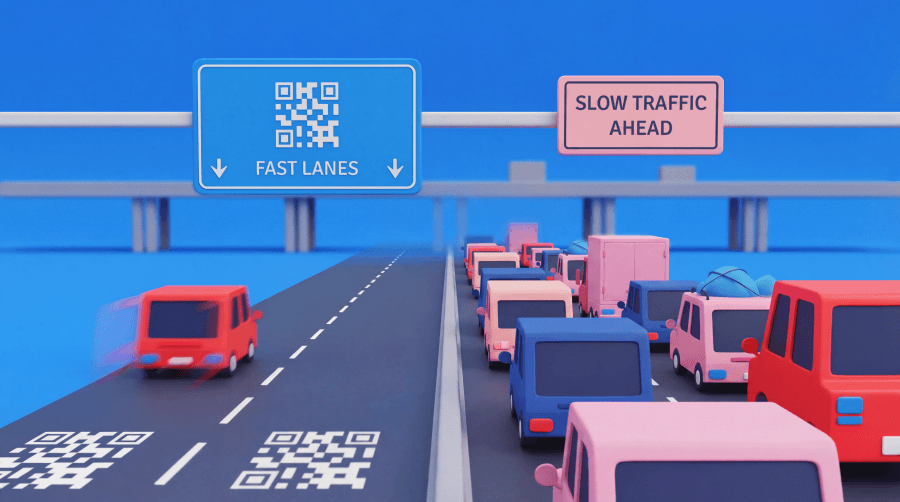
Finding the right entrance, room, booth, gate, or parking area should not feel like a scavenger hunt. Yet busy venues, multi-use buildings, campuses, transit hubs, and events still create small moments of doubt. Visitors slow down, skim signs, ask staff, or choose the wrong door.
QR Code navigation cuts that friction fast. One scan can open Google Maps, Apple Maps, a venue floor plan, a walking route, parking details, or current alternate-route access notes. Dynamic QR Codes strengthen the setup by adding functionality and making it more cost-effective, as teams can update code destination URLs without reprinting signage, handouts, mailers, or event materials.
Note: The brands and examples discussed below were found during our online research for this article.
Key takeaways
- QR Codes for navigation help people move through physical spaces with less guesswork by connecting them to directions, maps, floor plans, parking details, and other location-specific guidance right from their phones.
- The strongest navigation use cases solve a real moment of uncertainty. When someone is arriving, choosing between entrances, finding a room, or locating parking, a well-placed QR Code can remove friction quickly.
- Dynamic QR Codes are especially valuable for navigation because routes, venues, event layouts, and access points change. Teams can update the destination behind the code without replacing printed materials already in use.
- Placement matters as much as the destination. A QR Code near an entrance, lobby sign, or printed program works best when it appears exactly where someone needs reassurance about where to go next.
Why QR Codes work well for navigation
‘Navigation assistance integrates perfectly with one of QR Codes’ primary functions: Connecting a physical place to a digital next step. People already have their mobile device in hand when they travel, check in, park, shop, or attend events. The right QR Code lets them move from “Where do I go?” to “I’ve got it” in seconds.
A QR Code can point someone to a real-time digital map, Wi-Fi login details, updated walking routes, building-specific notes, or a simple landing page with key information. That flexibility helps offices, hotels, healthcare clinics, campuses, retail centers, transportation settings, and venues support visitors without adding clutter to every wall or handout.
Common use cases and ways businesses use QR Codes for navigation
Smart navigation starts with the visitor’s moment of need. Match the QR Code to that moment, and the experience feels helpful instead of extraneous.
Guide people to the right destination before they arrive
Pre-arrival guidance gives people confidence before they leave home. Add a QR Code to invitations, booking confirmations, appointment reminders, mailers, hotel materials, or event collateral so visitors can open turn-by-turn directions to the right entrance, office, pickup point, store, or hub.
This approach works especially well for travel and destination planning. When teams use QR Codes for travel, they can guide guests to the right address, arrival point, or route without making them search for the correct instructions.
Help people navigate once they are on-site
On-site QR Codes help people choose their next move. Place them on lobby signs, building entrances, elevator banks, venue directories, kiosks, campus crossroads, welcome areas, and retail directories. Each scan can open a floor plan, room guide, booth map, walking route, or store section guide.
Retail teams can use QR Codes for in-store navigation near directories or high-traffic aisles to help shoppers find departments, services, and pickup counters. Venues can also pair route details with QR Codes for accessibility, so visitors with visual impairments can review elevator access, step-free paths, entrances, or support notes before committing to a route.
Share parking, pickup, and access instructions
Parking creates friction before the main experience begins. A QR Code can guide drivers to garage entrances, valet zones, rideshare pickup spots, loading areas, alternate doors, or check-in. That simple scan can reduce late arrivals, missed appointments, and repeated “Where do I park?” inquiries from drivers, almost half of whom find the process needlessly stressful.
This setup works well on confirmation emails, window decals, roadside signs, direct mail, printed tickets, and event programs. Keep the destination focused: Show the lot, the entrance, the rules, and the next step.
Support events, tourism, and transportation journeys
Events and travel environments create constant motion. Attendees need to know where to find stages, booths, sessions, lounges, restrooms, exits, and shuttle pickup points. Travelers need information about platforms, stops, gates, boarding areas, attractions, and routes.
For destination teams, tourism QR Codes can connect visitors with points of interest, walking loops, attraction maps, and guides. Transit teams can place public transportation links at stations, stops, and shelters to help riders check routes or find the right platform. Airlines, airports, and travel brands can add QR Codes for flight touchpoints to support boarding flows, terminal directions, and gate-side guidance.
What to link a navigation QR Code to
Choose the destination that matches the visitor’s question. For off-site arrival, map apps work well because people already know how to use them. A scan can open Google Maps or Apple Maps for point-to-point routing to a venue, store, clinic, hotel, office, or parking area.
For indoor spaces, link to indoor navigation tools like venue maps, floor plans, room finders, beacons, augmented reality overlays, or internal walking routes. GPS and traditional navigation systems can struggle in hospitals, campuses, shopping malls, conference centers, and large offices; a simple indoor guide often helps more than a standard map pin.
For more complex visits, use a mobile landing page that combines a map with parking rules, check-in steps, accessibility notes, entrance photos, hours, and contact information. Keep it lean. Visitors want their next step, not a maze of menus.
How Dynamic QR Codes make navigation easier to manage
Navigation details change more often than teams expect: Layouts shift. Construction closes a walkway. A parking entrance changes. A clinic moves check-in to another desk. A venue opens a temporary door. A team relocates an office.
Static QR Codes lock their destination URLs at print time. Dynamic QR Codes let teams change the link behind the code at any time. That means one sign, mailer, poster, or program can keep working even when directions change. Teams can swap a map link, update a landing page, revise parking notes, or route visitors around a temporary closure without the cost of tossing printed materials.
Dynamic codes also show scan activity, so teams can learn which signs, emails, or printed pieces people actually use. That insight helps your marketing and operations team optimize placement, simplify instructions, and plan better wayfinding for the next event or location update.
Best practices for a better navigation experience
Start with a clear call to action. “Scan for directions,” “Scan for parking,” and “Scan for the floor plan” tell people exactly what they’ll get. Vague labels like “Learn more” make visitors hesitate.
Keep the destination mobile-friendly. A slow page, tiny map, or crowded menu undercuts the placement. Put the most useful action at the top, make buttons easy to tap, and remove anything that distracts from the route.
Match the code to the moment. Put pre-arrival QR Codes in emails, confirmations, tickets, and mailers. Put on-site codes where people pause, look up, or need reassurance, such as entrances, lobbies, desks, directories, programs, and crossroads.
Make every destination easier to reach
QR Codes for navigation work best when they solve a simple, real problem: Helping people get where they need to go with less friction. They give visitors a familiar path to access important information, give teams a flexible way to share directions, and turn signs or printed pieces into smarter wayfinding touchpoints.
QR Code Generator provides marketers and operations teams with a robust platform for building, updating, tracking, and managing navigation QR Codes across locations, campaigns, and events. Create Dynamic QR Codes, update destinations as plans change, and keep every visitor journey moving in the right direction.
Ready to give your guests a helping hand? Sign up for QR Code Generator today and start to build a navigation experience people can trust.
FAQs
How can businesses use QR Codes for navigation?
Businesses can use QR Codes for navigation to send people to map apps, venue floor plans, parking instructions, walking directions, and entrance information. They work especially well at arrival points, on printed materials, and on-site signage where people need quick, clear guidance without extra steps.
What should a navigation QR Code link to?
A navigation QR Code should link to the destination that best matches the visitor’s moment of need. That might be Google Maps, Apple Maps, a venue map, a floor plan, or a mobile landing page with directions plus parking, check-in, or accessibility details.
Why are Dynamic QR Codes better for navigation?
Dynamic QR Codes are better for navigation because routes, venues, entrances, and parking instructions can change. Instead of reprinting signs or collateral, teams can update the destination behind the code. That makes navigation materials easier to manage, especially for events, multi-location businesses, and long-term signage.
Where should you place QR Codes for navigation?
Place navigation QR Codes where people naturally pause and need directions, such as at entrances, lobbies, reception desks, directory signs, event welcome areas, and in printed programs. The best placement aligns with the visitor journey and includes a clear call to action so the benefit is obvious right away.
Can QR Codes help with indoor navigation?
Yes, QR Codes can support indoor navigation by linking to floor plans, room finders, venue maps, and other location-specific guidance that standard map apps may not handle well indoors. They are especially useful in large buildings where people need help with the final part of the journey.



QR Code Generator
Your all-in-one QR Code marketing platform
Now you can fully customize your QR Codes with your brand colors and company logo, get scan statistics, and even edit the content after print.



