Is Your QR Code Generator Safe or Risky? Security Guide
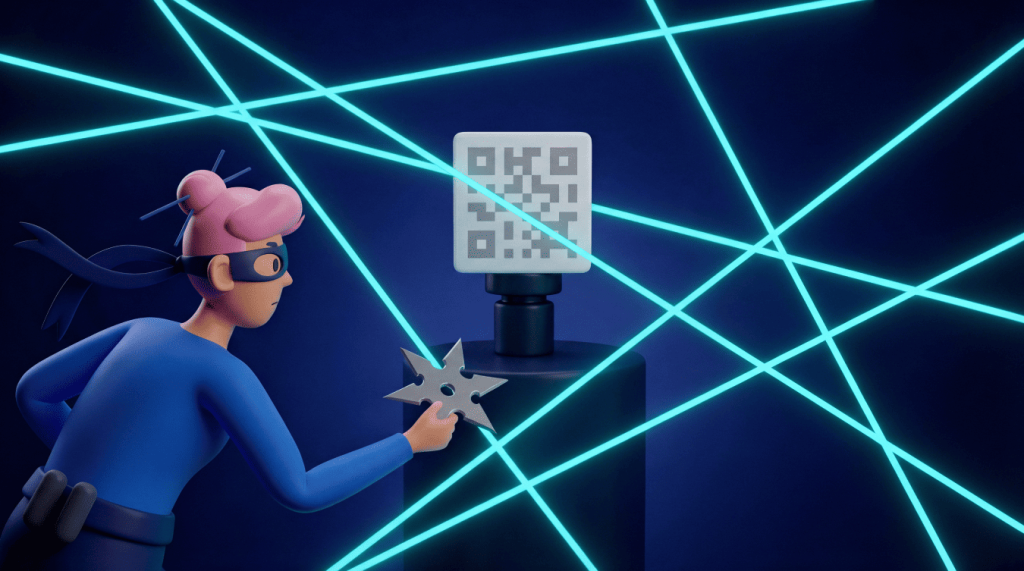
QR Code generators are generally safe when you choose a reputable provider, but your real risk level depends on the destination link, account controls, and data handling. A safe QR Code generator uses secure connections, protects your information, and gives you control over every QR Code destination. That matters when you publish codes on packaging, product inserts, business cards, posters, or menus. This guide explains what “safe” means, which warning signs to avoid, and how to choose a trustworthy generator before your next scan goes live.
Note: The brands and examples discussed below were found during our online research for this article.
Key takeaways
- A QR Code generator is safe when it offers HTTPS encryption, reputable hosting, and transparent data practices, so you should verify these basics before creating codes.
- The QR Code itself can’t be hacked; the real risks come from the destination URL and weak access controls on your generator account.
- Dynamic QR Codes can be more secure than static codes because you can update or deactivate destinations instantly if something goes wrong.
- Generators with single sign-on, user roles, and compliance certifications like SOC 2 or GDPR readiness help protect organizations at scale.
- Safe scanning habits matter too: Preview URLs before tapping and avoid entering credentials on unfamiliar sites opened from QR Codes.
What makes a QR Code generator safe
Are QR Codes safe? In many ways, it comes down to the generator used to create the code. A safe QR Code generator protects people on both sides of the scan, ensuring robust QR Code security for creators and users alike. It helps creators launch reliable codes, and it helps scanners reach the right destination without unpleasant surprises. That safety starts with secure infrastructure.
Look for a generator that uses HTTPS across links and dashboards. It should protect landing pages, too. HTTPS helps protect data in transit and gives scanners a familiar trust signal before they continue.
Next, check the company behind the tool. A reputable generator publishes clear privacy practices and explains how it handles scan analytics. It also gives you a straightforward way to manage account data. Vague policies should make you pause. So should tools that promise “free forever” without explaining how they fund hosting or support. Your QR Codes may sit on packaging, signs, or printed mailers for months or years. You need a provider that can support that long tail.
Safe generators also avoid hidden redirects. When you generate QR Code assets, such as a PNG for print, the platform should send scanners to the destination you choose. It should not inject ads or force unrelated interstitials. It should not route traffic through suspicious domains. That kind of behavior can damage user trust and hurt campaign performance.
Account protection matters just as much as link safety. Strong passwords and team access controls, coupled with secure dashboard sessions, help prevent unauthorized edits. If someone gains access to your generator account, they could change the destination of a live Dynamic QR Code. That risk grows when multiple people manage QR Codes across marketing, operations, retail, and event teams.
The QR Code image itself serves as a visual shortcut, similar to a traditional barcode but with greater data capacity for quick response actions. It encodes data in a pattern that a smartphone can read. The image cannot carry malware on its own. Bad actors create problems when they point a code to a dangerous URL or physically place a fake sticker over a legitimate code, a common form of physical tampering. Keep the focus on the right safeguards: Choose a trustworthy platform, control the destination, and protect account access.
QR Code Generator gives teams a safer foundation by combining a simple creator experience with Bitly’s business-grade infrastructure. That combination supports reliable redirects, flexible management, and brand-friendly campaigns at scale.
Common risks when you use an unsafe generator
Most QR Code problems stem from a poor tool choice or a skipped safety check. The risk often hides behind convenience. A free generator may look fine during setup, but the real test starts after you print the code and put it in front of customers.
Malicious URL embedding is one major concern. Some low-quality tools may add extra redirects, unwanted ads, and harmful destination paths. Your audience expects your QR Code to open your menu or landing page. It may also carry a current offer. If a generator sends scanners elsewhere, you quickly lose trust.
Data harvesting creates another concern. A disreputable generator may collect more information than you expect, then use that data in ways you never intended. Scan analytics can help you optimize marketing campaigns, but you need transparency. Trustworthy platforms explain what they collect and how they process it. They also explain how you can manage it.
Abandoned services also cause trouble. Many businesses print QR Codes on physical assets, so the code may outlive the tool that created it. If a free generator shuts down or changes ownership, your printed codes may become invalid. A provider can also let its redirect domain expire. That failure can affect packaging runs, event signage, printed catalogs, and direct mail campaigns.
Phishing exposure adds a bigger security concern. Scammers can copy a design or clone a code to facilitate various scams. They can also redirect users to a spoofed page. If your QR Code links to a login or payment page, you need to take extra care. The safer choice uses recognizable domains, clear brand signals, and controlled destinations.
Static vs. Dynamic QR Codes and why security differs
Static QR Codes and Dynamic QR Codes look similar to scanners, but they work differently behind the scenes. That difference shapes your security options.
A Static QR Code stores the final destination URL directly in the code pattern. After you create and print it, you cannot change that destination. Static codes work well for simple, permanent uses, such as granting Wi-Fi access in your facility or pointing users to a long-term URL that you fully control, like your main webpage.
A Dynamic QR Code first points to a short URL. The code management platform then redirects scanners to the final destination you have set. Because the redirect lives in the dashboard, you can edit or deactivate it after printing the QR Code. You can also track performance. That flexibility and insight give marketing and operations teams a better chance to recognize when things change and more control when they do.
| Feature | Static QR Codes | Dynamic QR Codes |
| Destination control | Fixed after creation | Editable after launch |
| Incident response | Requires reprinting | Allows fast redirect updates |
| Campaign tracking | Limited or unavailable | Supports scan analytics |
| Broken link recovery | Hard to fix after printing | Easy to update in the dashboard |
| Best fit | Simple permanent destinations | Business campaigns and long-running materials |
Security teams often prefer Dynamic QR Codes for professional use because they enable faster response times. If your destination page breaks, you can update the link. If a campaign ends, you can deactivate the code. If a landing page needs a safer domain, you can swap the redirect without reprinting thousands of assets.
This flexibility also helps with everyday campaign management. Print quality issues, outdated pages, and changed URLs can all damage the scan experience. With QR Code editing, teams can keep campaigns moving without wasting printed materials.
Static codes still have a place, especially when you need a simple code with no ongoing management. Yet for business use, Dynamic QR Codes usually give you a safer choice because they let you react quickly.
Checklist to pick a safe QR Code generator
A safe generator should help you create high-quality custom QR Codes with confidence and manage them over time. Use this checklist before you commit to a platform, especially when you plan to place codes on customer-facing materials.
Verify custom domain control
Custom domain control gives your QR Codes a stronger trust signal. Instead of sending scanners through a generic third-party domain, you can use a branded short domain that fits your business. A recognizable domain helps scanners feel confident because it matches the brand they already know.
Custom domains also give your team more resilience. If a free generator uses its own domain, you depend on that provider’s reputation and uptime. If that domain triggers security warnings or spam concerns, traffic through your QR Codes may suffer. You also lose leverage if the provider changes redirect behavior or shuts down.
Require single sign-on and user roles
Teams need access control when multiple people manage QR Codes. Single sign-on helps your organization connect QR Code access to your existing identity system, streamlining the authentication process. That means people use approved credentials, and admins can remove access when roles change.
User roles add another layer of protection. Not every teammate needs permission to edit a live destination. Some users may only need to view analytics, while others need campaign creation rights. Role-based access helps reduce accidental edits and limits damage if one account has an issue.
Look for dynamic redirect editing
Dynamic redirect editing gives you a practical safety net. If a landing page breaks, you can fix the destination. If a campaign URL changes, you can update it. If someone spots a security concern, you can pause or deactivate the code.
This feature matters because QR Codes often live in the physical world. You might print them on menus, labels, brochures, or signage. Once those materials leave your hands, reprinting them takes time and costs money. Dynamic editing helps you protect and future-proof the experience without restarting production.
Redirect editing also supports marketing optimization. You can test new landing pages or route scanners to updated content. You can also refresh seasonal offers. The same feature that improves security also gives your team more campaign flexibility.
Confirm compliance certifications
Compliance signals can help you judge a provider’s security posture. Look for SOC 2 or ISO 27001, plus GDPR-aligned practices. These signals indicate that a company invests in security controls and documentation, as well as audit discipline and incident response planning.
You should not treat badges as the whole story, though. Pair compliance checks with practical questions. Does the provider explain data handling clearly? Can your team control who edits QR Codes? Does the platform support secure domains and HTTPS links? Does it offer reliable support for business use?
QR Code Generator operates within the Bitly platform, which meets enterprise-grade expectations for security, reliability, and scalability. That foundation helps teams launch QR Codes with stronger controls while still giving marketers an easy workflow.
Safe QR Code scanning habits for your audience
A secure generator gives your campaign a strong start, but scanning habits also matter. If you create QR Codes for customers, employees, and event attendees, you can help them scan smarter with simple guidance.
Modern iOS and Android devices usually show a URL preview before opening a QR Code destination. That preview gives scanners a chance to check the domain before they tap. Encourage your audience to slow down for one second and look for familiar brand signals.
Use the native camera app
Your phone’s built-in camera app usually gives you the safest scanning experience. It already allows you to scan QR Codes and shows a preview. It also avoids extra app permissions.
Third-party scanner apps can create unnecessary risk. Some request broad permissions that have nothing to do with scanning. Others may insert ads or route users through extra steps. A native camera app keeps the process simple and reduces the number of apps that can access user data.
Check the URL preview before tapping
The URL preview gives scanners their best early warning sign. Before they open a destination, they should check whether the domain looks familiar and trustworthy. Misspellings and strange subdomains should raise concern. Unrelated domains should too.
Trusted brands usually use consistent domains across their QR Codes. A restaurant may use its main domain for menus. A retailer may use a branded short domain for offers. A nonprofit may use a clear donation page URL. When the preview matches the brand context, scanners can proceed with more confidence.
You can also make previews more trustworthy by using a custom domain. That choice helps your QR Codes feel connected to your brand rather than to a random link shortener.
Avoid entering credentials on unfamiliar sites
In recent years, hackers have developed a QR-based phishing technique known as “quishing”. This tactic uses illegitimate QR Codes to send people to fake login pages or spoofed payment forms. Scammers like QR Codes because the destination stays hidden until someone scans the code. That makes URL preview checks even more important.
Tell users to avoid entering passwords or payment details on any unfamiliar page that opens from a QR Code. Sensitive information deserves the same caution. If a scan leads to a login screen or an unfamiliar web page, users should pause. For sensitive actions, they can type the known URL directly or use a bookmarked site.
Businesses can reduce this risk by keeping QR Code destinations clear and branded. Use recognizable domains and explain what the scan will open. Avoid surprise login prompts whenever possible. The more predictable the experience feels, the easier it is for users to spot something unusual.
Create safe QR Codes with QR Code Generator
A safe QR Code generator gives you secure infrastructure and flexible editing, plus controls that help your team protect every scan. QR Code Generator brings those pieces together in an easy-to-use interface for marketers, business owners, or any teams that need reliable QR Codes at scale.
With QR Code Generator, you can create Dynamic QR Codes and manage destinations. You can also support branded post-scan experiences through the Bitly platform. That foundation helps you build trust from the first scan and keep campaigns running smoothly after launch. Start with a platform that treats safety as part of the workflow.
Create your next secure QR Code with QR Code Generator. Sign up today and give your audience a cleaner, safer path from scan to action.
FAQs
Is the QR Code Generator website safe?
Yes, QR Code Generator (qr-code-generator.com) is a reputable platform built on Bitly’s secure infrastructure, offering HTTPS encryption, dynamic code management, and enterprise-grade security practices.
Which QR Code generator is safe and free?
QR Code Generator offers free Static QR Codes with secure hosting, but businesses typically get stronger security controls with PRO features like dynamic codes, tracking, and team permissions.
Do I need a special security app to scan a QR Code?
No, your phone’s built-in camera app is usually the safest option because it provides a URL preview before opening and doesn’t require extra app permissions.
Can I use Dynamic QR Codes without collecting personal data?
Yes, Dynamic QR Codes can be used without collecting personally identifiable information, and scan analytics are often aggregated (such as device type and general location) depending on settings and platform policies.


QR Code Generator
Your all-in-one QR Code marketing platform
Now you can fully customize your QR Codes with your brand colors and company logo, get scan statistics, and even edit the content after print.