
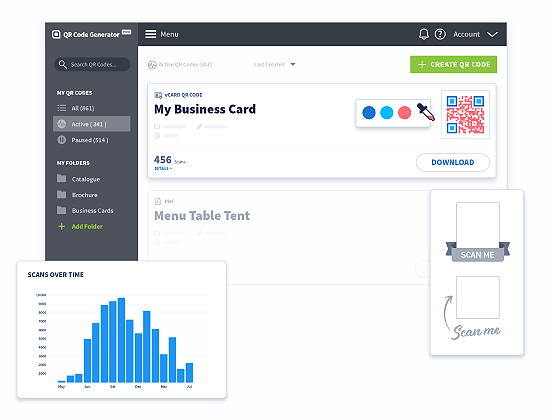
Create, manage, and track all your QR Codes.
Design beautiful QR Codes your way. Add your own color, logo, and frame.

Using QR Codes for nonprofits can significantly expand your reach, creating more opportunities for donations, advocacy, and volunteer support. By adding QR Codes to your promotional materials, you make it easy for potential supporters to connect directly with your cause.
Nonprofit success hinges on sparking action—whether through donations, petitions, or volunteer sign-ups. But in today’s distraction-filled world, moving people to act can be challenging.
That’s where QR Codes come in. By placing QR Codes on print materials like brochures, flyers, or event tickets, you provide a simple, streamlined link between the physical world and your nonprofit’s digital ecosystem.
This makes it easier than ever for supporters to connect with your cause. Instead of relying on supporters to remember a long URL or search for your site, QR Codes offer a direct, seamless pathway to your digital presence through a quick scan, encouraging instant action.
What’s more, QR Codes are flexible. With a Dynamic QR Code, you can update the URL behind the code anytime, so if your focus shifts from one campaign to another, your materials stay relevant without the need for reprints. This adaptability ensures your nonprofit stays responsive, especially during time-sensitive initiatives.
Below, we’ll look at some examples of how QR Codes can enhance your nonprofit’s strategy and help you start building stronger connections with your audience.
The Protect the Bees Foundation may not be a real nonprofit, but it represents the power of what your charity can achieve with QR Codes.
By incorporating these barcodes into your marketing strategy, you can create engaging, meaningful experiences that drive advocacy and donations for your case. Whether you're aiming to increase donations, raise awareness, or boost event participation, QR Codes can elevate your outreach efforts.
Ready to take your nonprofit to the next level? Explore these creative QR Code ideas for nonprofits and discover how you can make a greater impact.
Traditional marketing materials like flyers and posters are great for getting your message out, but they often result in passive viewing—people glance at them and move on.
But what if you could turn that passive interaction into active participation? By adding Business Page QR Codes to your materials, you can do just that.
With a simple scan, your audience can dive deeper into your nonprofit’s mission, explore your website, and access contact information, social media links, and more. This transforms your marketing from a one-way message into a memorable, interactive experience, guiding potential supporters further down the marketing funnel.
Create now Learn more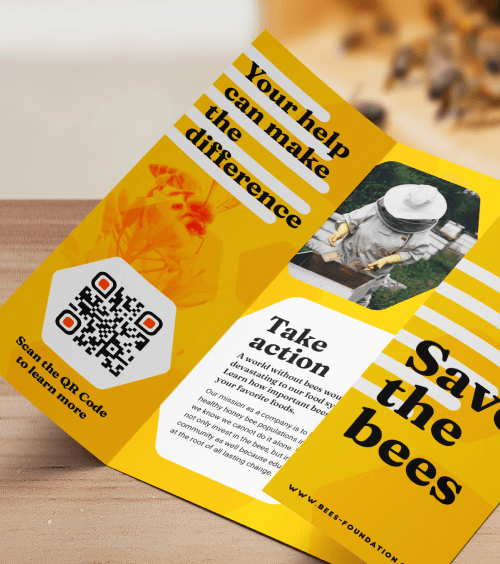
Dynamic URL QR Code
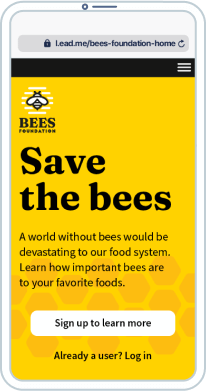
To increase the chances of your brochures and booklets sparking action, you need to make it easy for potential supporters to take the next step. Without a clear path to your webpage or donation page, they may lose interest before they engage.
By adding a Dynamic URL QR Code to your printed materials, you eliminate that barrier. With just one scan, supporters can instantly access your website or donation page—no searching or typing required.
Not only does this simplify the process for your audience, but the QR Code also provides valuable insights through analytics. Track which materials are generating the most scans or determine the best times for campaigns based on scan activity. With this data, you can fine-tune your marketing strategy, optimize your budget, and measure ROI more accurately.
Create now Learn more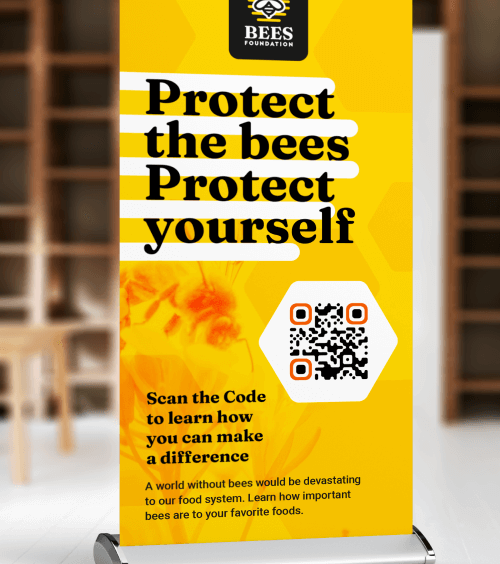
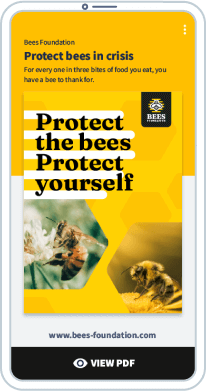
PDF QR Code
Flyers and banners have limited space, making it difficult to fit all the essential information potential supporters need. With a PDF QR Code, you can solve this problem by linking directly to an online nonprofit brochure or booklet.
This allows you to provide detailed information about your cause, its impact, and how people can get involved—without cluttering your printed materials. Plus, when it’s time to update your content, you can simply link the existing QR Code to a new PDF. This saves you the hassle and cost of reprinting while ensuring your messaging is always up-to-date.
Create now Learn moreDesign beautiful QR Codes your way. Add your own color, logo, and frame.

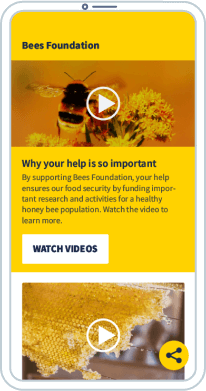
Video QR Code
Heartfelt thank-you messages are a powerful way to strengthen connections with your donors and volunteers. While traditional thank-you letters and emails are a great starting point, you can take your appreciation to the next level with a Video QR Code.
By embedding these QR Codes in thank-you letters, welcome packets, or event materials, you provide an engaging, interactive experience that’s more impactful than words alone.
But why stick to one video? You could even link to a curated video playlist that showcases your nonprofit’s journey, milestones, and future goals, allowing supporters to learn about your mission in-depth. This dynamic, interactive touch builds deeper relationships, reinforces the impact of their support, and encourages ongoing involvement.
Create now Learn moreFor nonprofits, hosting events is an investment—but the potential rewards are even greater, especially when you attract a large, engaged crowd. Whether you’re organizing a fundraising walk, a charity gala, or a volunteer appreciation event, Event QR Codes are a powerful way to connect donors, prospects, and supporters with your cause.
Simply add your Event QR Codes to your emails, newsletters, and social media posts to give your audience a swift and simple way to access key event details, RSVP, or make a donation—all with a quick scan. This makes it easier than ever for people to get involved and increases the chances of meeting your fundraising campaign goals.
Create now Learn more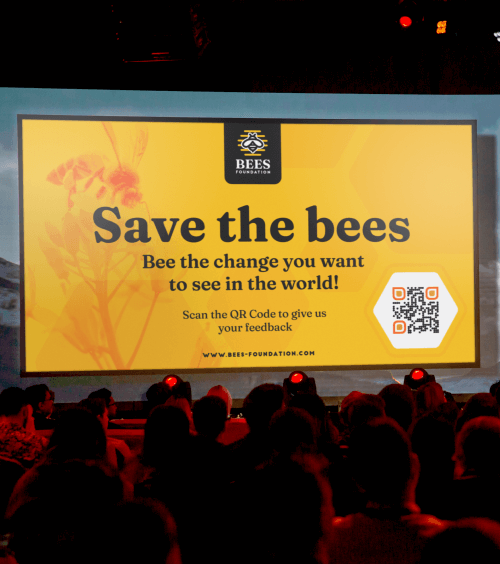
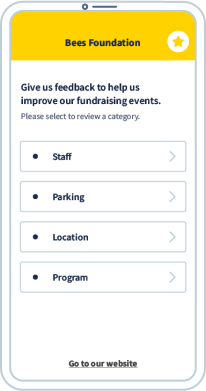
Feedback QR Code
Measuring the success of nonprofit fundraising events can be a challenge. With so many moving parts—sponsors, attendees, staff, volunteers—it’s hard to gather consistent feedback in a way that’s organized and efficient. Traditional methods like paper surveys are time-consuming and hard to manage.
That’s where the Feedback QR Code comes in. Incorporate these QR Codes into your event materials to collect valuable insights from attendees, sponsors, volunteers, and staff. All it takes is a quick scan, and their feedback is sent directly to your email, helping you track responses and evaluate what went well and what could be improved.
Don’t forget to follow up with those who took the time to provide feedback—this shows that you value their input and helps build stronger long-term relationships.
Create now Learn more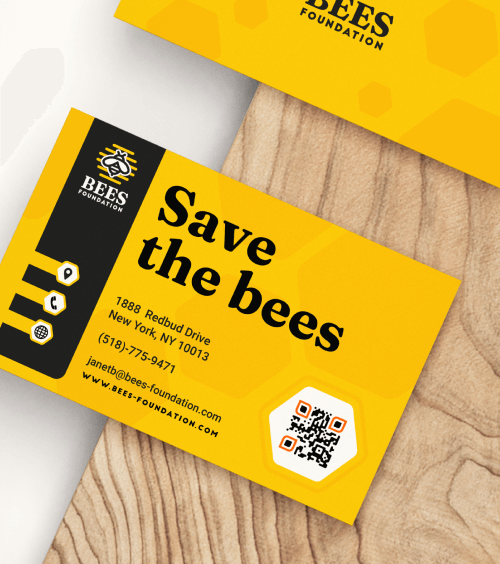
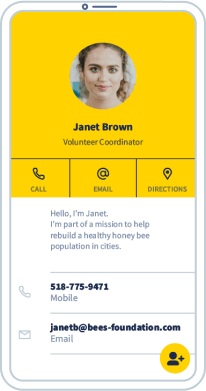
Feedback QR Code
Building meaningful connections with potential donors starts with making it as easy as possible for them to reach you. Adding a vCard Plus QR Code to your nonprofit business cards is a great way to do that. With a simple scan, contacts can instantly save your phone number, email, office location, LinkedIn profile, and more—directly to their mobile devices.
Even if you run out of physical business cards at an event, the vCard Plus QR Code works on your phone. Attendees can scan and save your details on the spot, making it easier than ever to stay in touch, nurture relationships, and grow your nonprofit’s network.
Create now Learn more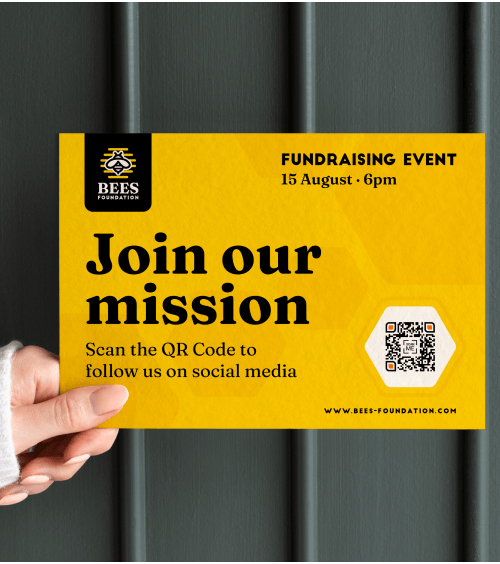
Social Media QR Code
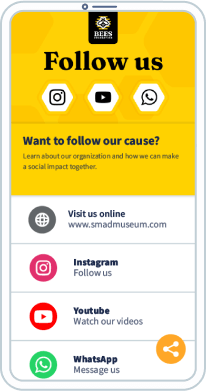
Social media is an essential tool for nonprofits to connect with supporters, build a community, and amplify their message. It’s where people engage, share stories, and get involved. By adding a Social Media QR Code to your print materials, you make it simple for potential donors to access all of your social media profiles with just one scan.
This QR Code creates a direct path to your nonprofit’s online presence, helping you grow your following, drive more engagement, and expand your reach. Whether on brochures, flyers, or event signage, these QR Codes offer a powerful way to turn traditional print into a dynamic tool for building a loyal online following.
Create now Learn moreNext time you want to do a volunteer drive, simplify the sign-up process for your volunteers by creating a Google Form and combining it with a Google Form QR Code for your print materials—such as flyers, direct mail, or event programs.
Instead of relying on phone calls or emails, where potential volunteers may drop off or forget to follow up, the QR Code gives them a direct link to your volunteer registration page. This eliminates friction and makes it much easier for individuals to get involved, increasing your chances of attracting committed volunteers.
Plus, you can customize the form to gather relevant information, such as availability, skills, or role preferences, helping you easily match volunteers to the most suitable roles.
Create now Learn moreNonprofits know that data-driven decisions are essential for enhancing fundraising and advocacy efforts, but building the tech infrastructure for this can be time-consuming, costly, and complex. QR Codes provide a simple, budget-friendly solution to kickstart data-driven decision-making—without the need for advanced technology.
With Dynamic QR Codes, you can access vital insights on when, where, and how frequently your codes are scanned, giving you a clear picture of which materials, campaigns, and events are most engaging to your audience. This type of real-time feedback allows you to optimize your strategies quickly, refine your approach, and ultimately boost the impact of your nonprofit’s efforts.
Create now Learn more






 QR Code Generator
PRO
QR Code Generator
PRO
Fully customize your QR Codes with your brand colors and logo, get scan statistics, and even edit the content after print.
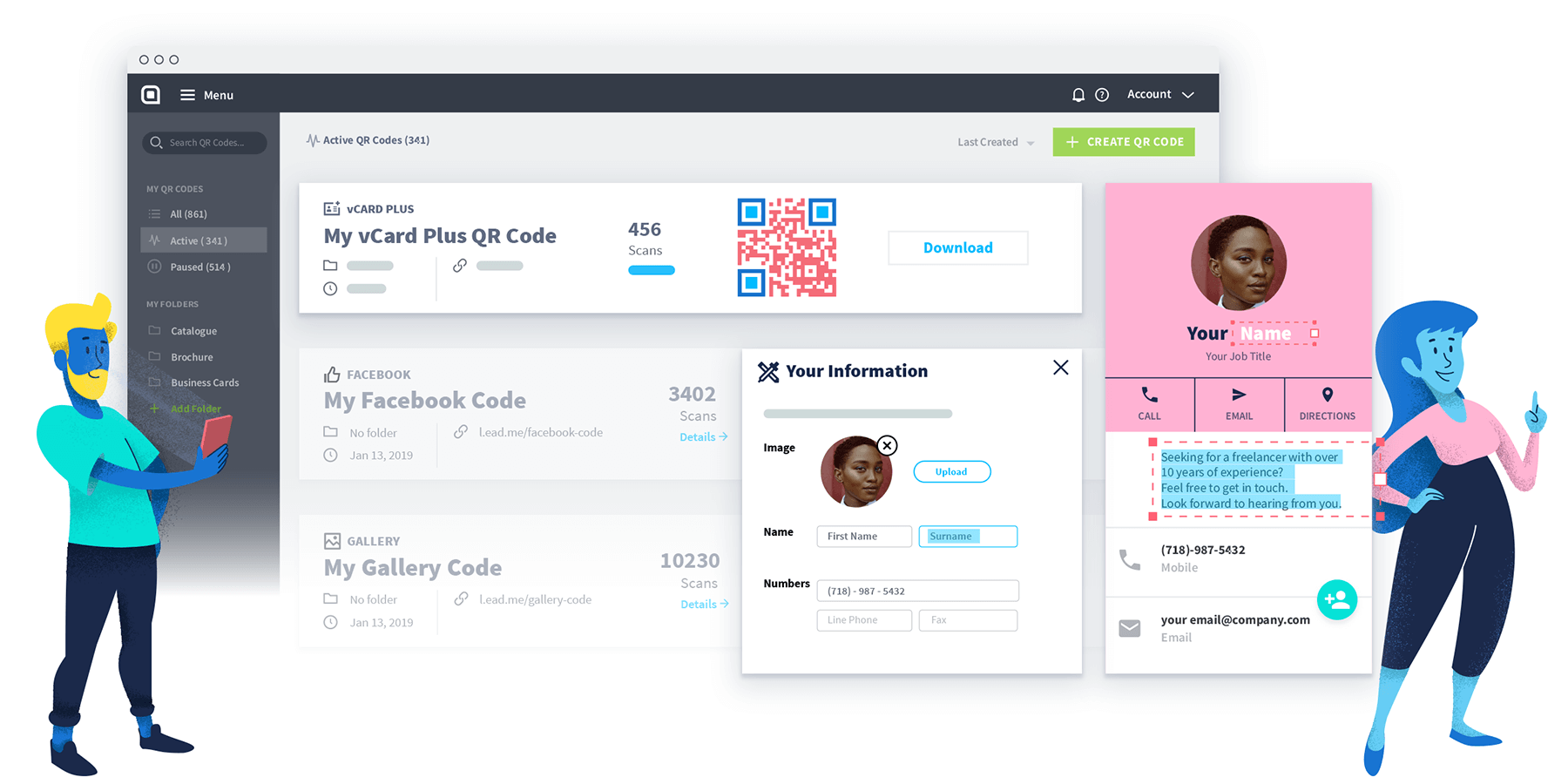




Static QR Codes aren’t trackable and can’t be edited after they’re created. So they work best for one-time, personal use cases.
Dynamic QR Codes are better suited for marketing because you can track, measure, and edit your code at any time. Fix typos post-print or tweak marketing materials mid-campaign—without needing to create a new code.
Go to QR Code Generator and sign up for an account. Select Create QR Code on the dashboard. On the next page, select Website and then click the Next button. Then, name your QR Code and enter your donation page or landing page URL into the field.
Now is the time to play! Customize your QR Code colors, logo, frame, edge, shape, and CTA (call-to-action).
Pro tip: We strongly recommend adding your logo so that donors recognize your brand. This will foster more trust, making donors feel secure donating to your cause.
Once you’ve completed all those steps, download your QR Code image. Congrats! You’re officially the proud owner of your very own QR Code.
Yes, you can create Static QR Codes for free, but they can’t be edited or tracked. This is why we suggest selecting Dynamic QR Codes for your nonprofit organization.
Please note that if you sign up for a free trial, you will only have access to your Dynamic QR Codes for 14 days. After that, your Dynamic QR Codes will be deactivated. If you want to reactivate your QR Codes, simply upgrade to one of our paid plans. Visit the Help Center for more information.
Once you’ve created your QR Code, download it in your preferred format (PNG, JPG, or SVG) and add it to your fundraising brochures, flyers, posters, and more before printing. To maximize visibility, make sure the QR Code stands out—too small, and it may go unnoticed or be unscannable.
For business cards or flyers, aim for a minimum size of 2 x 2 cm (0.8 x 0.8 in), and if you’re unsure, it’s always better to print it slightly larger. Test the QR Code on your screen and after printing to ensure it scans properly.
QR Code solutions provide a cost-effective, impactful way for nonprofits to amplify their reach and drive key actions like donations, volunteer sign-ups, and event attendance. They’re a versatile way to engage supporters in real time.
Whether you’re advertising a fundraising event, asking for donations, or recruiting volunteers, QR Codes make it easy for people to take immediate action. They simplify the process by connecting the physical world to your nonprofit’s digital ecosystem—allowing you to reach a broader audience with minimal effort.


What you'll get when you return:
 Add custom colors, logos and frames.
Track
scan stats so you can prove ROI
Edit
live QR Codes anytime
Add custom colors, logos and frames.
Track
scan stats so you can prove ROI
Edit
live QR Codes anytime
