The Marketer’s Ultimate Guide To Branded QR Codes

From direct mail flyers to billboards to TV shows like Ms. Marvel, QR Codes are everywhere in modern marketing.
This means two things…
Luckily, there's a simple—but powerful—way to differentiate your QR Codes from everyone else’s: branded QR Codes.
Here's everything you need to know about QR Code branding.
Note: The brands discussed in this article were found during our online research.
A quick introduction to branded QR Codes
Quick Response (QR) Codes are everywhere, and consumers are scanning them more than ever. In fact, QR Code scans skyrocketed by 433% from 2021 to 2022.
It’s no wonder people love these nifty little squares. With a quick, effortless smartphone scan, you can instantly access a wealth of information—whether it’s a landing page, exclusive offer, or competition.
But as QR Codes become a staple in marketing, standing out from the crowd is more crucial than ever. When your marketing campaign QR Code looks like just another black-and-white square, it’s easy for your audience to overlook it.
Enter QR Code branding. Unlike their plain, black-and-white counterparts, you can customize branded QR Codes to reflect your brand’s identity.
By adding your brand’s colors, logo, and other design elements, you can create a unique and recognizable code that entices people to scan.
How branding QR Codes helps boost brand awareness
There are tons of use cases for branded QR Codes, especially when it comes to marketing campaigns. Not to mention, it’s fun to get creative! Here are a few reasons why customization is the way to go.
Enhancing brand recall
Brand recall is all about how well people remember your brand and its products. For example, the brand “Kleenex” has become synonymous with tissues—so much so that many people say, “Pass me a Kleenex,” instead of asking for tissues.
But it’s not just your brand name that helps with brand recall. Your brand colors and styling also play a pivotal role.
Syncing your brand colors and other style elements across platforms can improve brand recognition, which is why it’s important to customize your QR Codes to increase brand awareness.
Multi-channel synchronization
Brand recall and recognition receive the biggest boost when you create a consistent styling pattern across all your marketing platforms. This includes your website, social media, email marketing, digital content, and print materials.
Achieving this is simple with QR Codes because you can completely customize their size, color, frames, and more to suit whatever medium you need.
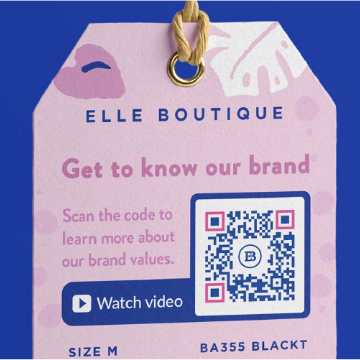
QR Code example on print packaging for Elle Boutique
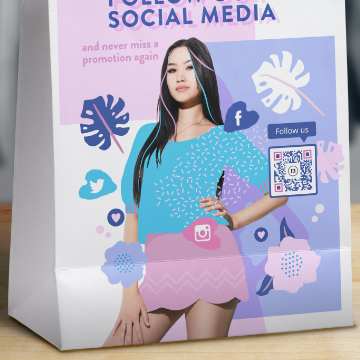
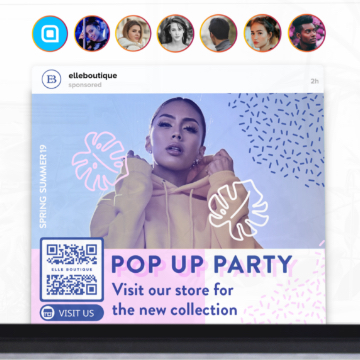
Giving off a professional appearance
Did you know that trusted brands outperform their peers by 400%? A huge aspect of building brand trust is consistency. You need to deliver the same high-quality, recognizable experiences across platforms and channels.
If customers perceive your marketing materials as sub-par or confusing, they’ll write you off before they even think about scanning your promotional QR Code.
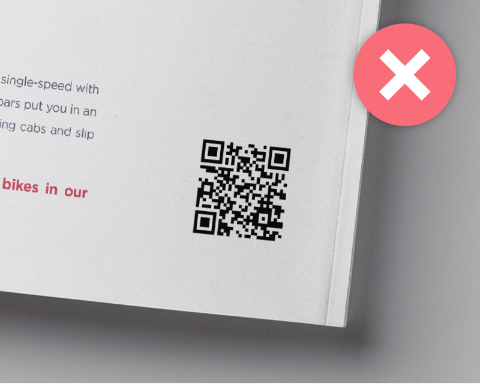
QR Code on a poster without any branding
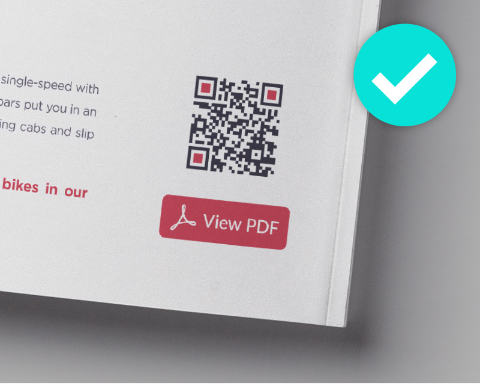
QR Code on a poster with branding and a clear CTA
To put things in context, take a look at the above examples. Which QR Code would you rather scan? Which QR Code conveys that the products are high quality and professional?
Although the differences are small, the impact is huge.
3 ways to infuse QR Codes with your brand identity
Ready to unleash the power of custom QR Codes? Here’s how you can customize your QR Codes to fit your brand identity using QR Code Generator PRO.
For even more design ideas, check out this overview of creative QR Code design tips.
1. Brand colors
Custom QR Codes look their best when they use a dual color scheme. These colors should match both your brand colors and the graphics of whatever material you're using them on.
When picking your colors in QR Code Generator PRO, open the color picker tool and either select your hues with the cursor or enter a precise hexadecimal color code. If you have established brand colors, using the hexadecimal code ensures perfect alignment with your existing designs.
With this QR Code maker, you can customize everything from the frame and background to the edges and individual pixels of your QR Code to match your brand colors.
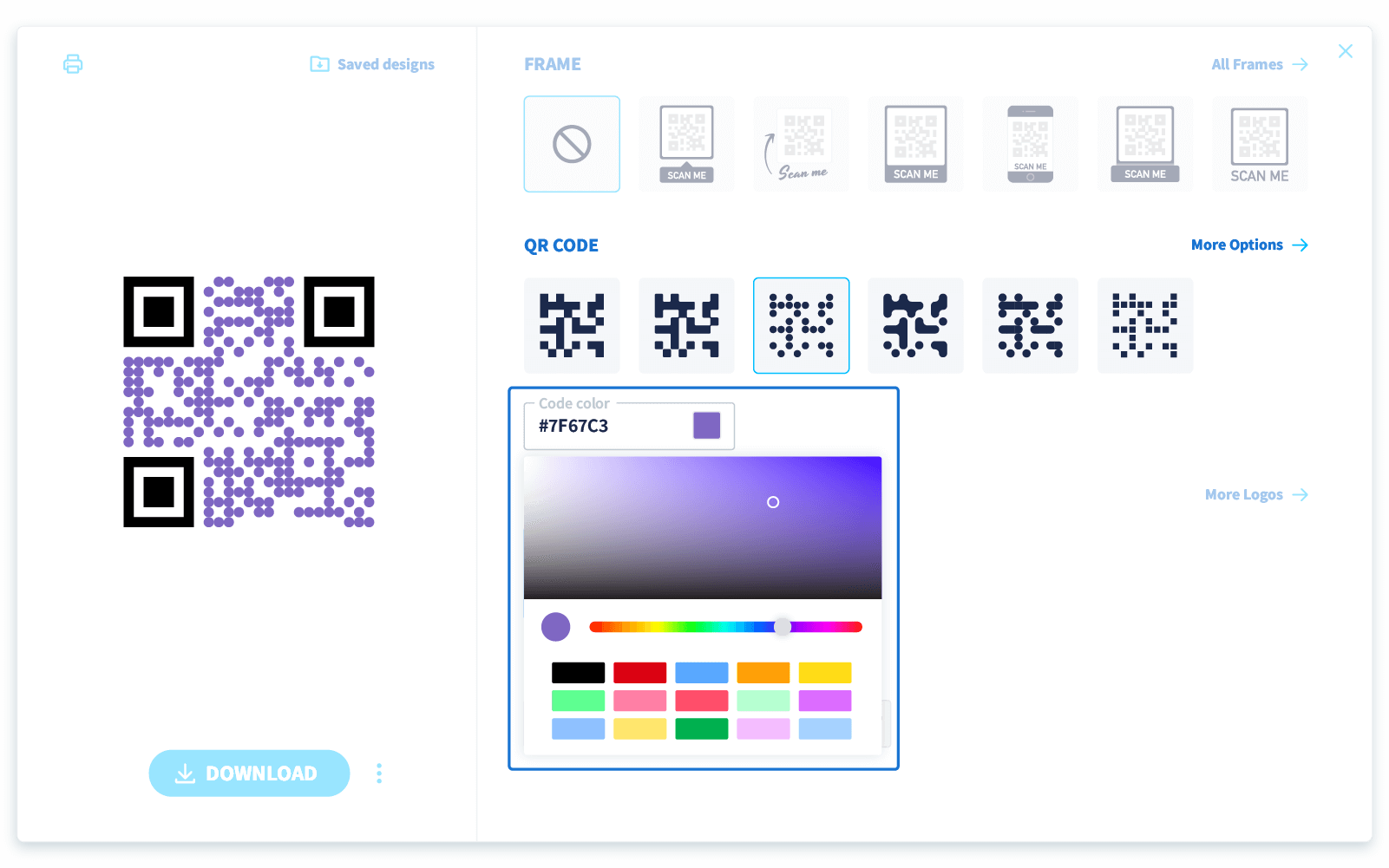
QR Code Generator PRO interface, showing how to choose colors
At the same time, don't forget that readability is key. A well-designed QR Code not only reflects your brand but also needs to be functional and easily scannable.
So, when choosing colors that match your brand's palette, be mindful of your background colors and make sure your custom code is also high-contrast enough for easy smartphone scanning.
2. Logos
It’s also simple to add your logo with QR Code Generator PRO. Simply select “upload” to add your brand logo to the middle of the QR Code. Your company logo will automatically resize to fit your code.
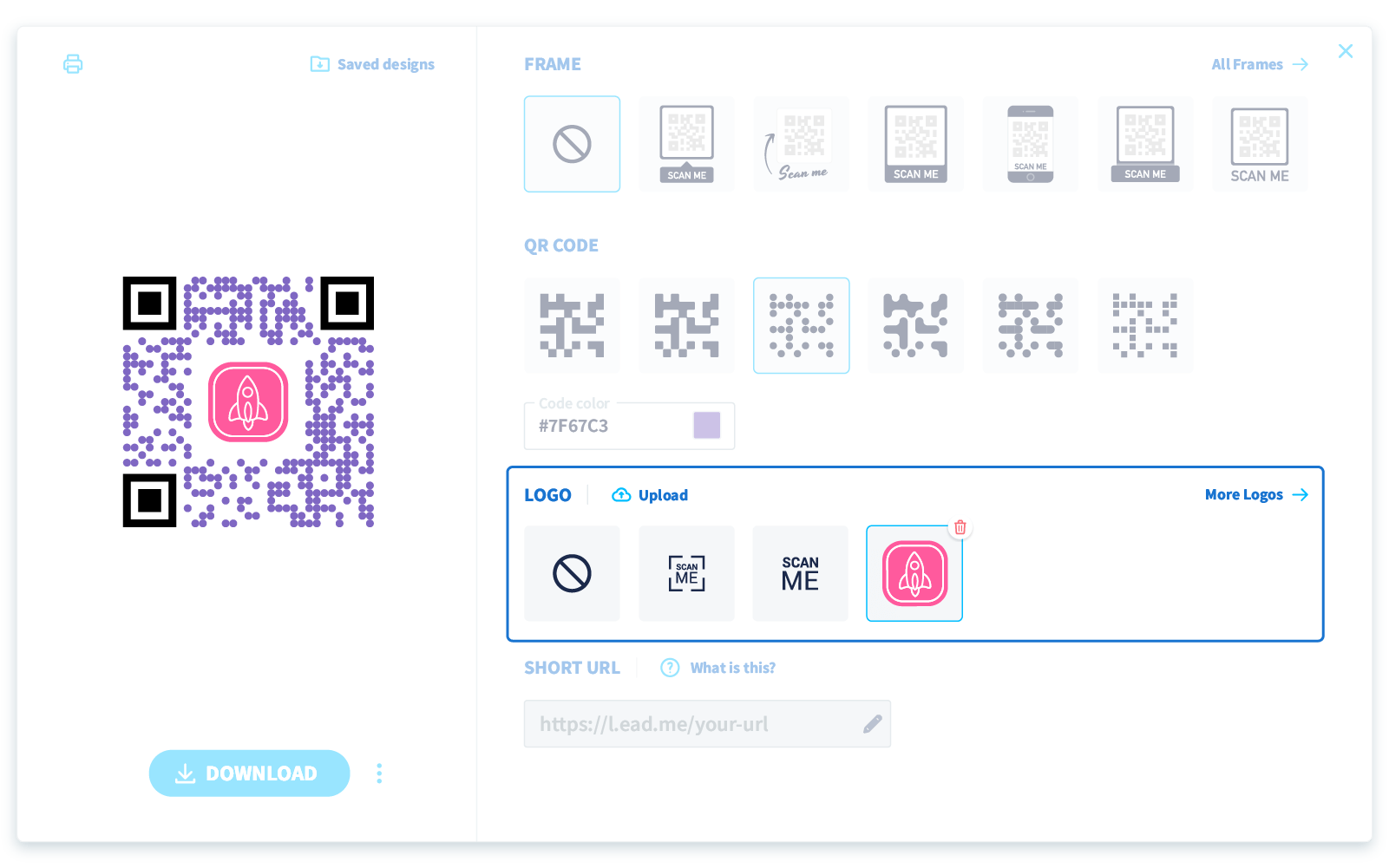
QR Code Generator PRO interface, showing how to add a logo
3. Frames
Whether you create your own custom frame or use one of QR Code Generator PRO’s ready-to-go frame templates, adding a frame to your QR Code is essential.
For one, frames enhance your code's scannability, reducing the risk of scanning errors. On top of that, they’re also aesthetically pleasing, creating a neat border between your QR Code and the rest of your content.
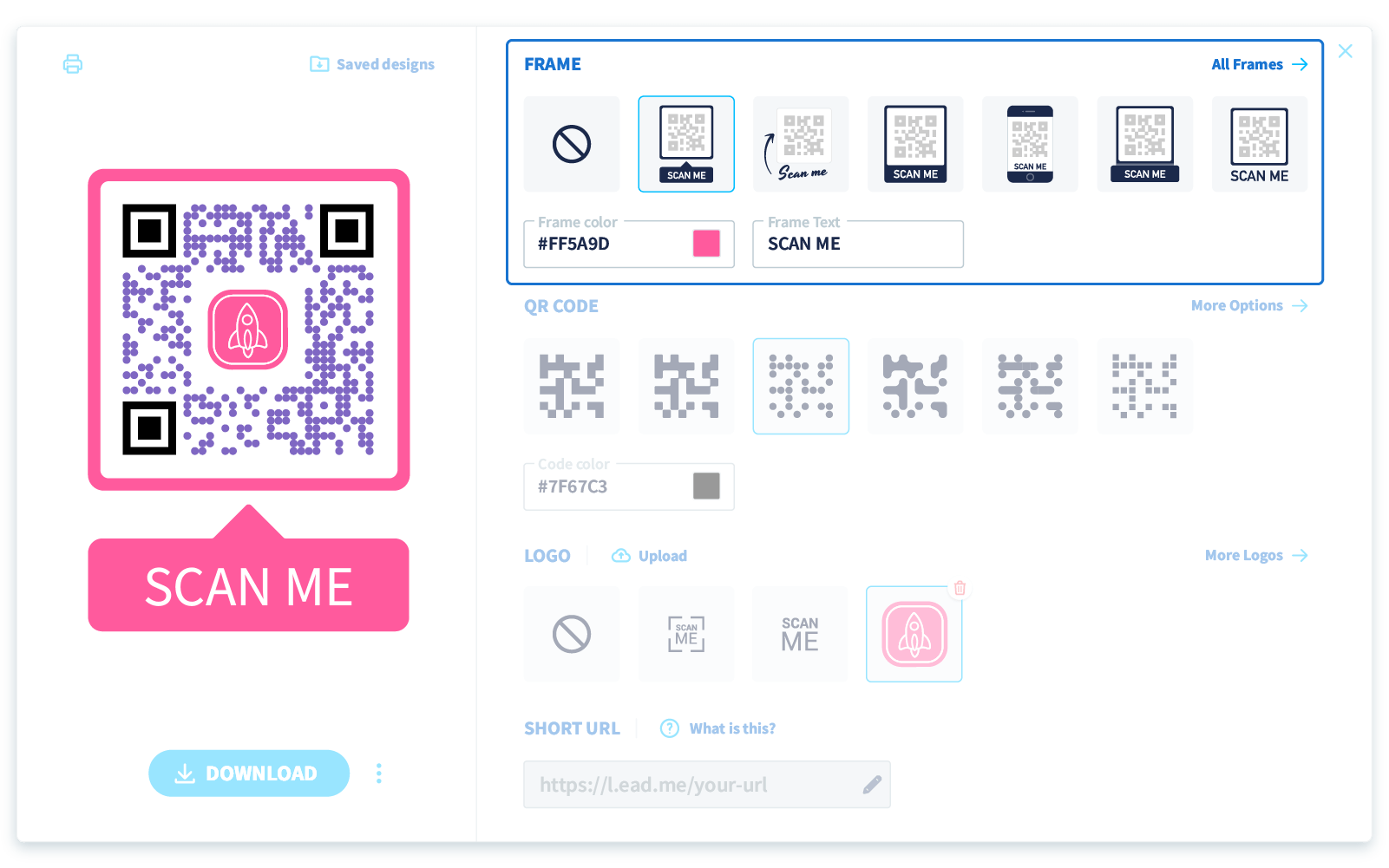
QR Code Generator PRO interface showing how to add a frame
Once you’ve chosen your frame, you’ll want to add a CTA (call to action) to your QR Code. This encourages your audience to take the next step when they see your QR Code. So choose something descriptive and action-inspiring, like “Scan me” or “View video.” CTAs work best when they are about three words and use an action verb. Words can be all uppercase, lowercase, or a mixture.

QR Code Generator PRO interface showing how to customize CTA
QR Code Generator PRO also provides the option to play with your generated QR Code’s edges. While the QR Code must keep its square shape to maintain scanning efficiency, you can still add further styling elements along the edges, including different colors.
Just be sure to use contrasting colors. A good tip is to always use a darker color on the QR Code against a lighter background.
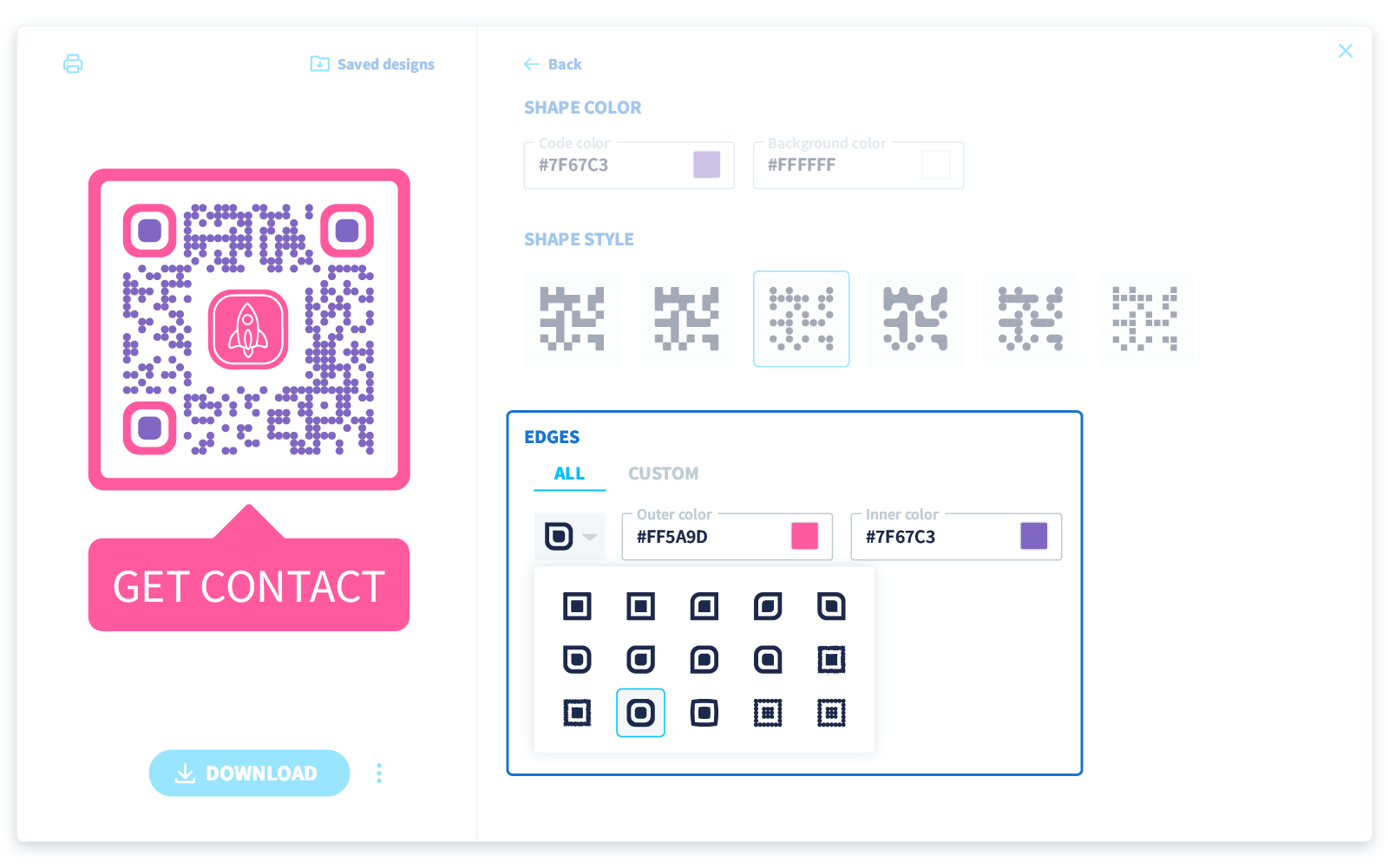
QR Code Generator PRO interface showing how to change QR Code edges
Creative examples of branded QR Codes
The beauty of branded QR Codes is that you can put them almost anywhere and everywhere, from product packaging to digital business cards. Just take a look at how leading brands are using them to level up their marketing games.
Advertisers leave their mark with YouTube Ad customization
Ever advertise your products or services on YouTube? Well, now you can add a QR Code to your video advertisements to skyrocket engagement.
Adding a QR Code to your video ads is a great idea for a couple of reasons. For one, it transforms your ads from one-way to two-way communications. Rather than just passively watching, viewers can engage with your ad, scanning your code to access exclusive offers, interactive content, or even a special landing page.
By allowing brands to customize their ad experience with logos and QR Codes, YouTube is also making it easier for brands to leave a lasting impression. Because viewers can instantly act on what they see, they’re more likely to connect with the brand in front of them and learn more about their products or services.
Snapchat combines user personalization with branding
If you’ve used Snapchat, you’re probably familiar with its QR Code solution: Snapcodes. These are distinctive, scannable codes that users can use to discover new profiles, unlock exclusive content, and even make payments.
What sets Snapchat’s solution apart is how it benefits both users and brands. For users, Snapcodes offer a quick and intuitive way to connect with friends or explore new content.
For brands, these codes are a gateway to engaging with users in a fresh, interactive way. Scanning a Snapcode doesn’t just lead to a profile or special offer—it feels immediate and personal, creating a direct link between the user and the brand.
Brands can also make Snapcodes uniquely their own. Customize your Snapcode with branded frames featuring your logo, colors, and visuals. This personalization not only reinforces your brand’s identity but ensures your Snapcode stands out from the crowd.
How to create eye-catching branded QR Codes
As the above examples show, branded QR Codes are a fantastic way to capture your target audience’s attention and generate new leads. But not all QR Codes are created equal. To make sure your QR Codes grab attention and enhance your brand, it’s crucial to focus on both design and functionality.
Here’s how to create QR Codes that not only look great but also align with your brand's identity.
Choose a robust and user-friendly QR Code generator
Selecting the right QR Code generator is the first step in creating a branded QR Code that truly resonates. When evaluating your options, first and foremost, you’ll want to think about ease of use. Does the platform have an intuitive interface that makes the creation process seamless?
You’ll also want to look for a tool that offers extensive customization options, allowing you to tweak colors, incorporate your logo, and match your brand's aesthetics.
Not sure where to start when looking for the best QR Code generator? QR Code Generator PRO has you covered. Its robust feature set, plentiful customization options, and easy-to-use interface make it simple to create high-resolution branded QR Codes.
Leverage Dynamic QR Codes
If you want to take your branded QR Code strategy to the next level, Dynamic QR Codes are a must. While Static QR Codes are unchangeable once created, you can update the destination URL or linked content of your Dynamic QR Code, even after you’ve distributed it, without needing to print a whole new QR Code.
So, if you’re running a campaign and need to change the URL at some point, that’s no trouble. With a Dynamic QR Code, you can make those changes in real time.
On top of that, Dynamic QR Codes offer powerful data analytics. You can effortlessly track QR Code scan data like the number of scans, geographic locations, device type (iOS or Android), and the time of day.
All of this data is invaluable for refining your marketing efforts. For instance, if you notice a spike in scans during a particular time or in a specific location, you can tailor your marketing strategy to capitalize on those insights.
Establish guidelines for consistent QR Code use
Brand consistency is a cornerstone of building long-term customer relationships. Why? Because consistency cements brand trust and dependability.
A consistent QR Code strategy doesn’t just look visually appealing—it also conveys brand credibility. It signals to your audience that you’re intentional about every detail and reinforces your brand’s identity.
With that in mind, here’s some tips to help you develop clear and intuitive QR Code guidelines:
- Develop templates and style guides: Start by crafting QR Code templates that align with your brand’s visual identity. This means choosing specific color codes, positioning your logo correctly, and adhering to design standards that reflect your brand’s style. Distribute these templates and style guides throughout your team to ensure that everyone uses QR Codes that are on-brand and visually consistent.
- Set placement best practices: Determine the best locations for your QR Codes to maximize their visibility and engagement. Whether you place them in email signatures, at the bottom right of printed materials, or next to crucial calls-to-action, keeping the placement consistent helps your audience easily find and use them.
- Standardize across channels: Maintain a consistent approach to QR Code usage across all your marketing platforms. Whether it’s on social media, in email campaigns, or within print advertisements, a standardized QR Code strategy reinforces your brand’s identity and makes your codes more effective.
Customize your own branded QR Codes with QR Code Generator PRO
Ready to make your QR Codes truly stand out? QR Code Generator PRO is your go-to solution for crafting easily recognizable and on-brand QR Codes.
Whether you need to create multiple codes at once or add unique elements to each one, QR Code Generator PRO has you covered. With features like bulk QR Code generation and advanced QR Code customization options, you can effortlessly create codes that align perfectly with your brand’s identity.
Don’t miss out on the benefits of consistent branding. Sign up for QR Code Generator PRO and start customizing your QR Codes today.

 Add custom colors, logos and frames.
