- Best Practices ●
- COVID-19 ●
- Industry Trends ●
- Partners ●
- Product ●
How to Create a QR Code Survey to Gather Feedback (+ Use Cases)

Surveys are a great way to gather in-depth customer data, understand what makes people tick, and improve how your business operates.
But what takes feedback collection to the next level is a Quick Response Code (QR Code) survey. Feedback QR Codes make it easy for businesses to collect responses from clients and improve products and services.
In this guide, we’ll show you exactly how to create a QR Code survey, where to use it, and how it can help you gather better feedback faster.
Note: The brands and examples discussed below were found during our online research for this article.
-
Table of contents
- How to create a QR Code for a survey
- 1. Create and test your online survey
- 2. Go to the QR Code Generator
- 3. Select “website” as your QR Code type
- 4. Paste your survey link into the website field
- 5. Customize your QR Code’s design
- 6. Download and test your QR Code survey
- Benefits of using QR Codes for surveys
- Popular use cases for QR Code Surveys
- Restaurants
- Events
- Healthcare
- Retail
- Education
- Hospitality
- Public services
- Use QR Code Generator PRO to create more accessible surveys
How to create a QR Code for a survey
Generating a QR Code for a survey is simple. Here’s a step-by-step guide to help you create and share QR Code surveys.
1. Create and test your online survey
Start by choosing a reliable survey tool. Google Forms is a popular option because it’s free and easy to use, but platforms like Tally, Typeform, Youform, Pigeonform, or Deformity work well too.
Whether you’re collecting feedback from customers or staff, keep your survey short and focused. Offering a small incentive, like a discount or giveaway, can also boost completion rates. And before you share it, don’t forget to test your survey internally to catch any errors and make sure it delivers the insights you need.
2. Go to the QR Code Generator
Once your survey is live, you’ll need a QR Code to make it easy for people to access and complete it. QR Code Generator PRO is simple to use and includes powerful features like scan tracking for Dynamic QR Codes. To get started, create an account and activate your 14-day free trial.

3. Select “website” as your QR Code type
After logging into your QR Code Generator PRO account, select Create QR Code and choose Website as the QR Code type.

4. Paste your survey link into the website field
If you used an online platform to create your survey, it’s hosted on a webpage. Paste your survey URL into the field and click Create.

5. Customize your QR Code’s design
Once your QR Code is created, the design window will open automatically. This is your chance to personalize it and align it with your brand.

You can:
- Choose a frame and add a call to action (CTA).
- Select a QR Code pattern style.
- Adjust the colors.
- Embed a logo or symbol inside the code.
- Edit the short link that appears below your QR Code.
6. Download and test your QR Code survey
When you’re satisfied with your QR Code design, save and download it. You can choose from formats like PNG, PDF, JPG, SVG, and EPS, depending on where you plan to use it—whether in print media or on a screen.

To avoid QR Code scanning problems, always test the code before your survey goes live. Check that it scans correctly in its intended placement, from different distances, and on a variety of mobile devices.
Benefits of using QR Codes for surveys
QR Codes remove the friction from survey-taking. They’re fast, mobile-friendly, and easy to place in both digital and physical spaces. Thanks to QR Code encoding, you can instantly direct people to online surveys from offline materials like product packaging, posters, or business cards.
Here are some key benefits of using QR Codes for surveys:
- Learn about your customers: Understand their behaviors, preferences, and attitudes to deliver a better user experience.
- Measure customer satisfaction: Track response rates in real time and identify what’s working and what isn’t.
- Spot trends early: Stay ahead of market shifts by watching for patterns in your feedback.
- Boost retention: Use customer input to refine your offerings and show you care about their opinions.
- Improve products and services: Identify pain points, gather suggestions, and drive innovation based on real feedback.
Popular use cases for QR Code Surveys
QR Codes are easier to share than standard survey links—and they’re measurable. You can track QR Code scans to see how many people provide feedback and where they’re located.
So, what does this look like in practice? Let’s explore how different industries use QR Code surveys to gather valuable insights.
Restaurants
QR Code Surveys let you collect feedback without interrupting the dining experience, and without relying on pen-and-paper forms that most people skip.
For better survey results:
- Make QR Codes obvious: Add them to carry-out bags, menus, checks, signage, or table tents.
- Keep your surveys concise: Focus on key topics like service and food quality.
- Include open-ended question types: Yes/no answers are easy to analyze, but open responses reveal more.
Offer incentives: Boost survey response rates with discounts or free desserts.
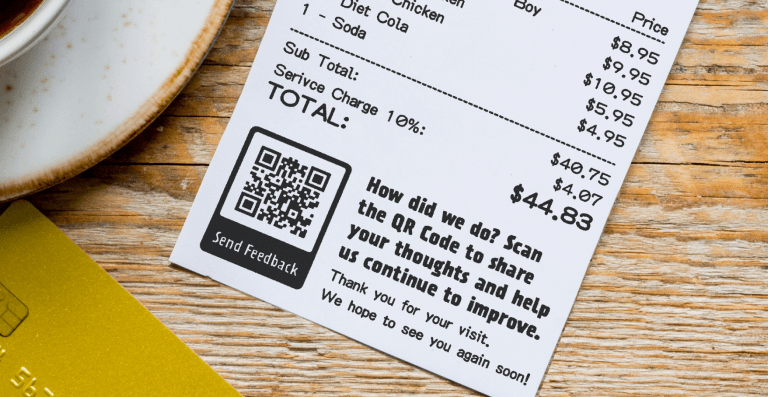
A Feedback QR Code printed on the restaurant check.
Events
Events are a great opportunity to gather large-scale feedback. Place QR Codes on screens, venue signage, posters, presentation slides, event badges, and merch to capture input throughout the experience.
You can request feedback on specific sessions—like asking attendees to rate a speaker using a QR Code on the final slide—or gather general feedback with codes placed around the venue.

Beyond surveys, QR Codes for event management can help promote future events and simplify registration.
Healthcare
QR Codes in healthcare gained traction during the COVID-19 pandemic, and their value in medical settings continues to grow.
Use QR Code surveys to gather feedback on:
- Appointment booking: Place QR Codes in waiting rooms or reminder emails to rate scheduling ease.
- Facility amenities: Ask about the cleanliness and comfort. QR Codes are hands-free and hygienic.
- Patient care: Collect feedback on physicians, nurses, and the overall experience.
- Medication management: Add QR Codes to packaging to gather input on instructions, side effects, and usage.
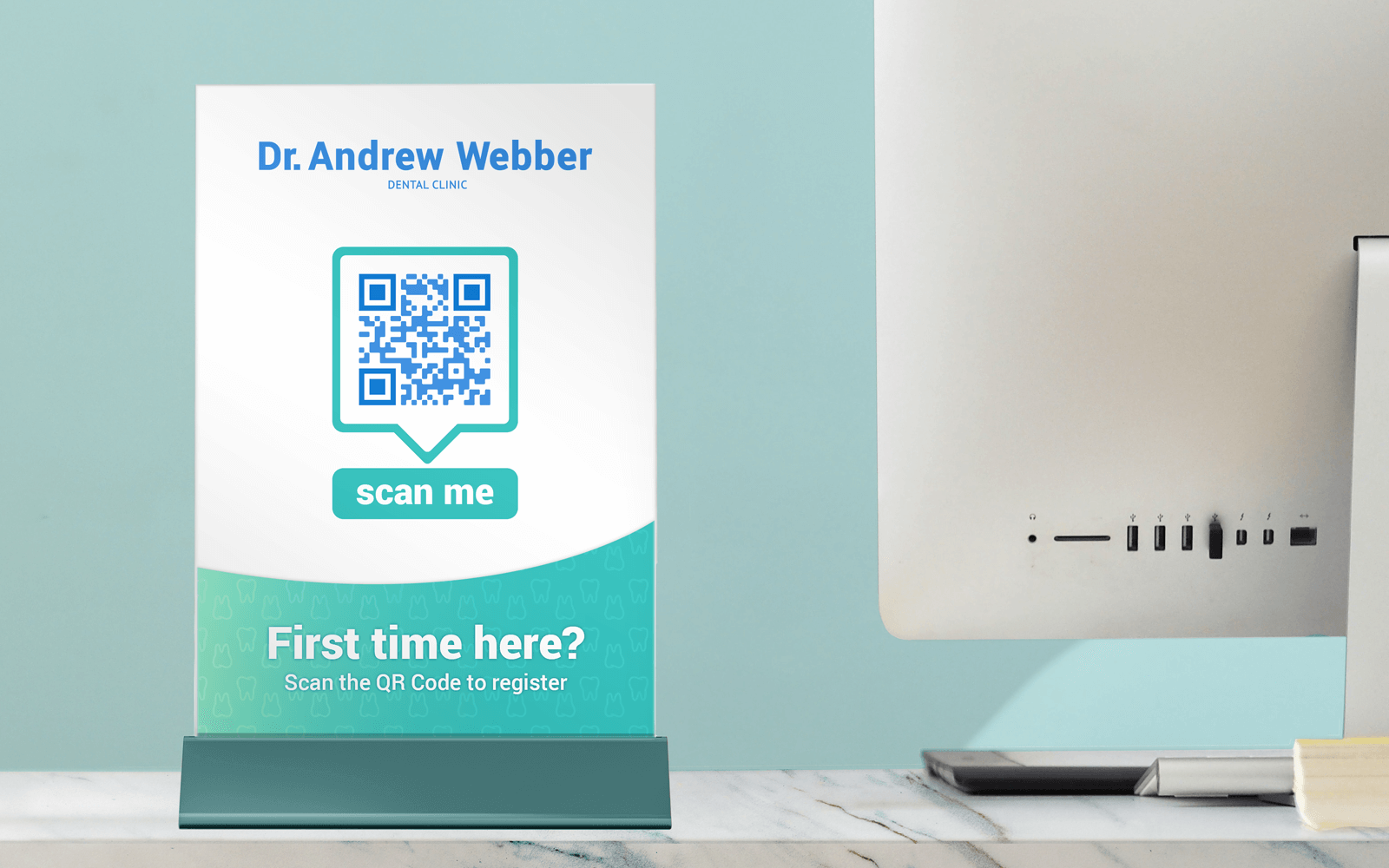
Retail
To succeed in retail, you need to continuously improve customer satisfaction and make information easy to access. One of the simplest ways to do that is with QR Codes for retail.
Use QR Code feedback surveys to ask respondents about their experience: your staff’s helpfulness, the ease of finding products, and what they’d like to see more of in-store.

You can also use QR Codes to connect customers with support, just like in the example above. And while customers are scanning for help on the front end, teams behind the scenes can use QR Codes for manufacturing to track stock levels, product information, and manage quality control.
Education
The functionality of QR Codes in educational settings goes beyond sharing class materials. While they’re widely used by teachers to distribute resources, you can also use QR Codes in education to improve the overall student experience.
Share course content, collaborative documents, or assessments, all with a simple scan. For administrators, QR Code surveys are a great way to gather feedback on teaching models, schedules, and school facilities. Educators can also use surveys to identify learning gaps or discover how students prefer to engage.
Hospitality
Guest feedback plays a key role in hospitality, especially when it comes to improving service and encouraging positive reviews.
QR Code surveys make it easy to collect that feedback and resolve issues before they reach public platforms. Place codes at key touchpoints like reception desks, guest rooms, or key card envelopes to encourage responses.

There are other ways to use QR Codes for hotels and resorts, too—from sharing amenity details to taking room service orders or booking spa appointments, all through a quick scan.
Public services
QR Code surveys help governments collect feedback on community services, consultations, and public campaigns. This input can guide service improvements and help prioritize high-demand initiatives.
Place QR Code labels on print materials, like flyers, mailers, or posters, or display them in high-traffic areas such as community centers and libraries.

You can also explore other QR Code formats to make public information more accessible. For example, use PDF or Video QR Codes to share updates on projects, benefits, or emergency procedures.
Use QR Code Generator PRO to create more accessible surveys
QR Code surveys offer a fast, low-friction way to collect feedback from the people who matter most. They help you reach respondents in the moment while also digitizing the results so you can refine your offer and improve continuously—no links or logins required.
With QR Code Generator PRO, creating and customizing survey QR Codes is simple. The platform supports over 15 QR Code types, includes built-in scan analytics, and offers flexible branding tools so you can turn every scan into a smarter, more personalized customer interaction.
Sign up for QR Code Generator PRO to unlock a world of insights and a better customer experience.



 Add custom colors, logos and frames.
