QR Code Call to Action: Examples and Best Practices That Drive Scans
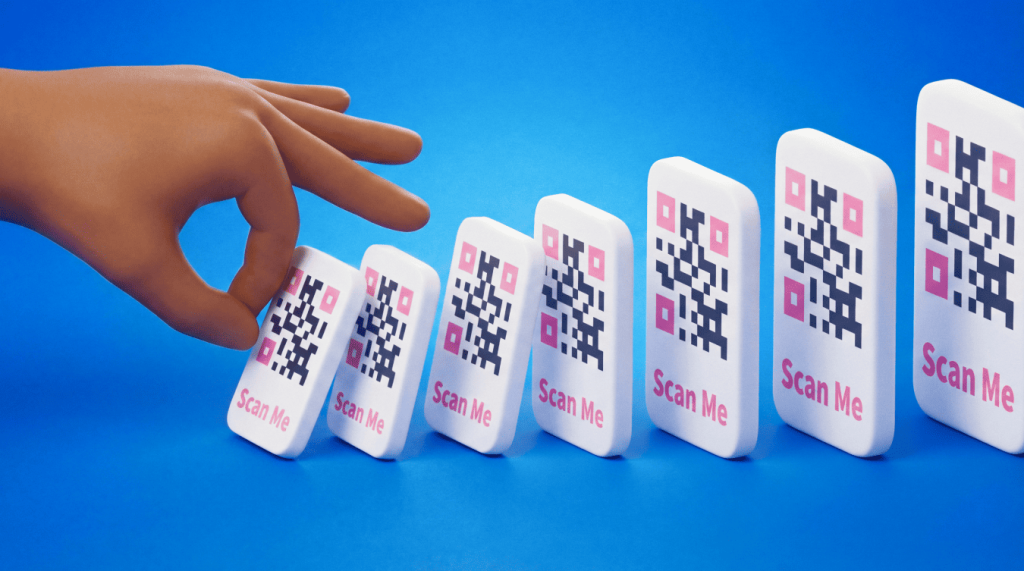
A quick response code (QR Code) call to action is a short line of text paired with a code that tells people what to do and what they gain by scanning.
That one instruction turns a passive glance into a scan, because it replaces “what is this?” with a clear reason to act. Without it, even well-designed code hides its destination and gives people no motivation to pick up their phones.
QR Code scanning is now mainstream, and the words around your code carry a lot of weight in whether people decide to scan it. People are ready to scan, and a 2024 TEAM LEWIS roundup shows how ready. It found that 68% of US adults scanned a QR Code in the past year. That figure rises to 83% among Gen Z (adults born from the mid-1990s to the early 2010s).
A specific call to action is what converts that readiness into action.
This guide provides ready-to-use call-to-action examples by industry, along with placement, design, and tracking tips you can apply to your next campaign.
Key takeaways
- Write a specific call to action so people know what they get before they scan.
- Use lines like “Scan to save 20%” or “Scan for the menu.”
- Pair every code with a frame and a short call to action of 3 to 5 words.
- Start that line with an action verb.
- Choose Dynamic QR Codes to edit your destination after printing and track every scan.
- Match your landing page to the promise on the code. Extra steps after the scan cost you conversions.
- Test your call to action before launch. Scan on different devices and compare two versions to find the winner.
What is a QR Code call to action?
A QR Code call to action is a short line of text that sits with a QR Code. It tells people exactly what to do. It also names what they will get when they scan, for example, “Scan to save 20%.”
The line sets the expectation before the scan. It points to the reward waiting on the other side.
A plain QR Code hides its destination from the human eye, so people cannot tell where it leads or whether it is safe. The call to action is what earns trust and the scan. It names the action, promises a benefit, and gives people permission to engage.
Think of the code as the mechanism and the call to action as the invitation. One moves people to your page; the other convinces them that’s where they want to go.
Why your QR Code needs a call to action
A clear call to action increases scans by setting expectations and giving people a concrete reason to act. When people know what they will get, they are more comfortable scanning.
A call to action delivers several benefits at once:
- Clear guidance: People learn where the code leads and what to expect before they scan.
- More scans and conversions: A specific reason to act moves more people from glance to scan to customer.
- Better trust and user experience: Naming the action and your brand reassures people the code is safe.
- Targeting and tracking: You can tailor the message to each audience and measure which placement and configuration earns more scans.
Trust deserves a closer look, because people have learned to be cautious. Public safety guidance warns against scanning unlabeled codes, since bad actors can hide harmful links behind them. A call to action that names the action and your brand directly addresses that hesitation. When people see who is asking and what they get, the perceived risk drops and the scan rate climbs.
Demand is high and rising, so a code without direction wastes potential scans. The call to action is a simple feature you can use to capture them.
What makes a QR Code call to action compelling
A compelling call to action is short, specific, and built around a benefit the reader wants. Follow the practices below to write one that earns the scan every time.
Use an action verb
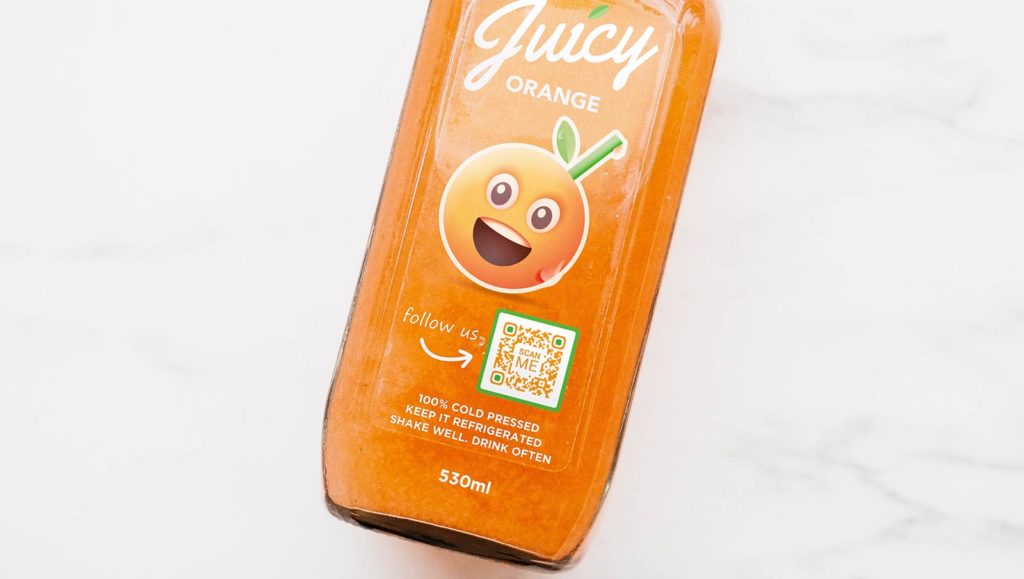
Lead with a direct verb that tells people exactly what to do. Words like Scan, Unlock, Get, Download, Save, and Book feel energetic and direct. Write the verb in the imperative form, the way you would give a friendly instruction. That leaves no confusion about the next step.
Make the value obvious
Pair the verb with a clear benefit so the reader knows what they gain. “Scan to save 20%” beats “Scan me” because it names the reward. HubSpot’s guide on writing a clear value proposition offers a simple framework. It shows how to connect an action to an outcome the reader cares about.
A useful, convenient reason to act carries real weight. A 2024 peer-reviewed study in the journal Humanities and Social Sciences Communications supports this point. It found that perceived usefulness and convenience are among the strongest drivers of consumer attitude toward adopting QR Code technology.
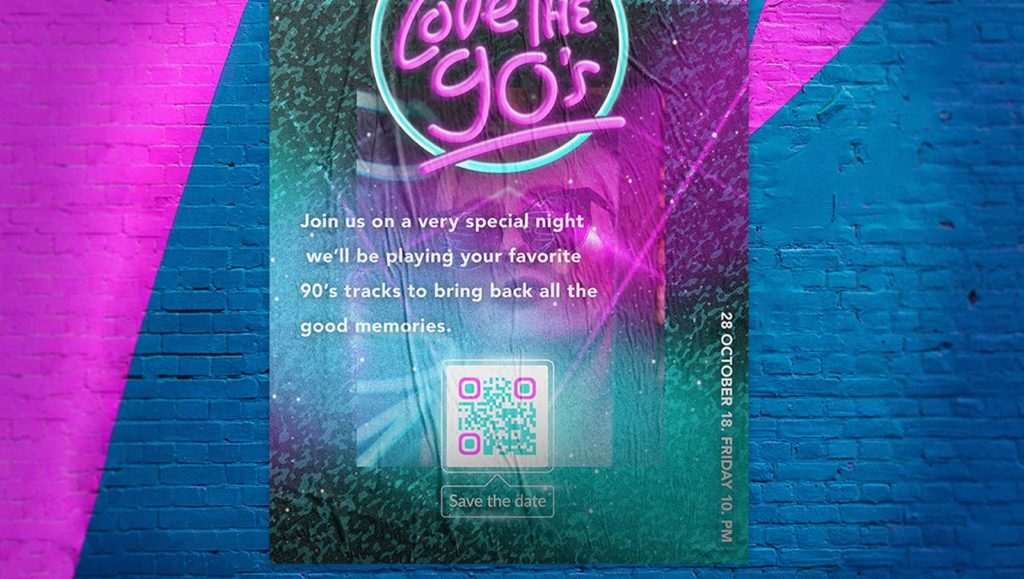
Keep it short (3 to 5 words)
Trim your call to action to 3-5 words so people can read it at a glance. Short phrases like “Start now” or “Book your table” leave no room for confusion. Cut every word that doesn’t add meaning, and let the landing page carry the longer message.
Show one call to action at a time
Give each code a single, clear call to action. Two or more competing instructions split attention and leave people unsure which to follow. One focused prompt gets people straight to the goal and can lift your conversion rate.
Design for contrast and placement
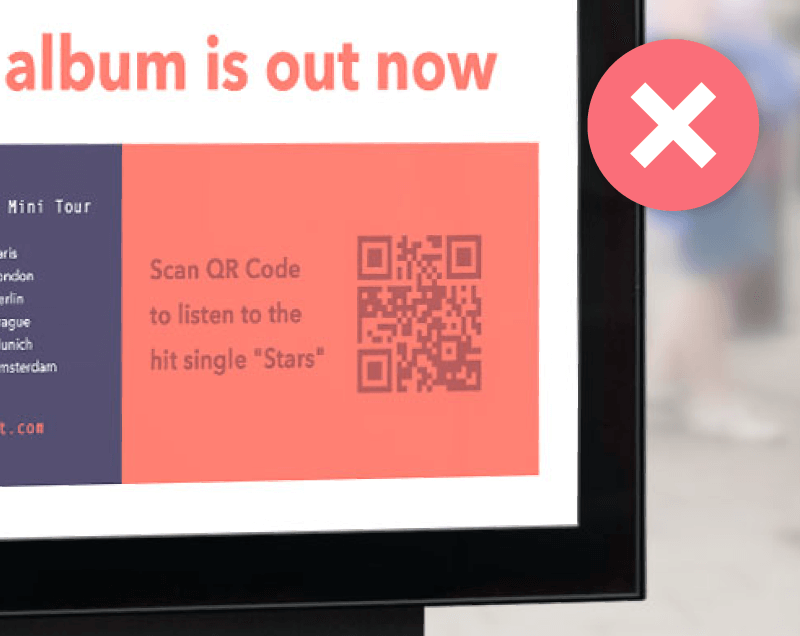
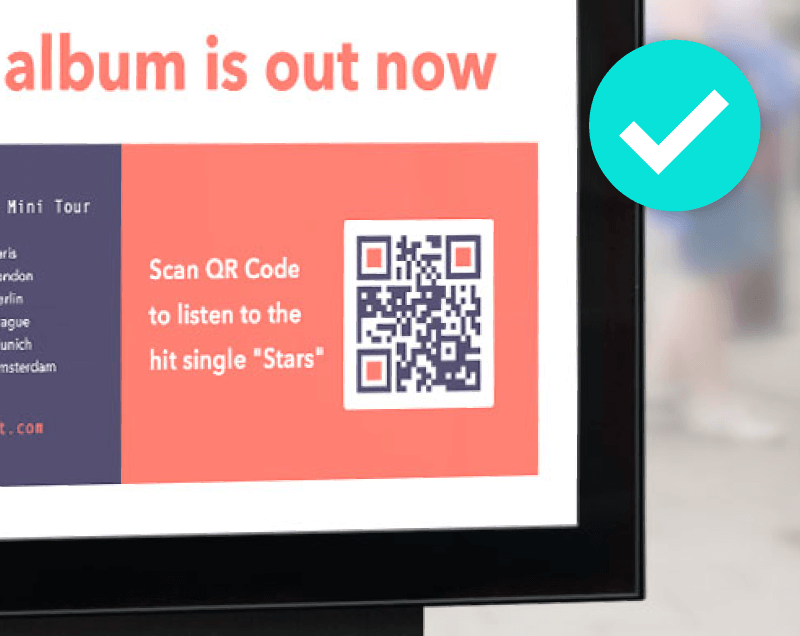
Make the call to action and the code simple to find and clear to read. Use high contrast between the text, code, and background so all three stand out. Place the call to action within sight of the code, front and center, so people never have to hunt for the next step.
High-converting QR Code call to action examples
The best call-to-action examples name the action and the reward in a few words. Use this phrase bank as a starting point, then adapt each line to your goal:
- “Scan to save 20%”
- “Scan for the menu”
- “Scan to book now”
- “Scan to leave a review”
- “Scan to join our list”
- “Get instant access”
- “Scan to watch the demo”
Different industries pursue different goals, so match your wording to the outcome you want. The table below pairs common industries with a goal and a ready-to-use call to action.
| Industry | Goal | Example CTA |
|---|---|---|
| Retail | Drive in-store sales | “Scan for in-store discount” |
| Food and beverage | Show the menu | “Scan to view the menu” |
| Events | Register attendees | “Scan to register now” |
| Real estate | Book a viewing | “Scan for a virtual tour” |
| Healthcare | Speed up intake | “Scan for secure check-in” |
| Education and nonprofit | Share resources | “Scan to access free resources” |
Each row starts from the reader’s motivation, not yours. A retail shopper wants a deal, so “Scan for an in-store discount” leads with savings. A diner wants the menu now, so “Scan to view the menu” removes the wait.
An event-goer wants a seat, so “Scan to register now” adds a sense of urgency. Name the reward your audience already wants, and the words do the persuading for you.
You can also group your phrase bank by the job the code has to do. Use “Get instant access” or “Scan to watch the demo” when you want people to consume content. Use “Scan to save 20%” or “Scan to book now” when you want someone to buy or book. Use “Scan to leave a review” or “Scan to join our list” when you want an ongoing relationship after the sale.
Use these as templates, not scripts. Swap in your specific offer, and keep the promise honest so the landing page behind the code delivers exactly what the words promised.
How to add a call to action to a QR Code frame
Add your call to action inside a frame so the instruction travels with the code wherever it goes. A frame wraps the code in a border with space for a short message. That keeps the prompt attached even when you resize or reprint. Follow these 6 steps to build one:
- Choose your QR Code type. Pick the destination you want.
Options include a website URL, Digital Business Card, or PDF. - Open the frame or design menu. Move to the customization panel where you style the code.
- Pick a frame. Select a frame style that fits your material and leaves room for text.
- Type a short call to action into the frame. Enter 3 to 5 words. Start with an action verb.
- Set high color contrast. Match the frame and text to your brand.
Keep the quiet zone clear so the code stays scannable. The quiet zone is the empty margin around the code. - Test and download. Scan the code yourself, then export it in high resolution for print or screen.
For a more detailed walkthrough, follow our guide on designing a QR Code with a frame. QRCG lets you apply your brand colors, add a logo, and drop a custom call to action into the frame. The finished code looks professional and tells people what to do in one glance.
Where to place your call to action across print and digital
Put the call to action directly above, below, or inside the frame, always within sight of the code. That way people read the prompt and scan in one motion. Placement changes slightly between print and screens, so tailor the approach to the medium.
In print, the code and its message have to work from a distance and without a tap. Keep these tips in mind:
- Posters and billboards: Size the code and text so people read them from a few feet away.
- Packaging and receipts: Place the call to action beside the code where hands naturally hold the item.
- Flyers and business cards: Leave a clear quiet zone so the code scans even on a small surface.
- Navigational and in-store signs: Match the call to action to the moment, like “Scan for today’s specials.”
The medium also shapes how much time you have. A billboard gets a passing glance, so keep the call to action to 3 words and make the code large. A flyer or brochure gives people longer to read, so you can add a short line of value beneath the prompt. Always name your brand near the code so people trust the source before they scan.
On screens, people can tap and scan, so your call to action can be even shorter. Keep these tips in mind:
- Social and display ads: Pair the code with a tappable short link so mobile viewers reach the page instantly.
- Email: Add a one-line call to action next to the code. That helps readers who print or scan later.
- Video and streaming: Hold the code on screen long enough for viewers to pick up a phone and scan it.
For campaign-level guidance, see how QRCG covers QR Codes in advertising and QR Codes in marketing campaigns. Both walk through placement across the channels your audience already uses, including coupon and discount offers that give people an extra reason to scan.
Common QR Code call to action mistakes to avoid
Most weak calls to action fail for a handful of avoidable reasons. Check your code against this list before you print:
- Vague instructions: “Scan me” with no value gives people no reason to act.
- Too much copy: Long prompts clutter the code and slow down reading.
- No clear benefit: Skipping the reward leaves people asking “what do I get?”
- A mismatched landing page: A call to action that doesn’t match the destination breaks trust.
- Poor contrast or placement: A hard-to-read prompt or a hidden code stops the scan before it starts.
- No test before print: Skipping a quick scan check risks a broken code on thousands of copies.
Fix these before launch, because a printed mistake is expensive to undo. A Dynamic QR Code mitigates that risk by letting you edit the destination after the code is already in the wild.
How to test and track your call to action
Use a Dynamic QR Code to track scans. Then run an A/B test (a side-by-side comparison of two versions) to determine which call to action performs best. The type of code you choose decides whether you can measure anything at all, so understand the difference before you print.
Static QR Codes are completely free and never expire. You cannot edit the content or track scans once they are generated. Dynamic QR Codes, available on paid plans, let you edit the destination after printing and report on every scan. You see scan location, time, device, and unique versus total scans, so you can tell what is working.
Focus on a few metrics that map directly to your call to action. Total scans show overall reach, while unique scans show how many individual people acted. Scan location and time reveal which placements and hours drive the most action.
Device data tells you whether people scan on an iPhone or an Android device. Use that to size your landing page for the screens they actually use.
Those numbers also let you judge cost per scan across placements. Divide the spend on a poster, ad, or mailer by the scans it earned, then compare the results. The channel with the lowest cost per scan usually deserves more budget. A weak channel may just need a sharper call to action.
To test a call to action, create two versions with different wording and split them across similar placements. Compare the scan data, keep the version that earns more scans, and retire the other. QRCG makes this practical: you can track QR Code scans in real time and export the results to compare campaigns side by side.
You need Dynamic QR Codes to measure a call to action. Only they report the scan data you use to compare versions and improve. If measurement matters to your campaign, choose Dynamic from the start.
Turn every scan into your next customer action
Every clear call to action follows the same playbook. Write it short and specific, then add a frame. Match the landing page to the promise, then test and track to find what works. Each step compounds, so the code that felt like an afterthought becomes a measurable marketing channel.
A clear call to action carries the message on any QR Code. It tells people what to do, promises a clear reward, and points them to a mobile-friendly page that delivers. When you pair that message with a Dynamic QR Code, you can also track scans and edit your destination after printing. You can test which wording drives the most action.
Sign up for QRCG and start turning scans into real results today.
Frequently asked questions
What is a call to action QR Code?
A call-to-action QR Code is a QR Code paired with a short instruction. It tells people what to do and why, such as “Scan to get 20% off.” The call to action sets the expectation. The QR Code delivers the experience when someone scans it.
How do you write a good call to action for a QR Code?
Keep it short, specific, and benefit-driven. Use 3 to 5 words that start with an action verb and name the reward. Match the message to where you place the code. For example, “Scan to view the menu” beats a generic “Scan me” because it tells people exactly what they get.
How do you make a QR Code clickable?
Add a frame and a call to action around the code, then link it to a mobile-friendly destination. On screens, you can also turn the code into a tappable image or a short link. That way, people who cannot scan still reach your page. QRCG lets you add frames, a custom call to action, and a short URL to every Dynamic QR Code.
Do call-to-action QR Codes actually improve response?
Yes, a clear call to action and a simple scan can lift response. In a randomized 2024 study, mailings with a QR Code plus a URL earned an 8.31% response rate, versus 7.00% for URL-only.
Demand runs high too. A 2024 research roundup found that 68% of US adults scanned a QR Code in the past year, rising to 83% among Gen Z.
How do you track which call to action works best?
Use Dynamic QR Codes and compare their scan data. Dynamic QR Codes track when, where, and on which device each scan happens. You can run two versions of a call to action and keep the one that earns more scans. Static QR Codes cannot track scans, so choose Dynamic QR Codes when you want to measure performance.
What are some call to action QR Code examples?
Effective examples name the action and the reward:
- “Scan to save 20%”
- “Scan for the menu”
- “Scan to book now”
- “Scan to leave a review”
- “Scan to join our list”
Match the wording to the goal of the page behind the code, and keep it to 3 to 5 words.



QR Code Generator
Your all-in-one QR Code marketing platform
Now you can fully customize your QR Codes with your brand colors and company logo, get scan statistics, and even edit the content after print.